
16 กรกฎาคม 2026
Admin APIs และ analytics ที่ขยายเพิ่ม
ผู้ดูแลระบบสามารถสร้างและจัดการ Admin keys ที่กำหนดขอบเขตตามเวิร์กสเปซได้แล้วใน Global Admin Console ภายใต้ Credentials > Admin keys คีย์เหล่านี้ใช้กับ API การดูแลระบบ ChatGPT และ Codex ที่รองรับ สำหรับการจัดการกลุ่ม, Spend Controls API, รายงานต้นทุน และ analytics สิทธิ์ที่ใช้ได้ขึ้นอยู่กับบทบาทเวิร์กสเปซของผู้ดูแลระบบ และ Admin keys ใช้สำหรับ model inference ไม่ได้
Global Admin Console มีประวัติ analytics ของเครดิตและ Codex ได้สูงสุด 120 วันแล้ว Spend Controls และแท็บ Usage limits ยังคงอยู่ใน ChatGPT และไม่ใช่ส่วนหนึ่งของการเปิดตัว Global Admin Console ครั้งนี้ ผู้ดูแลระบบยังคงจัดการลิมิตการใช้งาน รวมถึงตัวเลือก No limit เมื่อพร้อมใช้งาน ได้จาก Workspace settings → Usage limits เรียนรู้เพิ่มเติมใน Manage usage limits and overages in ChatGPT Enterprise and Edu และ Global Admin Console.
อัปเดตประสบการณ์แอป ChatGPT เดสก์ท็อป
เราได้อัปเดตแอป ChatGPT เดสก์ท็อปให้เลือกได้ง่ายขึ้นระหว่าง Chat และ Work ค้นหาบทสนทนาและ Projects ของคุณ และทำ Work ต่อข้ามอุปกรณ์ อัปเดตเหล่านี้พร้อมใช้งานแล้วสำหรับทุกแผนบน macOS และ Windows
macOS และ Windows
เลย์เอาต์เดสก์ท็อปที่ชัดขึ้น: ตัวสลับส่วนกลางให้คุณเลือกระหว่าง ChatGPT และ Codex ใน ChatGPT ให้เลือก Chat สำหรับคำถามด่วนและความช่วยเหลือแบบสนทนา หรือ Work เพื่อทำงานให้เสร็จตั้งแต่ต้นจนจบ
Recents แบบรวม: ตอนนี้บทสนทนา Chat และ Work ปรากฏร่วมกันใน Recents ซึ่งคุณจัดเรียง กรอง และปักหมุดได้
Projects ในแอปเดสก์ท็อป: ChatGPT Projects ที่คุณมีอยู่จะปรากฏในแอปแล้ว คุณเริ่มบทสนทนา Chat ภายใน Project หรือเริ่มเธรด Work โดยใช้บริบท Project ได้
ทำ Work ต่อข้ามอุปกรณ์: บทสนทนา Cloud Work จะซิงค์ข้ามเว็บ มือถือ และเดสก์ท็อป คุณจึงเริ่มบนพื้นผิวหนึ่งและทำต่ออีกพื้นผิวได้ บทสนทนาในเครื่องจะอยู่บนคอมพิวเตอร์ของคุณ
Codex ไม่เปลี่ยนแปลง: ในการอัปเดตนี้ Codex ยังคงเป็นมุมมองแยก และเวิร์กโฟลว์กับประวัติไม่เปลี่ยนแปลง Quick Chats ยังคงพร้อมใช้งานสำหรับบทสนทนาด่วน
ไม่มีการเปลี่ยนแปลงการควบคุมเวิร์กสเปซ: สิทธิ์เข้าถึง การตั้งค่าความปลอดภัย governance และ spend controls ของเวิร์กสเปซที่มีอยู่ไม่เปลี่ยนแปลง
15 กรกฎาคม 2026
แอปที่มีการซิงค์รองรับเวิร์กสเปซ EKM แล้ว
แอปที่มีการซิงค์พร้อมใช้งานสำหรับเวิร์กสเปซ ChatGPT Enterprise และ Edu ที่เปิดใช้ Enterprise Key Management (EKM) แล้ว อัปเดตนี้ใช้กับทุกแอปที่มีการซิงค์
หากต้องการเรียนรู้เพิ่มเติม ดู ChatGPT apps with sync และ OpenAI Enterprise Key Management (EKM) overview.
9 ก.ค. 2026
เปิดตัว ChatGPT Work
ChatGPT Work คือเอเจนต์สำหรับงานที่ยาวและซับซ้อนขึ้น สามารถวิจัยและวิเคราะห์ข้อมูล ทำงานข้ามแอปและไฟล์ที่เชื่อมต่อ และสร้างเอกสาร สเปรดชีต งานนำเสนอ รายงาน และ Sites ที่เสร็จสมบูรณ์ คุณติดตามความคืบหน้า ตอบคำถาม เปลี่ยนทิศทาง และอนุมัติการกระทำสำคัญระหว่างทำงานได้
Work ยังช่วยให้โปรเจ็กต์เดินหน้าผ่าน Scheduled Tasks ที่รันครั้งเดียว ทำซ้ำตามกำหนดหรือทริกเกอร์ หรือเฝ้าดูการเปลี่ยนแปลง
บนเว็บและมือถือ Work กำลังเปิดตัวให้แผนแบบชำระเงิน ยกเว้น Free และ Go ผู้ใช้ Pro, Pro Lite, Enterprise และ Edu จะได้สิทธิ์ก่อน; Plus และ Business จะตามมาในไม่กี่วัน Work พร้อมใช้ในทุกภูมิภาคที่รองรับ
บนเว็บและมือถือ เวิร์กสเปซ Enterprise และ Edu มีช่วงพรีวิวสองสัปดาห์ Work ปิดเป็นค่าเริ่มต้นในช่วงพรีวิว และผู้ดูแลเลือกไม่ใช้ได้ก่อนเปิดอัตโนมัติเมื่อจบพรีวิว
เรายังเปลี่ยน App Directory เป็น Plugin Directory การเชื่อมต่อแอปเดิมไม่ถูกกระทบ ปลั๊กอินรวมทักษะ แอป และเทมเพลตแอปสำหรับเวิร์กโฟลว์เฉพาะได้ และพร้อมใช้จาก ChatGPT บนเว็บและเดสก์ท็อป รวมถึง Work และ Codex
เรียนรู้เพิ่มเติมเกี่ยวกับ ChatGPT Work และ Codex.
เรียนรู้เพิ่มเติมเกี่ยวกับปลั๊กอินและไดเรกทอรีปลั๊กอินใหม่
Skills พร้อมให้ใช้งานทั่วไปแล้ว
ผู้ใช้ Enterprise และ Edu พบ Skills ได้ใต้ Plugins ในแถบด้านข้าง บนแท็บ Skills ใน Plugin Directory
แอปเดสก์ท็อป ChatGPT ใหม่รวม Chat, Work และ Codex ไว้ด้วยกัน
แอปเดสก์ท็อป ChatGPT ใหม่พร้อมใช้ทั่วโลกสำหรับ macOS และ Windows รวม Chat สำหรับคำถามและบทสนทนา Work สำหรับการวิจัยและผลงานสำเร็จ และ Codex สำหรับพัฒนาซอฟต์แวร์ไว้ในแอปเดียว
บนเดสก์ท็อป Work ใช้ไฟล์ในเครื่องและแอปเดสก์ท็อปได้เมื่อคุณอนุญาต เบราว์เซอร์ในตัวให้ ChatGPT รวบรวมข้อมูลจากเว็บไซต์และทำงานกับเครื่องมือและไฟล์บนเว็บที่รองรับ Codex ยังเพิ่มการแก้ไข inline ใน diff, รีวิว pull request ในแผงด้านข้าง, computer use ที่เร็วขึ้น และรองรับหลาย repository ในโปรเจ็กต์เดียว
หากคุณใช้แอป Codex อยู่แล้ว ให้อัปเดตตามปกติเพื่อย้ายไปแอปเดสก์ท็อป ChatGPT ใหม่ หากใช้แอปเดสก์ท็อป ChatGPT เดิม ให้ทำตามพรอมต์ในแอปเพื่อดาวน์โหลดเวอร์ชันใหม่ แอปเดิมอาจยังติดตั้งอยู่ในชื่อ ChatGPT Classic ChatGPT Classic ยังได้รับอัปเดตโมเดล แก้บั๊ก แพตช์ความปลอดภัย และรองรับความสามารถ Enterprise เดิม ขณะที่ฟีเจอร์เอเจนต์ใหม่ เช่น Work และ Codex อยู่ในแอปใหม่
เรียนรู้เพิ่มเติมเกี่ยวกับการย้ายไปแอปเดสก์ท็อป ChatGPT ใหม่
เปิดตัว ChatGPT Sites ใน public beta
ChatGPT Sites ให้คุณแปลงงานหรือไอเดียเป็นเว็บไซต์โต้ตอบหรือแอปขนาดเบาได้โดยไม่ต้องออกจาก ChatGPT คุณสร้างแดชบอร์ด ตัวติดตามโปรเจ็กต์ ปฏิทินเปิดตัว ต้นแบบ พอร์ทัลภายใน และรายงาน แล้วพรีวิวและปรับผลลัพธ์กับ ChatGPT ก่อนแชร์ได้
ลูกค้า Business และ Enterprise มีสิทธิ์เข้าถึง Sites อยู่แล้ว ตั้งแต่วันนี้ ยังเผยแพร่ Sites สาธารณะและแชร์กับทุกคนผ่าน URL ได้ ขยาย Sites ออกนอกคนในเวิร์กสเปซ
หากต้องการสร้าง Site ให้เริ่มใน ChatGPT Work บนเว็บ หรือใน Work หรือ Codex ในแอปเดสก์ท็อป ChatGPT อธิบายสิ่งที่ต้องการสร้าง เพิ่มเนื้อหา ไฟล์ ข้อมูล ลิงก์ หรือข้อจำกัดที่เกี่ยวข้อง และตรวจพรีวิวส่วนตัวก่อนเผยแพร่
ในเวิร์กสเปซ Enterprise การเผยแพร่สาธารณะปิดเป็นค่าเริ่มต้นและต้องเปิดโดยผู้ดูแล Sites กำลังเปิดตัวใน public beta ให้ผู้ใช้ Pro, Pro Lite และ Edu และผู้ใช้ Plus จะตามมาในไม่กี่วัน Sites ไม่พร้อมใช้ในแผน Free หรือ Go การเผยแพร่สาธารณะและการขยายเบต้าไม่พร้อมใช้ใน EEA สวิตเซอร์แลนด์ หรือสหราชอาณาจักรเมื่อเปิดตัว
เรียนรู้เพิ่มเติมเกี่ยวกับการสร้างและจัดการ ChatGPT Sites
เลิกใช้ group chats ใน ChatGPT
ตั้งแต่ 9 ก.ค. ผู้ใช้บนเว็บ iOS และ Android จะไม่สามารถสร้าง group chat ใหม่ เปลี่ยนบทสนทนาเดิมเป็น group chat หรือเข้าร่วม group chat ผ่านลิงก์เชิญได้อีก
Group chat เดิมจะยังพร้อมใช้งานและใช้ต่อได้ในตอนนี้ เมื่อ group chat เดิมกลายเป็นอ่านอย่างเดียว ผู้ใช้จะยังเข้าถึงข้อความ ไฟล์ และรูปภาพที่แชร์ไว้แล้วได้ บทสนทนา ChatGPT รายบุคคลไม่ถูกกระทบ
เลิกใช้ Atlas
เรากำลังเลิกใช้ Atlas ขณะนำความสามารถแบบเอเจนต์บนเบราว์เซอร์เข้าสู่ ChatGPT และ Codex Atlas มีกำหนดหยุดทำงานในวันที่ 9 ส.ค. 2026
เราต้องการให้การเปลี่ยนผ่านนี้ง่ายที่สุด ก่อนถึงวันนั้น ให้ย้ายข้อมูล Atlas ที่คุณต้องการเก็บไว้ ข้อมูลเบราว์เซอร์ Atlas รวมบุ๊กมาร์ก แท็บที่เปิด และประวัติเบราว์เซอร์ จะไม่ถ่ายโอนอัตโนมัติ คุณส่งออกคุกกี้และรหัสผ่านไปยังแอปเดสก์ท็อป ChatGPT และบุ๊กมาร์กไปยัง Chrome ได้ อย่าลืมบันทึกหน้า หรือ URL สำคัญจากแท็บที่เปิดและประวัติเบราว์เซอร์ก่อน 9 ส.ค.
ประวัติสนทนา ChatGPT ของคุณแยกต่างหากและจะยังอยู่ใน ChatGPT ภายใต้แผน การตั้งค่าเวิร์กสเปซ และสิทธิ์บัญชีของคุณ
เรากำลังต่อยอดสิ่งที่เรียนรู้จาก Atlas เพื่อนำประสบการณ์เบราว์เซอร์ที่มีความสามารถขึ้นมาสู่ ChatGPT รวมถึงหลายแท็บ ดาวน์โหลด การนำทางที่ดีขึ้น และรองรับการเข้าสู่ระบบบัญชีเมื่อมี สำหรับงานแบบเอเจนต์บนเบราว์เซอร์ที่ลึกขึ้น ลองใช้แอปเดสก์ท็อป ChatGPT หากต้องการความช่วยเหลือขณะท่องเว็บใน Chrome ลองใช้ส่วนขยายหรือแถบข้าง ChatGPT Chrome เมื่อพร้อมใช้
เรียนรู้เพิ่มเติมเกี่ยวกับการย้ายออกจาก Atlas ได้ในบทความศูนย์ช่วยเหลือของเรา
6 กรกฎาคม 2026 ChatGPT for PowerPoint พร้อมใช้งานทั่วไปแล้ว
ChatGPT for PowerPoint พร้อมใช้งานทั่วไปสำหรับเวิร์กสเปซ Enterprise และ Edu แล้ว ผู้ใช้สามารถสร้างและแก้ไขงานนำเสนอที่แก้ไขได้โดยตรงใน Microsoft PowerPoint วิเคราะห์เรื่องเล่าและโครงสร้างของเด็ก และใช้ Skills กับแอปที่อนุมัติแล้วเพื่อทำงานจากแหล่งข้อมูลที่ได้รับอนุญาต การแก้ไขขั้นสูงและการจับคู่เทมเพลตอาจยังต้องตรวจทาน
ผู้ดูแลระบบเปิดใช้ add-in ผ่าน workspace settings หรือปรับใช้ผ่าน Microsoft 365 ได้ รวมถึงการเข้าถึงตาม RBAC เมื่อเกี่ยวข้อง สำหรับเวิร์กสเปซที่เข้าเกณฑ์ ChatGPT for PowerPoint รองรับการบังคับใช้นโยบายเวิร์กสเปซ การเข้าถึงแหล่งข้อมูลตามขอบเขต การครอบคลุม Compliance API สำหรับพรอมต์และคำตอบ EU Inference Residency และ Enterprise Key Management เรียนรู้เพิ่มเติมเกี่ยวกับ ChatGPT for PowerPoint.
ราคา Excel/Sheets และ Workspace Agent
งาน ChatGPT for Excel/Sheets ใช้ราคาเครดิตแบบอิง Token สำหรับเวิร์กสเปซ Enterprise และ Edu แล้ว การรัน Workspace Agent ก็ใช้ราคาเครดิตแบบอิง Token สำหรับเวิร์กสเปซ Enterprise เช่นกัน การใช้เครดิตอิงตาม input tokens, cached input tokens และ output tokens แทนต้นทุนเครดิตแบบคงที่
ChatGPT for PowerPoint ยังคงฟรีสำหรับลูกค้า Enterprise จนถึง 6 สิงหาคม 2026 การคิดค่าบริการจะเริ่มหลังวันดังกล่าวตามโมเดลราคาแบบอิง Token เดียวกับ ChatGPT for Excel/Sheets เรียนรู้เพิ่มเติมในตารางราคา ChatGPT.
26 มิถุนายน 2026
การควบคุมที่เรียบง่ายขึ้นในตัวเลือกโมเดล
เรากำลังทยอยเปิดตัวตัวเลือกโมเดลที่อัปเดตสำหรับ ChatGPT Enterprise และ Edu บนเว็บ, iOS และ Android ช่วยให้เลือกระหว่างความเร็วกับระดับการให้เหตุผลที่เหมาะกับงานได้ง่ายขึ้น โดยไม่เปลี่ยนโมเดลพื้นฐานที่มีให้เวิร์กสเปซ
ตอนนี้ตัวเลือกมี:
Instant
Medium
High
Extra High
Pro Standard
Pro Extended
Medium แทน Thinking Standard, High แทน Thinking Extended และ Extra High แทน Thinking Heavy Pro Standard และ Pro Extended ยังคงใช้ GPT-5.5 Pro Thinking Light ไม่พร้อมใช้งานอีกต่อไป
ทั้งหกตัวเลือกพร้อมใช้งานสำหรับเวิร์กสเปซ Enterprise และ Edu โดยขึ้นกับการตั้งค่าการเข้าถึงของเวิร์กสเปซ การควบคุม Reasoning Model Access ควบคุม Medium, High และ Extra High การควบคุม Pro Model Access ควบคุม Pro Standard และ Pro Extended ตัวเลือกที่สมาชิกเข้าถึงไม่ได้จะถูกซ่อนจากตัวเลือกโมเดล
การตั้งค่า Redirect Auto Router to Thinking mini ไม่เปลี่ยนแปลงและยังใช้เฉพาะกับการให้เหตุผลอัตโนมัติ บน iOS และ Android ตัวเลือกจะปรากฏที่ด้านบนของบทสนทนา บนเว็บ จะปรากฏในช่องพิมพ์ข้อความ
การควบคุมผู้ดูแลระบบสำหรับปลั๊กอินสำหรับ ChatGPT Enterprise และ Edu
ผู้ดูแลระบบและเจ้าของเวิร์กสเปซสามารถจัดการปลั๊กอินได้จาก Workspace settings > Plugins หน้านี้รวมการค้นพบและการกำกับดูแลปลั๊กอินไว้ในที่เดียว รวมถึงการค้นหาและตัวกรองตามสถานะ นโยบายการติดตั้ง บทบาท หมวดหมู่ และ catalog นอกจากนี้ เจ้าของเวิร์กสเปซสามารถเปิดหรือปิดปลั๊กอินสำหรับเวิร์กสเปซหรือบทบาทที่เลือกได้จาก Workspace settings > Permissions & Roles
ผู้ดูแลระบบและเจ้าของกำหนดได้ว่าปลั๊กอินพร้อมให้สมาชิกติดตั้งหรือติดตั้งเป็นค่าเริ่มต้นหรือไม่ สำหรับเวิร์กสเปซหรือบทบาทเฉพาะ ผู้ดูแลระบบยังดูแอปที่ปลั๊กอินใช้ และจัดการปลั๊กอินจากมุมมองนี้ได้ เรียนรู้เพิ่มเติม: Plugins in Codex
25 มิถุนายน 2026
การปรับปรุงความจำสำหรับ ChatGPT Enterprise และ Edu
เรากำลังทยอยเปิดตัวความจำที่ปรับปรุงแล้วสำหรับ ChatGPT Enterprise และ Edu เมื่อเปิดใช้ความจำ ChatGPT สามารถใช้บริบทที่เกี่ยวข้องจากแชตก่อนหน้าเพื่อให้ความจำเป็นปัจจุบันและทำให้คำตอบเกี่ยวข้องขึ้นเมื่อการทำงานเปลี่ยนไป แทนที่จะพึ่งเฉพาะรายละเอียดที่บันทึกด้วยตนเอง
ตอนนี้ผู้ใช้สามารถ:
ตรวจสอบสรุปความจำที่แสดงข้อมูลที่ ChatGPT อาจใช้เพื่อปรับคำตอบให้เหมาะกับคุณ
ดู Sources ใต้คำตอบที่ปรับให้เหมาะกับคุณ เพื่อดูบริบทที่เกี่ยวข้องจากความจำ แชตก่อนหน้า และ custom instructions
แก้ไขความจำ ลบแชตที่อ้างอิง ทำเครื่องหมายแหล่งที่มาว่าไม่เกี่ยวข้อง ปิดความจำ หรือกลับไปใช้ Saved memories แบบเดิม
สรุปความจำเป็นมุมมองระดับสูงของบริบทที่เกี่ยวข้อง และอาจไม่รวมทุกอย่างที่ ChatGPT จำหรืออ้างอิงได้
สำหรับ ChatGPT Enterprise ประสบการณ์ที่ปรับปรุงแล้วจะเริ่มด้วยช่วง early access ประมาณสองสัปดาห์ ระหว่าง early access ผู้ดูแลระบบสามารถเปิด Use improved memory ใน Workspace settings หลัง early access จะเปิดเป็นค่าเริ่มต้นสำหรับเวิร์กสเปซที่เข้าเกณฑ์ เว้นแต่ผู้ดูแลระบบ opt out ผู้ดูแลระบบและผู้ใช้สามารถสลับกลับไปใช้ Saved memories แบบเดิมได้
อัปเดตนี้ไม่กระทบความจำของ Codex ความจำเฉพาะโปรเจกต์ยังคงอยู่ภายในแต่ละโปรเจกต์ และไม่ใช้ความจำหรือบทสนทนาจากนอกโปรเจกต์นั้น การปรับปรุงเหล่านี้พร้อมใช้งานโดยไม่มีค่าใช้จ่ายเพิ่มเติม
เรียนรู้เพิ่มเติมเกี่ยวกับงานวิจัยเบื้องหลังการปรับปรุงความจำเหล่านี้ใน ChatGPT
Codex Remote GA และเวิร์กสเปซ DigitalOcean
Codex Remote พร้อมใช้งานทั่วไปสำหรับผู้ใช้ในเวิร์กสเปซ ChatGPT Enterprise และ Edu แล้ว จากแอป ChatGPT บนมือถือ ผู้ใช้สามารถเริ่มหรือทำงานต่อบนโฮสต์ Mac หรือ Windows ที่เชื่อมต่อ ตรวจสอบความคืบหน้า และอนุมัติการดำเนินการจากโทรศัพท์ได้ Remote Control ตอนนี้ใช้การจับคู่ QR แบบหนึ่งต่อหนึ่งที่ยืนยันตัวตนแล้วระหว่างอุปกรณ์มือถือที่รองรับแต่ละเครื่องกับแต่ละโฮสต์ การเชื่อมต่อที่ใช้ตั้งแต่ 8 มิถุนายนยังคงจับคู่อยู่ ส่วนการเชื่อมต่อเก่าที่ไม่ใช้งานต้องจับคู่ใหม่ การออกจากระบบจะปิด Remote Control โดยไม่ลบการจับคู่ที่มีอยู่
ปลั๊กอิน DigitalOcean Droplet Workspace ใหม่ก็พร้อมใช้งานสำหรับผู้ใช้ ChatGPT Enterprise และ Edu แล้ว ช่วยให้ Codex provision DigitalOcean Droplet กำหนดค่า SSH access และเชื่อมต่อเข้ากับแอป Codex เป็น remote workspace ผู้ใช้ควรอัปเดตแอป ChatGPT บนมือถือและแอป Codex เป็นเวอร์ชันล่าสุดก่อนเชื่อมต่อ เรียนรู้เพิ่มเติมเกี่ยวกับการใช้ Codex กับแผน ChatGPT.
19 มิถุนายน 2026
Slack connector actions และการอนุมัติ OAuth scopes
เวิร์กสเปซ Enterprise และ Edu สามารถเปิดใช้ Slack connector actions ใน ChatGPT ได้แล้ว นอกจากการค้นหา Slack แล้ว ChatGPT สามารถทำ actions ที่รองรับ เช่น เข้าร่วม channel สร้าง reminder อัปโหลดไฟล์ หรืออัปเดตโปรไฟล์ Slack ของผู้ใช้ เมื่อเปิดใช้ connector และ actions ที่เกี่ยวข้อง
ผู้ดูแลระบบตรวจสอบ Slack ได้ใต้ Apps ใน ChatGPT และใช้ Action control เพื่อจัดการว่า actions ใดพร้อมใช้งาน บาง actions อาจต้องใช้ Slack OAuth scopes เพิ่มเติม หรือการอนุมัติจากผู้ดูแลระบบ Slack workspace หรือ Enterprise Grid ความสามารถ Slack ที่มีอยู่ซึ่งไม่ต้องใช้ scopes ใหม่จะยังทำงานต่อหาก scopes เพิ่มเติมไม่ได้รับอนุมัติ เรียนรู้เพิ่มเติมในบทความแอป ChatGPT Slack.
18 มิถุนายน 2026
ลิมิตการใช้งาน การเรียกเก็บเงินและการวิเคราะห์ใน Global Admin Console
ผู้ดูแลระบบ Enterprise และ Edu มีเครื่องมือใหม่สำหรับจัดการการใช้เครดิตและตรวจสอบกิจกรรมที่เกี่ยวกับการเรียกเก็บเงินแล้ว ลิมิตการใช้งานใน Workspace settings ช่วยให้ผู้ดูแลระบบและเจ้าของกำหนดลิมิตเครดิตรายเดือนตามเวิร์กสเปซ กลุ่ม และผู้ใช้ ตรวจสอบคำขอเพิ่มลิมิต และย้ายจากลิมิตรายสัปดาห์เดิมใน Permissions & roles ได้
Global Admin Console ยังมีส่วน Analytics และ Billing ที่อัปเดตแล้วสำหรับเวิร์กสเปซที่เข้าเกณฑ์ รวมถึงการวิเคราะห์เครดิต มุมมองการใช้งาน Codex และ ChatGPT รายละเอียดแผน ยอดเครดิต กิจกรรมการให้เครดิต ใบแจ้งหนี้ การแจ้งเตือนการใช้งาน และการตั้งค่าลิมิตส่วนเกิน ผู้ดูแลระบบ เจ้าของ และผู้ดูการวิเคราะห์สามารถดูข้อมูลการใช้งานและส่งออกข้อมูลตามฟีเจอร์และมิติต่างๆ เช่น เครดิตที่ Codex และ ChatGPT ใช้ กระดานอันดับผู้ใช้และเอเจนต์ และการใช้งาน Codex กับ ChatGPT แยกตามฟีเจอร์
เรียนรู้เพิ่มเติม: การตั้งค่าลิมิตการใช้งานใน ChatGPT Enterprise และ Edu, Global Admin Console.
Record & Replay ใน Codex
Record & Replay เป็นฟีเจอร์ใหม่ของแอป Codex สำหรับ macOS ที่ให้ผู้ใช้ Enterprise และ Edu ที่เข้าเกณฑ์สาธิตเวิร์กโฟลว์หนึ่งครั้ง แล้วเปลี่ยนเป็นทักษะที่ใช้ซ้ำได้ ฟีเจอร์นี้ออกแบบมาสำหรับเวิร์กโฟลว์ที่เสถียรและทำซ้ำได้ ซึ่งแสดงให้ดูง่ายกว่าอธิบาย และทักษะที่สร้างขึ้นจะช่วยนำทาง Codex ในงานคล้ายกันภายหลังด้วยเครื่องมือที่มี เช่น Computer Use การทำงานในเบราว์เซอร์ และปลั๊กอินที่ติดตั้งไว้
Record & Replay ต้องมีและเปิดใช้งาน Computer Use และการเปิดให้ใช้ช่วงแรกไม่รวมสหภาพยุโรป สหราชอาณาจักร และสวิตเซอร์แลนด์ สำหรับการติดตั้งใช้งาน Codex แบบมีการจัดการ การปิด Computer Use จะปิด Record & Replay และขั้นตอนการเปิดใช้งานที่เกี่ยวข้องด้วย เรียนรู้เพิ่มเติมในคู่มือ Record & Replay
17 มิถุนายน 2026
การส่งออกข้อมูลสำหรับเวิร์กสเปซ ChatGPT Edu
สมาชิกของเวิร์กสเปซ ChatGPT Edu ที่ไม่มีการกำหนดค่าถิ่นที่อยู่ของข้อมูลสามารถส่งออกข้อมูลเวิร์กสเปซได้แล้ว เมื่อผู้ดูแลระบบเวิร์กสเปซเปิดใช้ Data export สมาชิกสามารถขอส่งออกได้จาก Settings > Data controls ดาวน์โหลดไฟล์ส่งออกจากอีเมลที่ได้รับ และอัปโหลด JSON การสนทนาที่รวมมาไปยังการสนทนาใหม่ในบัญชี ChatGPT ส่วนตัวเพื่อใช้อ้างอิง
Data export ปิดไว้เป็นค่าเริ่มต้น และการตั้งค่านี้มีผลกับสมาชิกทุกคนในเวิร์กสเปซ เรียนรู้เพิ่มเติม.
11 มิถุนายน 2026
Library สำหรับเวิร์กสเปซ Enterprise, Edu และ Healthcare
Library กำลังทยอยเปิดให้เวิร์กสเปซ Enterprise, Edu และ Healthcare ใช้ โดยให้สมาชิกมีที่เฉพาะสำหรับค้นหาและใช้ไฟล์ที่อัปโหลดหรือสร้างใน ChatGPT ซ้ำ ไฟล์ที่บันทึกใน Library จะเป็นไปตามนโยบายการเก็บรักษาของเวิร์กสเปซ
เจ้าของเวิร์กสเปซควบคุมได้ว่า ChatGPT จะอ้างอิงไฟล์ Library โดยอัตโนมัติเมื่อตอบหรือไม่ การปิดการอ้างอิงอัตโนมัติไม่ได้ลบ Library หรือป้องกันสมาชิกจากการเรียกดู ค้นหา เปิด หรือแนบไฟล์ด้วยตนเอง สำหรับเวิร์กสเปซ Healthcare การอ้างอิงอัตโนมัติปิดไว้เป็นค่าเริ่มต้น
มี endpoint ของ Compliance API เฉพาะ Library สำหรับส่งออกและลบไฟล์ Library ด้วย Library ไม่เพิ่มการแชร์ภายนอกหรือการทำงานร่วมกันหลายคนแบบใหม่
เรียนรู้เพิ่มเติมเกี่ยวกับ File storage และ Library ใน ChatGPT
อัปเดต Global admin console
Cloud Console มีการควบคุมการเข้าถึงแอปภายนอกสำหรับ Sign in with ChatGPT แล้ว ผู้ดูแลระบบสามารถเปิดหรือปิดการเข้าถึงแอปพลิเคชันภายนอกสำหรับองค์กร กำหนดให้แอปต้องได้รับอนุมัติก่อนสมาชิกใช้งาน และอนุมัติหรือปิดแอปแต่ละรายการได้
อัปเดต Codex
เราได้ปล่อยอัปเดต Codex หลายรายการ ได้แก่:
Computer Use สำหรับ Windows สำหรับแผน Enterprise ดู Computer Use, Managed configuration และconfiguration reference
Developer mode สำหรับการใช้ Browser ใน Chrome และเบราว์เซอร์ในแอป Codex เมื่อพร้อมใช้งาน Developer mode ให้ Codex ใช้การเข้าถึง Chrome DevTools Protocol (CDP) แบบควบคุมได้ เพื่อ profiling ประสิทธิภาพและ debugging เชิงลึกของทราฟฟิกเครือข่าย console output runtime errors สถานะ DOM และ styles ที่ใช้ ฟีเจอร์นี้ปิดไว้เป็นค่าเริ่มต้นในระดับผู้ใช้ และเปิดได้จากการตั้งค่าแอป Codex ผู้ดูแลระบบและเจ้าของสามารถปิดฟีเจอร์สำหรับเวิร์กสเปซจากการตั้งค่า Codex cloud โดยเข้าถึงแผง Policies & Configurations เรียนรู้เพิ่มเติม.
รีลีสนี้ยังเพิ่ม /init ใน app composer เพื่อสร้าง scaffold AGENTS.md รองรับการตั้งค่าการควบคุมการเข้าถึงรายแอปสำหรับ Computer Use บน Windows ข้อผิดพลาดลิมิตการใช้งานที่ชัดขึ้นพร้อมคำแนะนำเวิร์กสเปซและเวลาการรีเซ็ตเมื่อมี และส่วน Unread chats ใหม่ในเมนูคำสั่ง เรียนรู้เพิ่มเติม.
8 มิถุนายน 2026
สิทธิ์แอปสำหรับแอปที่เชื่อมต่อ
ผู้ดูแลระบบเวิร์กสเปซสามารถใช้ App permissions เมื่อพร้อมใช้งาน เพื่อเลือกว่า ChatGPT จะถามสมาชิกก่อนใช้แอปที่เชื่อมต่อเมื่อใด ผู้ดูแลระบบตั้งค่าเริ่มต้นทั้งเวิร์กสเปซและเลือกสิทธิ์ต่างกันสำหรับแต่ละแอปได้ โดยมีตัวเลือก เช่น Always ask, Any changes และ Important actions
Important actions เป็นค่าเริ่มต้น และให้ ChatGPT อ่านจากแอปได้อัตโนมัติ แต่จะถามก่อนดำเนินการที่อาจมีผลสำคัญนอก ChatGPT เปิดเผยข้อมูลละเอียดอ่อน หรือยกเลิกได้ยาก App permissions แทนที่การตั้งค่า Action consent เดิมเมื่อพร้อมใช้งาน ขณะที่ app access, RBAC และ Action control ยังคงเป็นการควบคุมผู้ดูแลระบบที่แยกกัน
เรียนรู้เพิ่มเติม: Apps in ChatGPT; Admin Controls, Security, and Compliance in apps.
5 มิถุนายน 2026
การแชร์ปลั๊กอินสำหรับเวิร์กสเปซ Enterprise
การแชร์ปลั๊กอินพร้อมใช้งานเป็นค่าเริ่มต้นสำหรับเวิร์กสเปซ ChatGPT Enterprise ที่เข้าเกณฑ์ใน Codex แล้ว ผู้ใช้สามารถแชร์ปลั๊กอินในเครื่องกับเวิร์กสเปซ เพื่อให้เพื่อนร่วมทีมติดตั้งและใช้ปลั๊กอินที่แชร์จากไดเรกทอรีปลั๊กอิน Codex ได้
ผู้ดูแลระบบเวิร์กสเปซปิดการแชร์ปลั๊กอินใน requirements.toml ได้โดยใช้ MDM หรือการกำหนดค่าที่จัดการบนคลาวด์ เรียนรู้เพิ่มเติม: แชร์ปลั๊กอินในเครื่องกับเวิร์กสเปซของคุณ.
2 มิถุนายน 2026
สร้างและปรับใช้แอปภายในเวิร์กสเปซด้วย Sites
ChatGPT Sites พร้อมให้ใช้งานแบบ preview สำหรับเวิร์กสเปซ ChatGPT Enterprise และ Edu ที่เข้าเกณฑ์แล้ว โดยเป็นปลั๊กอินที่ให้ผู้ใช้ขอให้ Codex สร้าง ปรับซ้ำ และปรับใช้เว็บแอป JavaScript/TypeScript แบบ full-stack ขนาดเบา พร้อม URL ไซต์ที่โฮสต์ การเข้าถึงด้วย Sign in with ChatGPT และพื้นที่จัดเก็บข้อมูล/ไฟล์ โดยยังจำกัดการเข้าถึงภายในเวิร์กสเปซ
ChatGPT Sites ปิดไว้เป็นค่าเริ่มต้นสำหรับเวิร์กสเปซ Enterprise/Edu ผู้ดูแลระบบและเจ้าของจัดการการเปิดใช้และการเข้าถึงได้ผ่าน workspace settings และ RBAC เปิด ChatGPT Sites ได้จาก Workspace settings > Permissions & Roles. ผู้ดูแลระบบและเจ้าของปิดไซต์ที่เผยแพร่แล้วได้จาก Workspace settings > Sites.
ดูรายละเอียดการสร้าง การปรับใช้ การจัดเก็บ การเข้าถึง และข้อจำกัดได้ในคู่มือนักพัฒนา Codex Sites
ปลั๊กอินเฉพาะบทบาทใน Codex
ปลั๊กอินเฉพาะบทบาทกำลังทยอยเปิดใน Codex สำหรับเวิร์กสเปซ ChatGPT Enterprise ที่รองรับ ชุดแรกนี้รวม Sales, Data Analytics, Product Design, Creative Production, Investment Banking และ Public Equity Investing ปลั๊กอินเหล่านี้รวมทักษะเฉพาะบทบาท การผสานรวมแอป พรอมต์เริ่มต้น และคำแนะนำเวิร์กโฟลว์ เพื่อให้ทีมใช้ Codex สำหรับเตรียมงานขาย การวิเคราะห์และแดชบอร์ด ต้นแบบ สื่อสร้างสรรค์ และวิจัยการเงิน
การเปิดตัวนี้ยังเพิ่มปลั๊กอินแอปเดี่ยว 66 รายการที่ขยายการผสานรวมที่มีใน Codex รวมถึงเครื่องมืออย่าง Databricks, Salesforce, Hex และ Clay ผู้ใช้เพิ่มปลั๊กอินที่มีได้จากไดเรกทอรีปลั๊กอิน Codex และ Codex ช่วยตั้งค่าให้เสร็จได้ ผู้ดูแลระบบเวิร์กสเปซควบคุมสิทธิ์แอปพื้นฐานใน workspace settings สำหรับบางเวิร์กโฟลว์ เช่น การใช้ Databricks หรือ Snowflake ใน Data Analytics ผู้ดูแลระบบอาจต้องตั้งค่า connector ให้เสร็จก่อนผู้ใช้จะใช้ปลั๊กอินได้
เรียนรู้เพิ่มเติม: Plugins in Codex.
การควบคุม session บัญชีที่ใช้งานอยู่
เรากำลังทยอยเปิดตัว Active sessions ฟีเจอร์ความปลอดภัยใหม่ใน ChatGPT ที่ช่วยให้ผู้ใช้ตรวจสอบ session ที่ผูกกับบัญชีและออกจาก session ที่ไม่รู้จัก
ความพร้อมใช้งาน: ฟีเจอร์นี้ไม่พร้อมใช้สำหรับบัญชีที่เชื่อมกับการลงชื่อเข้าใช้ SSO ขององค์กร รวมถึง SAML หรือ OIDC อาจมีผลแม้องค์กรไม่ได้บังคับใช้ SSO ทุกครั้งที่ลงชื่อเข้าใช้ หรือหากผู้ใช้ลงชื่อเข้าใช้ session ปัจจุบันด้วยวิธีอื่น
ผู้ใช้ที่เข้าถึงได้สามารถ:
ตรวจสอบ session ของ OpenAI แบบ first-party จาก Settings > Security > Active sessions พร้อมรายละเอียดที่มี เช่น อุปกรณ์ แอป ตำแหน่งโดยประมาณ เวลาเข้าสู่ระบบ สถานะอุปกรณ์ที่เชื่อถือ และว่าเป็น session ปัจจุบันหรือไม่
ออกจากระบบ session รายรายการหรือทุก session จาก Active sessions
Active sessions แสดง session ที่ทราบผ่านการจัดการ session รวมถึง ChatGPT, Codex และ API Platform session เมื่อมี ไม่จัดการ session ของแอปภายนอก แอปที่เชื่อมต่อ session Sign in with ChatGPT ที่ใช้เฉพาะกับบริการภายนอก หรือ session Codex CLI
เรียนรู้เพิ่มเติม: การจัดการ active sessions ใน ChatGPT
29 พฤษภาคม 2026
อัปเดต Codex: Computer use และ remote control สำหรับ Windows, รองรับเทมเพลตแอป GitHub Enterprise
ตอนนี้ Codex รองรับ Computer Use บน Windows ในแอป Codex แล้ว ผู้ใช้ที่มีสิทธิ์เข้าถึง Codex สามารถใช้ Computer Use เพื่อให้ Codex มองเห็น คลิก และพิมพ์ในแอปพลิเคชัน Windows ด้วย remote control ผู้ใช้ยังทำเวิร์กโฟลว์ Windows ต่อจาก ChatGPT บน iOS หรือ Android หรือจาก Codex บน Mac ได้ เพื่อตรวจความคืบหน้า ตอบพรอมต์ และกำกับทิศทางเมื่อไม่อยู่หน้าโต๊ะ ขณะที่เครื่อง Windows ยังคงเป็นโฮสต์สำหรับไฟล์โปรเจกต์ shell, app server และบริบทในเครื่อง
Windows Computer Use และ remote control ปิดไว้สำหรับผู้ใช้ Enterprise โดยค่าเริ่มต้น หากต้องการเปิดใช้ โปรดติดต่อผู้แทนบัญชี OpenAI ของคุณเพื่อเข้าร่วม early access
สำหรับ repository GitHub Enterprise Server ที่ลูกค้าโฮสต์เอง ผู้ดูแลระบบเวิร์กสเปซสามารถตั้งค่าและเผยแพร่แอป GitHub Enterprise จากเทมเพลตแอป ChatGPT เพื่อให้ Codex ใช้ connector เฉพาะเวิร์กสเปซสำหรับ Codex Web, Code Review และ Security Review
เรียนรู้เพิ่มเติม: Computer Use, Remote control, ตั้งค่าเทมเพลตแอป GitHub Enterprise ใน ChatGPT.
28 พฤษภาคม 2026
การควบคุมและความสามารถใหม่สำหรับ ChatGPT workspace agents
เรากำลังทยอยเปิดตัวความสามารถใหม่ด้านโมเดล ผู้ดูแลระบบ การเข้าถึงแอป และการตอบสนองสำหรับ ChatGPT workspace agents ใน Enterprise และ Edu
Workspace agents รองรับ:
GPT-5.5 และการควบคุม reasoning effort: เมื่อสร้างเอเจนต์ ผู้สร้างเลือก GPT-5.5 และตั้งค่า reasoning effort ที่เอเจนต์ใช้ได้ เรายังปรับปรุงความเร็วการตอบสนองทั่วทั้ง agents
สิทธิ์เผยแพร่ตามบทบาท: ผู้ดูแลระบบเวิร์กสเปซควบคุมได้ว่าบทบาทใดเผยแพร่เอเจนต์ไปยังไดเรกทอรีเวิร์กสเปซที่แชร์ได้
การตั้งค่าเอเจนต์แบบมีคำแนะนำ: ตอนนี้ ChatGPT ถามคำถามตั้งค่าเพื่อช่วยผู้ใช้สร้างเอเจนต์ที่มีประโยชน์ได้เร็วขึ้น
เอาต์พุตเสียงพูด: ตอนนี้เอเจนต์สร้างไฟล์เสียงเป็นส่วนหนึ่งของคำตอบได้
ตอบกลับเธรด Slack ฉลาดขึ้น: เอเจนต์ที่ใช้ใน Slack สามารถตอบข้อความติดตามที่เกี่ยวข้องในเธรดหลังการ mention ครั้งแรก ผู้สร้างเลือกได้ว่าเอเจนต์จะตอบข้อความเธรดที่เกี่ยวข้องหรือเฉพาะเมื่อถูก mention
เทมเพลตแอปสำหรับ GitHub Enterprise, Snowflake และ Databricks
ผู้ดูแลระบบและเจ้าของเวิร์กสเปซในแผน Enterprise และ Edu สามารถใช้เทมเพลตแอป ChatGPT เพื่อสร้างแอปเฉพาะเวิร์กสเปซสำหรับ GitHub Enterprise, Snowflake และ Databricks ได้แล้ว เทมเพลตแอปมีขั้นตอนตั้งค่าแบบมีคำแนะนำสำหรับการกำหนดค่าเฉพาะผู้ให้บริการ เช่น OAuth credentials, callback URLs, รายละเอียด webhook, managed MCP server URLs และการควบคุมการเข้าถึงเวิร์กสเปซ ก่อนผู้ดูแลระบบเผยแพร่แอปให้สมาชิก
ใช้คู่มือตั้งค่าใหม่เพื่อเข้าใจ flow ทั่วไปของ app-template และขั้นตอนเฉพาะผู้ให้บริการสำหรับแต่ละเทมเพลต: ChatGPT app templates, GitHub Enterprise app template, Snowflake app template และ Databricks app template.
หลังเผยแพร่ ผู้ดูแลระบบจัดการแอปที่ได้จาก Workspace settings > Apps > Enabled ได้ รวมถึง role access, action controls และ action confirmation
22 พฤษภาคม 2026
Workspace agents พร้อมใช้งานทั่วไปใน ChatGPT Business, Enterprise และ Edu แล้ว
Workspace agents ช่วยให้ทีมทำงานร่วมกันข้ามเครื่องมือได้มากขึ้น สามารถรับผิดชอบเวิร์กโฟลว์ทั้งหมดได้เอง ทำตามกระบวนการของทีม และแชร์ทั่วทีมของคุณเพื่อให้สร้างครั้งเดียวและใช้ร่วมกันได้
เรายังเพิ่มการควบคุมผู้ดูแลระบบและการมองเห็นใหม่:
ผู้สร้างเอเจนต์ตั้ง safeguards ได้ว่าเอเจนต์ทำ actions ใดได้บ้างสำหรับแต่ละแอปที่เปิดในเวิร์กสเปซ
ผู้ดูแลระบบ Business, Enterprise และ Edu สามารถดูกิจกรรมและการใช้งาน workspace agent ใน
.
เราได้ขยายช่วงใช้ฟรีสำหรับ workspace agents ถึง 6 กรกฎาคม 2026 การคิดราคาแบบเครดิตจะเริ่มในวันนั้น (แก้ไขแล้ว)
21 พฤษภาคม 2026
อัปเดต Codex: goal mode, การปรับปรุงเบราว์เซอร์, remote locked use, admin analytics และสถานะ plugin sharing
ตอนนี้ Codex ให้ผู้ใช้ Enterprise และ Edu มีวิธีทำงานไปสู่เป้าหมายระยะยาวและปรับซ้ำในเบราว์เซอร์มากขึ้น ขณะที่ผู้ดูแลระบบที่เข้าเกณฑ์ได้รับ analytics การใช้งานที่อัปเดต:
Appshots ในแอป macOS ให้ผู้ใช้แนบหน้าต่างแอปเข้ากับเธรด Codex ด้วย hotkey พร้อม screenshot และข้อความที่มี Appshots พร้อมใช้งานสำหรับบัญชี ChatGPT Edu วันนี้ และจะรองรับบัญชี ChatGPT Enterprise เร็วๆ นี้
Goal mode พร้อมใช้งานทั่วไปในแอป Codex, ส่วนขยาย IDE และ CLI ให้ผู้ใช้กำหนดผลลัพธ์และเกณฑ์ความสำเร็จ แล้วให้ Codex ทำงานต่อไปเพื่อไปให้ถึง
คำอธิบายในเบราว์เซอร์ในแอป รองรับ feedback ด้านสไตล์ที่แม่นยำขึ้นสำหรับงานบนเบราว์เซอร์และ frontend
Locked computer use ให้ผู้ใช้คง Codex ทำงานจากระยะไกลและปลอดภัยหลัง Mac ล็อก โดยขึ้นกับข้อจำกัดภูมิภาคที่มีอยู่ ผู้ดูแลระบบและเจ้าของปิดฟีเจอร์นี้ได้โดยตั้ง
remote_computer_use = falseในการตั้งค่า Policies & Configurations ใน Codex cloud ดู configuration reference สำหรับรายละเอียดเพิ่มเติมการปรับปรุง browser-use เพิ่มโหมด annotation ขั้นสูง การดึง asset ที่เร็วขึ้น บริบท JavaScript แบบอ่านอย่างเดียว ความสะดวกในการจัดกลุ่มแท็บ ลดความรกของแท็บส่วนขยาย Chrome และปรับปรุงความน่าเชื่อถือ
ตอนนี้ global admin console มี Codex analytics สำหรับผู้ดูแลระบบ Enterprise พร้อม active users, credits และ tokens, threads และ turns, user leaderboards, plugin usage, accepted lines of code, model usage และ UI ที่สอดคล้องกับ console
Plugin sharing ให้ทีมแชร์ปลั๊กอินที่สร้างในเครื่องกับสมาชิกเวิร์กสเปซจากแอป Codex Plugin sharing ปิดไว้เป็นค่าเริ่มต้นสำหรับ ChatGPT Enterprise โปรดติดต่อผู้ติดต่อบัญชี OpenAI ของคุณเพื่อดูรายละเอียดวิธีเปิดใช้ฟีเจอร์ สำหรับบัญชี ChatGPT Edu การแชร์ปลั๊กอินเปิดไว้เป็นค่าเริ่มต้น
เรียนรู้เพิ่มเติม: Goal mode, locked computer use, คำอธิบายในเบราว์เซอร์ในแอป และ plugin sharing.
Workspace agents พร้อมใช้งานทั่วไปใน ChatGPT Business, Enterprise และ Edu แล้ว
Workspace agents ช่วยให้ทีมทำงานร่วมกันข้ามเครื่องมือได้มากขึ้น สามารถรับผิดชอบเวิร์กโฟลว์ทั้งหมดได้เอง ทำตามกระบวนการของทีม และแชร์ทั่วทีมเพื่อให้สร้างครั้งเดียวและใช้ร่วมกันได้
เรายังเพิ่มการควบคุมผู้ดูแลระบบและการมองเห็นใหม่:
ผู้สร้างเอเจนต์ตั้ง safeguards ได้ว่าเอเจนต์ทำ actions ใดได้บ้างสำหรับแต่ละแอปที่เปิดในเวิร์กสเปซ
ผู้ดูแลระบบ Business, Enterprise และ Edu สามารถดูกิจกรรมและการใช้งาน workspace agent ใน
เราได้ขยายช่วงใช้ฟรีสำหรับ workspace agents ถึง 6 กรกฎาคม 2026 การคิดราคาแบบเครดิตจะเริ่มในวันนั้น
18 พฤษภาคม 2026
นำป้าย Beta ออกจาก Apps Directory และขั้นตอนสร้างแอป
เราได้นำป้าย Beta ออกจาก Apps Directory ใน ChatGPT บนเว็บและเดสก์ท็อป และจากขั้นตอนสร้างแอปใหม่
นี่เป็นเพียงการอัปเดตป้ายกำกับเท่านั้น ไม่เปลี่ยนประสบการณ์ Apps Directory เวิร์กโฟลว์สร้างแอป ความสามารถ dev mode หรือคำแนะนำด้านความเสี่ยงสูงที่มีอยู่สำหรับ dev mode
15 พฤษภาคม 2026
แอป Microsoft Teams พร้อมการซิงค์ที่ผู้ดูแลระบบจัดการใน ChatGPT
แอป Microsoft Teams พร้อมการซิงค์ที่ผู้ดูแลระบบจัดการ พร้อมใช้งานแล้วสำหรับเวิร์กสเปซ ChatGPT Enterprise และ Edu ที่เข้าเกณฑ์ เจ้าของและผู้ดูแลระบบสามารถเชื่อมต่อ Microsoft Teams หนึ่งครั้งสำหรับเวิร์กสเปซ เพื่อให้ ChatGPT อ้างอิงข้อความ Teams และเมทาดาทาการสนทนาที่รองรับซึ่งสมาชิกมีสิทธิ์เข้าถึงอยู่แล้ว
เจ้าของและผู้ดูแลระบบเปิดการซิงค์ได้จาก Workspace settings → Apps เลือกเนื้อหา Teams ที่จะรวมด้วย scope picker และตัวกรองป้ายกำกับความลับ Microsoft Purview ที่เป็นตัวเลือก จากนั้นปรับใช้ผ่าน Deploy to your team ประสบการณ์ที่ซิงค์เป็นแบบอ่านอย่างเดียว อาจใช้เวลาหลังตั้งค่าจึงจะเติมข้อมูลครบ และแยกจากแอป Microsoft Teams แบบ self-service ปกติ
14 พฤษภาคม 2026
การเข้าถึง Codex ระยะไกลและ access tokens สำหรับ automation
ตอนนี้ Codex รองรับการเข้าถึงระยะไกลจากแอป ChatGPT บนมือถือ ให้ผู้ใช้ยังเชื่อมต่อกับงานระยะยาว ตอบคำถาม เปลี่ยนทิศทางการทำงาน อนุมัติ actions ตรวจผลลัพธ์ และสลับระหว่างโฮสต์ที่เชื่อมต่อได้ ขณะที่ Codex ยังทำงานในโฮสต์ Mac พื้นฐานหรือสภาพแวดล้อมระยะไกลที่เชื่อมต่อ ประสบการณ์มือถือแสดงสถานะสดจากสภาพแวดล้อมนั้น รวมถึงบริบทโปรเจกต์ การอนุมัติ screenshot, terminal output, diffs และผลการทดสอบ เวิร์กสเปซ Enterprise ยังใช้ Codex access tokens สำหรับเวิร์กโฟลว์ในเครื่องที่เชื่อถือได้และไม่ต้องโต้ตอบ ซึ่งต้องใช้ตัวตนเวิร์กสเปซ ChatGPT และการควบคุมระดับองค์กรโดยไม่ต้องลงชื่อเข้าใช้ผ่านเบราว์เซอร์
หากต้องการลองใช้ ให้อัปเดตทั้งแอป ChatGPT บนมือถือและแอป Codex บน macOS การตั้งค่าบนมือถืออาจต้องมีการเข้าถึง Remote Control ที่เปิดให้เวิร์กสเปซ และอาจเกี่ยวข้องกับ SSO, multi-factor authentication หรือขั้นตอน passkey
นอกจากนี้ access tokens พร้อมใช้งานสำหรับเวิร์กสเปซ ChatGPT Enterprise โดยผู้ดูแลระบบจัดการความพร้อมใช้งานระดับเวิร์กสเปซได้ สมาชิกที่มีบทบาทอนุญาตสามารถสร้าง token ของตนเอง และ surfaces ด้าน governance จะแสดงกิจกรรม access token เมื่อพร้อมใช้งาน
Remote control ปิดไว้เป็นค่าเริ่มต้น และผู้ดูแลระบบ/เจ้าของเปิดได้จาก Workspace settings
เรียนรู้เพิ่มเติมใน Remote connections, Access tokens, Admin setup และ Governance.
7 พฤษภาคม 2026
ChatGPT Workspace Agents รองรับเวิร์กสเปซ Enterprise ที่มี EKM แล้ว
ChatGPT workspace agents พร้อมใช้งานสำหรับเวิร์กสเปซ ChatGPT Enterprise ที่เข้าเกณฑ์และมี Enterprise Key Management (EKM) แล้ว
Workspace agents ให้องค์กรสร้างและใช้เอเจนต์สำหรับงานที่ทำซ้ำได้และเวิร์กโฟลว์ธุรกิจข้ามแอปที่เชื่อมต่อ รวมถึง ChatGPT และ Slack เอเจนต์สร้างได้จากเทมเพลตหรือเริ่มจากศูนย์ พรีวิวก่อนเผยแพร่ แชร์ในเวิร์กสเปซ และรันตามกำหนดเวลาได้
เวิร์กสเปซ EKM ที่เข้าเกณฑ์สามารถสร้างและใช้ workspace agents เชื่อมต่อเครื่องมือและแอปที่รองรับ เพิ่ม skills ไฟล์ และ custom MCP servers ตั้งเวลารันซ้ำ ใช้เอเจนต์ในช่อง Slack ที่เชื่อมต่อ และดูประวัติเวอร์ชันกับ analytics ได้แล้ว
Workspace agents ยังคงปิดไว้เป็นค่าเริ่มต้น ผู้ดูแลระบบสามารถเปิดการสร้างเอเจนต์ การเผยแพร่ และการใช้งาน Slack สำหรับเวิร์กสเปซที่เข้าเกณฑ์ผ่านการควบคุมผู้ดูแลระบบ
6 พฤษภาคม 2026
ChatGPT for Intune สำหรับ iOS และ iPadOS
เราได้เพิ่ม ChatGPT for Intune ใน Apple App Store แล้ว ChatGPT for Intune เป็นแอป iOS แยกต่างหากสำหรับองค์กร ChatGPT Enterprise ที่จัดการ mobile access management ผ่าน Microsoft Intune และ Microsoft Entra แอปนี้ให้ทีม IT ใช้นโยบาย Microsoft app protection และ Conditional Access กับประสบการณ์ ChatGPT บนมือถือใน iOS และ iPadOS
ChatGPT for Intune พร้อมใช้งานสำหรับบัญชี Enterprise เท่านั้น และต้องให้องค์กร onboard กับ OpenAI ก่อนใช้งาน เจ้าของและผู้ดูแลระบบ Enterprise ควรติดต่อ OpenAI account director เพื่อเริ่ม onboarding จากนั้นกำหนดค่า Microsoft Entra และ Intune ที่จำเป็นก่อน rollout
เมื่อ onboard แล้ว ผู้ใช้ดาวน์โหลดแอปจาก Apple App Store และลงชื่อเข้าใช้ด้วยการยืนยันตัวตน Microsoft ระดับองค์กรได้ เรียนรู้เพิ่มเติมใน Setting up ChatGPT for Intune.
เลือกโมเดลใน ChatGPT ได้ง่ายขึ้น
เรากำลังทำให้เลือกโมเดลที่เหมาะสมก่อนส่งข้อความได้ง่ายขึ้น ตอนนี้การเลือกโมเดลปรากฏใน composer คุณจึงค้นหาและสลับโมเดลได้จากที่เดียวกับที่เขียนพรอมต์
เรายังย้ายการควบคุม thinking effort เข้าไปในตัวเลือกโมเดล เมื่อเลือกโมเดล Thinking หรือ Pro คุณเลือกระดับ thinking effort ได้โดยตรงจากตัวเลือกโมเดล
Analytics และ Agents ใน global admin console
global admin console มีส่วน Analytics และ Agents ใหม่แล้ว Analytics ให้ผู้ดูแลระบบเห็นภาพรวมรวมของการนำไปใช้และการใช้งาน พร้อมมุมมองแนวโน้มสำหรับผู้ใช้ที่ใช้งานอยู่และกิจกรรมข้อความ รวมถึง drilldown สำหรับ GPTs, projects, skills, users, tool interactions, connector interactions และ workspace health
Agents ให้ผู้ดูแลระบบเห็นภาพรวมรวมของ workspace agents ทั่วองค์กร ผู้ดูแลระบบเปิดเอเจนต์เพื่อตรวจรายละเอียด เช่น Agent ID กิจกรรมล่าสุด แอปที่เชื่อมต่อ ไฟล์ความจำ schedule และ agent analytics เช่น ผู้ใช้ไม่ซ้ำและจำนวน run ตามเวลา หรือเข้า Builder เพื่อแก้ไขได้ Workspace Owners เข้าถึงมุมมองเหล่านี้ได้จาก global admin console เรียนรู้เพิ่มเติม.
5 พฤษภาคม 2026
ChatGPT for Excel และ Google Sheets
ChatGPT for Excel และ Google Sheets พร้อมใช้งานทั่วโลกสำหรับเวิร์กสเปซ Enterprise, Edu และ K-12 แล้ว โดยนำแถบด้านข้าง ChatGPT แบบ spreadsheet-native มาสู่ Excel และ Google Sheets สำหรับสร้าง อัปเดต อธิบาย และตรวจทานสเปรดชีตหลายแท็บ รองรับ Skills และแอปเมื่อพร้อมใช้งาน เพื่อให้งานสเปรดชีตอ้างอิงไฟล์ ระบบ และแหล่งข้อมูลที่อนุมัติแล้ว
ลูกค้า Enterprise, Edu และ K-12 มี preview ฟรีจนถึง 2 มิถุนายน 2026 หลังจากนั้นการใช้งานจะเป็นไปตามเครดิตและเงื่อนไขการใช้งาน ประสบการณ์นี้รองรับการควบคุมเวิร์กสเปซ รวมถึง RBAC, data และ inference residency เมื่อพร้อมใช้งาน, Enterprise Key Management และการครอบคลุม Compliance API ผู้ดูแลระบบเปิดใช้ ChatGPT for Excel และ Sheets ได้จาก workspace settings เรียนรู้เพิ่มเติม.
30 เมษายน 2026
อัปเดต admin-managed SharePoint sync
เรากำลังย้าย scope requests ของแอป ChatGPT SharePoint จาก delegated scopes ไปเป็น Microsoft application scopes สำหรับตัวเลือกซิงค์แบบ admin-managed "Deploy to your team" การย้ายนี้ช่วยให้ ChatGPT ซิงค์เนื้อหา SharePoint ที่เลือกและประเมินสิทธิ์ SharePoint รวมถึงสมาชิกกลุ่มไซต์ SharePoint แบบเดิม โดยไม่ขึ้นกับไฟล์ที่ผู้ดูแลระบบซึ่งตั้งค่าเห็นได้เท่านั้น นอกจากนี้ ผู้ดูแลระบบและเจ้าของสามารถกำหนดค่า labels ของ Microsoft Purview sensitivity จากการตั้งค่าแอปได้
scopes ใหม่เหล่านี้ต้องได้รับอนุมัติจากผู้ดูแลระบบ Microsoft Entra เพื่อให้ชุดฟีเจอร์ใหม่ทำงาน ผู้ดูแลระบบและเจ้าของสามารถ re-authenticate แอป SharePoint ได้สะดวกโดยไปที่ Workspace Settings > Apps, แล้วหาพรอมต์ "Reconnect SharePoint for better syncing" ที่ด้านบนของมุมมอง หรือค้นหาแอป SharePoint แล้วคลิกปุ่ม 'Re-auth required' เพื่อรับชุดฟีเจอร์ใหม่ วิธีนี้ช่วยหลีกเลี่ยงการ disconnect และ reconnect ซึ่งจะทำให้ index ต้องซิงค์ใหม่
เรียนรู้เพิ่มเติมเกี่ยวกับแอป SharePoint ใน ChatGPT และดูFAQ สำหรับตัวเลือก admin-managed sync เพื่อข้อมูลเพิ่มเติม
22 เมษายน 2026
ChatGPT Workspace Agents สำหรับ Enterprise และ Business
ChatGPT workspace agents กำลังทยอยเปิดในอีกไม่กี่สัปดาห์ให้เวิร์กสเปซ ChatGPT Business และ Enterprise
Workspace Agents ให้องค์กรสร้างและใช้เอเจนต์สำหรับงานที่ทำซ้ำได้ และทำเวิร์กโฟลว์ธุรกิจอัตโนมัติโดยใช้แอปที่เชื่อมต่อทั้งหมดของคุณ และรันใน ChatGPT และ/หรือ Slack ได้ Workspace agents สามารถสร้าง พรีวิวก่อนเผยแพร่ แชร์ในเวิร์กสเปซ และรันตามกำหนดเวลาได้
เวิร์กสเปซที่เข้าเกณฑ์สามารถ:
สร้างเอเจนต์จากเทมเพลตหรือสร้างจากศูนย์
เชื่อมต่อเอเจนต์กับเครื่องมือและแอป เช่น Google Drive, Google Calendar, Slack และ SharePoint
เพิ่ม skills, files และ custom MCP servers
แชร์เอเจนต์แบบส่วนตัว ด้วยลิงก์ หรือในไดเรกทอรีเวิร์กสเปซ
ตั้งเวลารันซ้ำใน ChatGPT
ใช้เอเจนต์ในช่อง Slack ที่เชื่อมต่อ
ดูประวัติเวอร์ชันและ analytics สำหรับเอเจนต์
ผู้ดูแลระบบเวิร์กสเปซยังจัดการการเข้าถึงการสร้างเอเจนต์ การเผยแพร่ และการใช้งาน Slack ผ่านการควบคุมผู้ดูแลระบบได้ ChatGPT workspace agents ปิดไว้เป็นค่าเริ่มต้นเมื่อเปิดตัว และผู้ดูแลระบบสามารถเปิดให้เวิร์กสเปซที่เข้าเกณฑ์ได้
หมายเหตุ: ChatGPT workspace agents ยังไม่พร้อมใช้งานสำหรับเวิร์กสเปซ ChatGPT Enterprise ที่มี EKM เมื่อเปิดตัว
ถิ่นที่อยู่ของข้อมูลสำหรับแอปที่มีการซิงค์ในญี่ปุ่น
แอปทั้งหมดที่มีการซิงค์รองรับถิ่นที่อยู่ของข้อมูลภายในภูมิภาคในญี่ปุ่นสำหรับเวิร์กสเปซ ChatGPT Enterprise/Edu แล้ว ก่อนหน้านี้ในญี่ปุ่น ถิ่นที่อยู่ของข้อมูลสำหรับแอปที่มีการซิงค์จำกัดอยู่ที่ Google Drive และ GitHub การเปิดตัวนี้ขยายการรองรับ data residency ในญี่ปุ่นไปยัง sync connectors ทั้งหมด เรียนรู้เพิ่มเติมเกี่ยวกับถิ่นที่อยู่ของข้อมูล.
9 เมษายน 2026
GPT-5.3 Instant mini ใน ChatGPT
วันนี้เราเปิดตัว GPT-5.3 Instant Mini ใน ChatGPT โมเดลนี้แทนที่ GPT-5 Instant Mini ในฐานะโมเดลสำรองที่ผู้ใช้จะไปถึงหลังใช้ GPT-5.3 Instant ถึงลิมิตการใช้งาน เพราะทำหน้าที่เป็นโมเดลสำรอง จึงไม่ปรากฏในตัวเลือกโมเดล
เมื่อเทียบกับ GPT-5 Instant Mini, GPT-5.3 Instant Mini ให้ความรู้สึกเป็นธรรมชาติมากขึ้นในการสนทนา พร้อมการเขียนและการรับรู้บริบทที่แข็งแกร่งขึ้นตลอดแชต มีประสิทธิภาพเหนือกว่า GPT-5 Instant Mini ในหลายกรณีการใช้งาน
ควบคุมการค้นพบกลุ่ม SCIM ในขั้นตอนการแชร์
เจ้าของเวิร์กสเปซสามารถควบคุมได้แล้วว่ากลุ่มที่จัดการด้วย SCIM จะค้นพบได้ในขั้นตอนการแชร์ เช่น projects และ GPTs หรือไม่ การตั้งค่าใหม่ Discoverable by workspace users อยู่ภายใต้ Identity & provisioning > Directory Sync (SCIM) และเปิดไว้เป็นค่าเริ่มต้นเพื่อคงพฤติกรรมเดิม
เมื่อการตั้งค่านี้ disabled:
กลุ่มที่จัดการด้วย SCIM จะไม่ปรากฏอีกต่อไป ในขั้นตอนการแชร์
หาก project หรือ GPT ถูกแชร์กับกลุ่มที่จัดการด้วย SCIM หนึ่งกลุ่มขึ้นไปอยู่แล้ว กลุ่มเหล่านั้นจะถูกลบออกจากรายการแชร์ในครั้งถัดไปที่ project หรือ GPT ถูกอัปเดต
การตั้งค่านี้ช่วยลดการแชร์เกินโดยไม่ตั้งใจ และทำให้การแชร์ตามกลุ่มสอดคล้องกับนโยบายการเข้าถึงที่จัดการจากส่วนกลาง
ดูข้อมูลเพิ่มเติมได้ที่: SCIM Integration FAQ.
8 เมษายน 2026
Actions สำหรับ Outlook shared mailbox และ shared calendar
แอป Outlook Email และ Calendar สำหรับ ChatGPT รองรับเวิร์กโฟลว์ Outlook แบบมอบสิทธิ์สำหรับทีมมากขึ้นแล้ว ด้วยสิทธิ์ Microsoft ที่เหมาะสม ผู้ใช้สามารถขอให้ ChatGPT แสดงรายการและอ่านข้อความใน shared mailbox เรียกดูโฟลเดอร์ shared mailbox ทำเครื่องหมายเมล shared ว่าอ่านแล้วหรือยังไม่อ่าน ย้ายข้อความ shared และส่งอีเมลแบบ plain text จากหรือในนาม shared mailbox ChatGPT ยังสร้าง อัปเดต ตอบกลับ ยกเลิก ลบ และแนบไฟล์ขนาดเล็กกับเหตุการณ์ใน shared Outlook calendars ได้
เจ้าของและผู้ดูแลระบบเวิร์กสเปซควรตรวจสอบสิทธิ์ Microsoft Entra การเข้าถึง RBAC และการควบคุม actions ของแอป Outlook ก่อนเปิด actions ที่เพิ่มใหม่ ผู้ใช้ที่เคยเชื่อมต่อ Outlook อาจต้องเชื่อมต่อใหม่หลังเวิร์กสเปซเปิด actions ใหม่ และอาจต้องได้รับอนุมัติจาก Microsoft Entra ด้วย เรียนรู้เพิ่มเติม.
2 เมษายน 2026
ที่นั่ง Codex ใหม่ใน ChatGPT Enterprise
เรากำลังแนะนำประเภทที่นั่งใหม่สำหรับ ChatGPT Enterprise: ที่นั่ง Codex ตามflexible pricing ที่นั่ง Codex ให้เข้าถึงเฉพาะ Codex ไม่รวมการเข้าถึงเวิร์กสเปซ ChatGPT และไม่มีค่าใช้จ่ายคงที่ต่อผู้ใช้ต่อเดือน การใช้ Codex ต้องใช้เครดิตเวิร์กสเปซ ขณะที่ที่นั่ง ChatGPT มาตรฐานยังรวม ChatGPT และ Codex พร้อมการเข้าถึงพื้นฐานและ flexible pricing แบบเลือกได้สำหรับการใช้งานเกินลิมิตการใช้งานที่รวมไว้
อ่านเพิ่มเติมเกี่ยวกับที่นั่ง Codex และพฤติกรรมของประเภทที่นั่งได้ที่นี่ สำหรับการจัดการสมาชิก SCIM provisioning และวิธีเปลี่ยนประเภทที่นั่งของสมาชิก ดู Managing members, seat types, roles and access in ChatGPT Enterprise
เรายังอัปเดต Codex Rate Card แล้ว เวิร์กสเปซ ChatGPT Enterprise ใหม่ใช้อัตราแบบอิง Token ขณะที่ Enterprise เดิม และเวิร์กสเปซ ChatGPT Edu, ChatGPT for Teachers และ ChatGPT for Healthcare ทั้งใหม่/เดิม จะยังใช้อัตราแบบข้อความเดิมจนกว่าจะย้ายระบบ หากมีคำถามเกี่ยวกับอัตราใหม่หรือกำหนดเวลาย้ายระบบ โปรดติดต่อผู้แทน OpenAI ของคุณ
27 มีนาคม 2026
อัปเดตแอป Box, Notion, Linear และ Dropbox
เรากำลังทยอยเปิดตัวแอป Box, Notion, Linear และ Dropbox ที่อัปเดตใน ChatGPT Enterprise และ Edu อัปเดตเหล่านี้เพิ่ม app actions ใหม่ รวมถึงความสามารถเขียนใหม่เมื่อรองรับ และนำประสบการณ์แอปล่าสุดเข้าสู่ ChatGPT
แอปใหม่ปิดไว้เป็นค่าเริ่มต้น และผู้ดูแลระบบ/เจ้าของเวิร์กสเปซสามารถตรวจสอบแอปและ actions ของแอปใน Workspace settings > Apps เพื่อเปิดใช้รายการที่สอดคล้องกับความต้องการของเวิร์กสเปซ Actions ใหม่ (เช่น write actions) อาจเกี่ยวข้องกับ scopes ที่อัปเดต ผู้ดูแลระบบ/เจ้าของควรตรวจสอบหน้าแอป Box, Notion, Linear และ Dropbox เพื่อดูรายละเอียด และอนุญาต scopes ที่จำเป็น ผู้ใช้ใหม่อาจยังเชื่อมต่อแอปเหล่านี้ไม่ได้จนกว่าจะอนุมัติ scopes หรือเปิด/ปิด actions ให้สอดคล้องกับ scopes ที่อนุญาต
สมาชิกที่เคยเชื่อมต่อแอปเหล่านี้อาจต้องเชื่อมต่อแอปใหม่หลังผู้ดูแลระบบตรวจสอบ เพื่อเริ่มใช้ประสบการณ์ที่อัปเดต
เพิ่มแหล่งข้อมูลให้โปรเจกต์ได้จากทุกที่
ตอนนี้ Projects ช่วยให้สร้างฐานความรู้ที่มีชีวิตได้ง่ายขึ้น โดยเพิ่มแหล่งข้อมูลจากแอป บทสนทนา และข้อความด่วน คุณสามารถวางลิงก์ช่อง Slack หรือไฟล์/โฟลเดอร์ Google Drive เพื่อเพิ่มเป็นแหล่งข้อมูลโปรเจกต์โดยตรง บันทึกคำตอบ ChatGPT ที่มีประโยชน์ไว้ในโปรเจกต์เพื่อให้ผลลัพธ์ดีๆ กลายเป็นความรู้ที่ใช้ซ้ำได้ และวางโน้ต brief หรือเอกสารอ้างอิงลงในโปรเจกต์โดยตรง
ในเวิร์กสเปซ Enterprise และ Edu การเข้าถึงแอปเป็นไปตามการควบคุมของเวิร์กสเปซ ผู้ดูแลระบบและเจ้าของจัดการความพร้อมใช้งานของแอปได้ใน Workspace settings > Apps และใช้ RBAC เพื่อกำหนดการเข้าถึงแอปให้บทบาทเฉพาะ เรียนรู้เพิ่มเติมเกี่ยวกับโปรเจกต์ใน ChatGPT.
26 มีนาคม 2026
Plugins ใน Codex
ตอนนี้ Codex มีไดเรกทอรีปลั๊กอินที่คัดสรรแล้ว ให้ผู้ใช้ค้นพบ ติดตั้ง และใช้เวิร์กโฟลว์แบบแพ็กเกจที่สร้างจากแอปและ skills ได้โดยตรงใน Codex Plugins เป็น bundle ที่ติดตั้งได้สำหรับเวิร์กโฟลว์ Codex ที่ใช้ซ้ำได้ ช่วยให้แชร์การตั้งค่าเดียวกันข้ามโปรเจกต์หรือทีมได้ง่ายขึ้น Plugins สามารถรวม skills การผสานรวมแอปที่เป็นตัวเลือก และการกำหนดค่า MCP server ไว้ในที่เดียว เรียนรู้เพิ่มเติม
การเข้าถึง plugin เป็นไปตามการควบคุมแอปของเวิร์กสเปซ ผู้ดูแลระบบ Enterprise และ Edu สามารถจัดการแอปที่เปิดใช้ได้ใน Workspace settings → Apps และใช้ RBAC เพื่อกำหนดการเข้าถึงแอปให้บทบาทเฉพาะ
25 มีนาคม 2026
การรวม Google Drive connector
file connectors ของ Google ใน ChatGPT ถูกรวมไว้ภายใต้ Google Drive แล้ว ทำให้มีประสบการณ์แอปเดียวสำหรับโต้ตอบกับ Google Docs, Sheets และ Slides บน Google Drive ของคุณ
Google Drive actions ใหม่ปิดไว้เป็นค่าเริ่มต้นสำหรับเวิร์กสเปซ Enterprise/Edu ผู้ดูแลระบบ/เจ้าของสามารถตรวจสอบและจัดการ actions ได้จาก Workspace settings > Apps. ค้นหารายการ Google Drive แล้วคลิก Manage actions.
ผู้ใช้แอป Google Drive, Docs, Sheets และ Slides เดิมไม่ได้รับผลกระทบ แอปที่เชื่อมต่อไว้ก่อนหน้าจะยังทำงานต่อ หลังผู้ดูแลระบบ/เจ้าของเปิดใช้ actions ใหม่ ผู้ใช้เดิมอาจเชื่อมต่อแอป Google Drive ใหม่เพื่อเริ่มใช้ actions ใหม่ภายใน ChatGPT ผู้ใช้ใหม่เชื่อมต่อเฉพาะแอป Google Drive เพื่อใช้ actions ของ Docs, Sheets และ Slides ได้ โดยไม่ต้องเชื่อมต่อแอปแยก
ผู้ดูแลระบบ Google Workspace อาจต้อง re-authorize Google scopes ที่สอดคล้องกับ app actions มิฉะนั้นผู้ใช้อาจพบข้อผิดพลาดในการเชื่อมต่อเมื่อพยายามเชื่อมต่อ อ่านเพิ่มเติม
20 มีนาคม 2026
อัปเดตแบบสำรวจผลกระทบใน workspace analytics
ChatGPT Edu
แบบสำรวจผลกระทบพร้อมใช้งานสำหรับ ChatGPT Edu เพิ่มเติมจาก Enterprise พร้อมชุดคำถามเฉพาะ Edu
ส่งออก
ตอนนี้ส่งออกผลแบบสำรวจผลกระทบได้แล้ว
แบบสำรวจที่ผู้ดูแลระบบสร้าง
เจ้าของเวิร์กสเปซสามารถเริ่มแบบสำรวจ Admin-created จากแท็บ Impact ได้แล้ว แบบสำรวจเหล่านี้ให้เจ้าของเวิร์กสเปซเรียกใช้แบบสำรวจผลกระทบสำหรับเวิร์กสเปซของตนได้ตามต้องการ ต่างจากแบบสำรวจที่ OpenAI สร้างตามกำหนดเวลา
โปรดทราบว่าขณะนี้ยังไม่รองรับชุดคำถามและคำตอบแบบกำหนดเอง
เปลี่ยนวันที่เริ่มแบบสำรวจ
แบบสำรวจผลกระทบที่ OpenAI สร้างจะเริ่มในหรือหลัง 31 มีนาคม 2026 แทนวันที่ 26 มีนาคม 2026 ที่เคยแจ้งไว้
ดูข้อมูลเพิ่มเติมเกี่ยวกับแบบสำรวจผลกระทบได้ที่: การจัดการแบบสำรวจผลกระทบใน workspace analytics.
19 มี.ค. 2026
ประกาศเลิกใช้โหมดการวิจัยเชิงลึกแบบเดิม
โหมดการวิจัยเชิงลึกแบบเดิมจะถูกนำออกในวันพฤหัสบดีที่ 26 มี.ค. 2026 การเปลี่ยนแปลงนี้กระทบเฉพาะโหมดเดิม ประสบการณ์การวิจัยเชิงลึกปัจจุบันยังเหมือนเดิม
บทสนทนาและผลลัพธ์ในอดีตจะยังเข้าถึงได้
หากต้องการเรียนรู้เพิ่มเติมเกี่ยวกับการวิจัยเชิงลึก โปรดดู: การวิจัยเชิงลึกใน ChatGPT.
18 มีนาคม 2026
GPT-5.4 mini ใน ChatGPT
เรากำลังทยอยเปิดตัว GPT-5.4 mini ใน ChatGPT GPT-5.4 mini พร้อมให้ผู้ใช้ Free และ Go ใช้ผ่านฟีเจอร์ “Thinking” ในเมนู + สำหรับผู้ใช้อื่นทั้งหมด GPT-5.4 mini พร้อมใช้งานเป็นโมเดลสำรองเมื่อติดลิมิตการใช้งานสำหรับ GPT-5.4 Thinking
สำหรับผู้ใช้ Plus, Pro และผู้ใช้แบบชำระเงินอื่นๆ GPT-5.4 mini จะใช้เป็นโมเดลสำรองสำหรับ GPT-5.4 Thinking เมื่อถึงลิมิตการใช้งาน ช่วยให้เข้าถึงความสามารถการให้เหตุผลต่อเนื่องในช่วงใช้งานสูง ลูกค้า Enterprise จะยังมีตัวเลือกให้ Auto routing ใช้ GPT-5.4 mini เป็นค่าเริ่มต้นได้ หากต้องการ
GPT-5.4 mini จะไม่ปรากฏเป็นโมเดลที่เลือกได้ในตัวเลือกโมเดล เรียนรู้เพิ่มเติมในบล็อกโพสต์ของเรา
17 มีนาคม 2026
อัปเดตตัวเลือกโมเดลใน ChatGPT
เราได้ทำให้ตัวเลือกโมเดลง่ายขึ้น เพื่อให้เลือกระดับการให้เหตุผลที่เหมาะสมได้ง่ายขึ้น
ผู้ใช้บัญชี Plus, Pro, Business, Enterprise และ Edu จะเห็นชุดตัวเลือกโมเดลตามแผนของตน รวมถึง:
Instant – ตอบเร็วสำหรับคำถามประจำวัน
Thinking – การให้เหตุผลลึกขึ้นสำหรับงานซับซ้อน
Pro – โมเดลการให้เหตุผลขั้นสูงที่สุด
เข้าถึงฟังก์ชัน Auto ได้โดยคลิก Configure ในเมนูตัวเลือกโมเดลและเลือก "Auto-switch to thinking” การตั้งค่านี้จะเปิดอัตโนมัติหากแชตล่าสุดของคุณตั้งเป็น Auto
กำหนดค่าการตั้งค่าขั้นสูงเพิ่มเติม
หากต้องการควบคุมมากขึ้น คลิก Configure เพื่อ:
เปิดหรือปิดการสลับอัตโนมัติระหว่าง Instant และ Thinking
เข้าถึง legacy models
ตั้งค่า thinking effort เมื่อเลือก Thinking หรือ Pro
เรายังทำให้เมนู retryง่ายขึ้น ทำให้สร้างคำตอบใหม่ด้วยโมเดล Thinking หรือ Pro ได้ง่ายโดยคลิกจุดสามจุดใต้คำตอบ
13 มีนาคม 2026
Write actions สำหรับ Google และ Microsoft Apps ใน ChatGPT
เราได้อัปเดต scopes และ actions ในแอป Google และ Microsoft ใน ChatGPT เพื่อรองรับ write actions ตอนนี้คุณใช้แอปอย่าง Microsoft Outlook email ให้ร่างอีเมล Google docs และ sheets ให้สร้างสเปรดชีตหรือเอกสาร หรือจัดการประชุมด้วยแอปปฏิทินที่เกี่ยวข้องได้แล้ว
Write actions ยังคงปิดไว้เป็นค่าเริ่มต้นจนกว่าผู้ดูแลระบบเวิร์กสเปซจะเปิดใน Settings > Apps > Manage actions สำหรับแต่ละแอป สำหรับแอป Microsoft ลูกค้าบางรายอาจต้องให้ผู้ดูแลระบบ Microsoft Entra อนุมัติ scopes ที่อัปเดตก่อนผู้ใช้ใหม่จะเชื่อมต่อได้สำเร็จ เรียนรู้เพิ่มเติมในศูนย์ช่วยเหลือ: Apps in ChatGPT, Microsoft Outlook app for ChatGPT, Microsoft Calendar app for ChatGPT และ Microsoft Teams app for ChatGPT.
12 มีนาคม 2026
Workspace analytics
ประสบการณ์ analytics ที่ปรับใหม่ชื่อ Workspace analytics พร้อมใช้งานสำหรับ ChatGPT Enterprise และ Edu แล้ว Workspace analytics ซึ่งแทนที่ User analytics นำเสนอ analytics ระดับเวิร์กสเปซเพื่อช่วยผู้ดูแลระบบเข้าใจการนำไปใช้ การมีส่วนร่วม และวิธีที่ทีมใช้ ChatGPT ทั่วองค์กร
ไฮไลต์สำคัญ:
ประสบการณ์ analytics ที่ปรับใหม่: ภาพและการนำทางที่อัปเดต รวมถึงแท็บใหม่ที่แสดง insight เกี่ยวกับวิธีที่ทีมใช้ ChatGPT และผลลัพธ์ที่เกิดขึ้น
การเปรียบเทียบ benchmark: เปรียบเทียบเมตริกการนำไปใช้และการมีส่วนร่วมกับค่ามัธยฐานของอุตสาหกรรม
Impact: เข้าใจผลลัพธ์ที่ผู้ใช้รายงานเอง เช่น ผลิตภาพ เวลาที่ประหยัด คุณภาพงาน และความพึงพอใจในงาน ผ่านแบบสำรวจที่ส่งให้ผู้ใช้
หมายเหตุ: แท็บ Impact จะเปิดใช้เฉพาะเวิร์กสเปซ Enterprise (ไม่รวม Edu) เมื่อเปิดตัว
Task insights: ดูรูปแบบงานรวมใน ChatGPT รวมถึงหมวดหมู่งานและหัวข้อสนทนา
นอกจากนี้ ประเภทผู้ใช้ใหม่ analytics viewer ช่วยให้สมาชิกเวิร์กสเปซที่กำหนดไว้ดู workspace analytics ร่วมกับเจ้าของและผู้ดูแลระบบเวิร์กสเปซได้
หมายเหตุ: Task Insights และแบบสำรวจผลกระทบที่ส่งให้ผู้ใช้ เปิดใช้เป็นค่าเริ่มต้น ผู้ดูแลระบบและเจ้าของเวิร์กสเปซอาจ opt out จากฟีเจอร์หนึ่งหรือทั้งสองฟีเจอร์ เวิร์กสเปซจะมีเวลาประมาณ 2 สัปดาห์ นับจากการเปิดตัวครั้งแรกเพื่อ opt out ก่อนที่แบบสำรวจอาจถูกส่งให้ผู้ใช้
ดูข้อมูลเพิ่มเติมและภาพรวมของฟีเจอร์ Workspace analytics ได้ที่: Workspace analytics for ChatGPT Enterprise and Edu
สำหรับคำแนะนำในการนำ insight เหล่านี้ไปใช้จริง (playbooks, enablement motions, champion programs) ดูคู่มือ Academy ของเรา: ChatGPT Enterprise workspace analytics guide.
11 มีนาคม 2026
Scopes ที่อัปเดตสำหรับแอป Microsoft
เราอัปเดต scopes ที่แอป Outlook Calendar, Outlook Email, Microsoft SharePoint และ Microsoft Teams ขอ เพื่อรองรับ actions เพิ่มเติม ผู้ดูแลระบบ Microsoft Entra ต้องตรวจสอบและอนุมัติ app scopes ที่อัปเดตก่อนผู้ใช้ใหม่จะเชื่อมต่อ มิฉะนั้นผู้ใช้อาจพบปัญหาการเชื่อมต่อ
โปรดทราบว่า scopes ใหม่ไม่ได้ทำให้ actions ใหม่สำหรับแอปเหล่านี้ (รวมถึง write actions ใดๆ) พร้อมใช้งานหรือเปิดโดยอัตโนมัติ ผู้ดูแลระบบและเจ้าของเวิร์กสเปซต้องตรวจสอบ app actions ที่มี โดยค้นหารายการแอปใน Workspace settings > Apps แล้วคลิก Manage actions
Actions ใหม่ เมื่อพร้อมใช้งาน จะปิดไว้เป็นค่าเริ่มต้น ผู้ดูแลระบบ/เจ้าของสามารถตรวจสอบแล้วเปิด actions หากเหมาะสมกับเวิร์กสเปซ
เลิกใช้งานโมเดล GPT-5.1
ตั้งแต่วันที่ 11 มีนาคม 2026 โมเดล GPT-5.1 ไม่พร้อมใช้งานใน ChatGPT อีกต่อไป
มีผลกับ GPT-5.1 Instant, GPT-5.1 Thinking และ GPT-5.1 Pro บทสนทนาที่มีอยู่ซึ่งใช้ GPT-5.1 จะดำเนินต่อบนโมเดลปัจจุบันที่สอดคล้องกันโดยอัตโนมัติ: GPT-5.3 Instant, GPT-5.4 Thinking หรือ GPT-5.4 Pro
6 มีนาคม 2026
Skills beta สำหรับ ChatGPT Enterprise และ Edu
เรากำลังแนะนำ Skills วิธีใหม่ให้ทีมเปลี่ยนเวิร์กโฟลว์ที่พิสูจน์แล้วเป็นคำสั่งที่ใช้ซ้ำได้ ซึ่ง ChatGPT นำไปใช้ได้โดยอัตโนมัติ Skills กำหนดว่าเมื่อใดควรใช้เวิร์กโฟลว์ ขั้นตอนที่ต้องทำ และรูปแบบผลลัพธ์ เพื่อให้ทีมได้ผลลัพธ์สม่ำเสมอโดยไม่ต้องสั่งซ้ำในทุกพรอมต์
Skills แชร์ได้ทั่วเวิร์กสเปซและนำไปใช้ในบทสนทนาโดยอัตโนมัติเมื่อเกี่ยวข้อง สำหรับ Enterprise และ Edu ผู้ดูแลระบบจัดการได้ว่าใครสร้าง แชร์ และติดตั้ง skills ได้ด้วยการควบคุมตามบทบาท Skills ขณะนี้อยู่ใน beta และปิดไว้เป็นค่าเริ่มต้นสำหรับเวิร์กสเปซ Enterprise และ Edu ผู้ดูแลระบบเปิดใช้ได้ทุกเมื่อ
4 มีนาคม 2026
แอป Codex บน Windows
แอป Codex พร้อมใช้งานบน Windows แล้วสำหรับเวิร์กสเปซ ChatGPT Enterprise และ Edu ที่มี Codex สมาชิกสามารถรันเอเจนต์ Codex หลายตัวพร้อมกันจากเดสก์ท็อป Windows พร้อม worktree ที่แยกกันและ diff ที่ตรวจสอบได้ ซึ่งยังทำงานร่วมกับ Codex ใน CLI และ IDE ได้
ผู้ดูแลระบบไม่จำเป็นต้องตั้งค่าสิทธิ์เฉพาะแอปแยกต่างหาก สิทธิ์ Codex Local ยังคงควบคุมการใช้งานในเครื่อง และสิทธิ์ Codex Cloud ควบคุมงานบนคลาวด์ที่มอบหมายจากแอปและพื้นผิว Codex บนคลาวด์อื่นๆ เรียนรู้เพิ่มเติม: การใช้ Codex กับแผน ChatGPT ของคุณ.
3 มีนาคม 2026
อัปเดต GPT-5.3 Instant
GPT‑5.3 Instant ให้คำตอบแม่นยำขึ้น ผลลัพธ์จากการค้นเว็บละเอียดและมีบริบทดีขึ้น และลดทางตัน คำเตือน และถ้อยคำที่ฟันธงเกินจำเป็นซึ่งอาจขัดจังหวะการสนทนา GPT-5.3 Instant ปิดไว้เป็นค่าเริ่มต้นสำหรับเวิร์กสเปซ ChatGPT Enterprise และ Edu ผู้ดูแลระบบสามารถเปิดได้ผ่านสวิตช์ Early Model Access ในการตั้งค่าเวิร์กสเปซ ส่วน “Models”
การอัปเดตนี้มุ่งเน้นส่วนของประสบการณ์ ChatGPT ที่ผู้ใช้สัมผัสทุกวัน ได้แก่ น้ำเสียง ความเกี่ยวข้อง และความลื่นไหลของบทสนทนา ปัญหาเหล่านี้มีรายละเอียดอ่อนและอาจไม่ปรากฏใน benchmark เสมอไป แต่เป็นตัวกำหนดว่า ChatGPT ให้ความรู้สึกช่วยเหลือได้จริงหรือชวนหงุดหงิด GPT‑5.3 Instant สะท้อนความคิดเห็นของผู้ใช้ในด้านเหล่านี้โดยตรง
27 กุมภาพันธ์ 2026
อัปเดต ChatGPT บนเว็บและ Android: แก้ไขพรอมต์รูปภาพ แชร์เร็วขึ้น และสนทนาลื่นไหลขึ้น
เว็บ
แก้ไขข้อความที่มีรูปภาพได้ ตอนนี้คุณแก้ไขข้อความที่มีไฟล์แนบรูปภาพได้แล้ว จึงไม่ต้องเริ่มใหม่เมื่อต้องปรับพรอมต์หรือสร้างผลลัพธ์ใหม่
เปิดผลการค้นหาในแท็บใหม่ ตอนนี้ Cmd+คลิกในแผงค้นหาจะเปิดผลลัพธ์ในแท็บใหม่ ทำให้สำรวจต่อได้ง่ายโดยไม่หลุดจากตำแหน่งเดิม
แชร์ได้เร็วขึ้น การแชร์แชตง่ายและเร็วขึ้น ด้วยเมนูแชร์ที่โหลดไวกว่าเดิม
ส่งออกภาพจาก Code Blocks ผังงาน ไดอะแกรม และภาพแสดงข้อมูลที่สร้างใน Code Blocks สามารถส่งออกเป็นรูปภาพเพื่อนำไปใช้ซ้ำได้ง่ายแล้ว
Android
เลื่อนไปยังข้อความล่าสุดอัตโนมัติ บทสนทนาเดิมจะเลื่อนไปด้านล่างโดยอัตโนมัติ ให้คุณกลับมาสานต่อได้ทันที
การทำงานในแถบด้านข้างเร็วขึ้น การโต้ตอบในแถบด้านข้าง เช่น การเปลี่ยนชื่อแชต เร็วและตอบสนองดีขึ้น
ภาพประกอบการป้อนตามคำบอกดีขึ้น การป้อนตามคำบอกมีอินเทอร์เฟซที่ชัดเจนและเรียบง่ายขึ้น โดยยังแสดงข้อความและอัปเดตตามที่คุณพูด
คีย์บอร์ดเปิดอัตโนมัติเมื่อแนบไฟล์ ตอนนี้คีย์บอร์ดจะเปิดเองหลังคุณแนบไฟล์ ช่วยให้พิมพ์ข้อความต่อได้ลื่นไหล
การแก้ไขบั๊ก
แก้ไขข้อผิดพลาดในการสตรีมข้อความที่เพิ่มขึ้นใน GPT-5.2 Thinking
แก้ไขอาการกะพริบที่กระทบปุ่ม Voice Mode เมื่อเปิดบทสนทนา
การทำงานในแถบด้านข้างบนเว็บมือถือจะไม่ค้างขณะเลื่อนอีกต่อไป
23 กุมภาพันธ์ 2026
Projects: แท็บ Chats และ Sources
เรากำลังอัปเดต projects ด้วยเลย์เอาต์แท็บใหม่ เพื่อให้เข้าถึง sources ควบคู่กับแชตได้ง่าย:
Projects ตอนนี้มีสองแท็บ: Chats และ Sources
ไฟล์โปรเจกต์ย้ายจาก Project settings ไปยังแท็บ Sources แล้ว
ไฟล์ใน Sources จัดเรียงตาม Newest, Oldest หรือ Alphabetical ได้แล้ว
20 กุมภาพันธ์ 2026
ถิ่นที่อยู่ของข้อมูลสำหรับแอป Google Drive และ GitHub ที่มีการซิงค์
แอป Google Drive และ GitHub ที่มีการซิงค์รองรับถิ่นที่อยู่ของข้อมูลภายในภูมิภาคสำหรับ ChatGPT Enterprise/Edu ในทุกภูมิภาค data residency ที่รองรับแล้ว ก่อนหน้านี้ data residency สำหรับแอปเหล่านี้รองรับเฉพาะในสหรัฐฯ การเปิดตัวนี้รวมทั้ง Google Drive user-auth sync และ workspace-auth sync เรียนรู้เพิ่มเติมเกี่ยวกับถิ่นที่อยู่ของข้อมูล
19 กุมภาพันธ์ 2026
เลิกใช้งานโมเดล GPT-5 legacy
ตามที่ประกาศไว้ก่อนหน้านี้ เรากำลังเลิกใช้งาน GPT-5 (Instant และ Thinking) ด้วย ตามที่ประกาศไว้ก่อนหน้านี้ ขณะนี้ไม่มีการเปลี่ยนแปลง API ดูรายละเอียดในบล็อกโพสต์และศูนย์ช่วยเหลือของเรา
Interactive Code Blocks ใน ChatGPT
เราได้ปรับปรุง Code Blocks ใน ChatGPT ให้โต้ตอบได้มากขึ้น
คุณสามารถเขียน แก้ไข และดูตัวอย่างโค้ดใน ChatGPT ได้ทั้งหมดในที่
เดียว:
เขียนและแก้ไขข้อความแบบ in-line
ดูตัวอย่างไดอะแกรมและมินิแอปได้โดยตรงในแชต
ตรวจ review โค้ดในมุมมอง split-screen
10 กุมภาพันธ์ 2026
อัปเดตการวิจัยเชิงลึก
เรากำลังแนะนำการปรับปรุงการวิจัยเชิงลึกใน ChatGPT เพื่อช่วยสร้างรายงานที่แม่นยำและน่าเชื่อถือขึ้น พร้อมการควบคุมมากขึ้น ตอนนี้คุณมุ่งเน้นการวิจัยไปยังเว็บไซต์เฉพาะและคอลเลกชันแอปที่เชื่อมต่อที่ใหญ่ขึ้นในฐานะแหล่งข้อมูลที่เชื่อถือได้
จุดเริ่มต้นในแถบด้านข้างที่ออกแบบใหม่และมุมมองรายงานเต็มหน้าจอทำให้เริ่ม ตรวจทาน และจัดการงานวิจัยได้ง่ายขึ้นในที่เดียว สร้างและแก้ไขแผนวิจัยก่อนเริ่ม และติดตามความคืบหน้าพร้อมปรับทิศทางระหว่างดำเนินงานได้
สำหรับเวิร์กสเปซ Enterprise และ Edu อัปเดตนี้ไม่เปลี่ยนการควบคุมการเข้าถึงตามบทบาท (RBAC) หรือการกำหนดค่าการวิจัยเชิงลึกเริ่มต้นของคุณ
ดูข้อมูลเพิ่มเติมได้ในบทความศูนย์ช่วยเหลือของเรา: Deep research in ChatGPT
2 กุมภาพันธ์ 2026
เปิดตัวแอป Codex
วันนี้เราเปิดตัวแอป Codex สำหรับ MacOS ซึ่งเป็นศูนย์ควบคุมสำหรับจัดการเอเจนต์เขียนโค้ดหลายตัวพร้อมกัน แอปนี้ช่วยให้คุณรันงานระยะยาวและงานเบื้องหลัง ตรวจสอบ diff ที่สะอาดจาก worktree ที่แยกกัน ดูความคืบหน้าและการตัดสินใจของเอเจนต์ และเรียกใช้ทักษะกับระบบอัตโนมัติที่ใช้ซ้ำได้
แอป Codex ใช้การควบคุมของผู้ดูแลระบบชุดเดียวกับ Codex local และ Codex cloud ต้องเปิดใช้งาน Codex local เพื่อให้สมาชิกใช้แอป Codex ได้ ผู้ดูแลระบบ/เจ้าของสามารถควบคุมการเข้าถึง Codex ได้จาก การตั้งค่าเวิร์กสเปซ -> สิทธิ์และบทบาท พร้อม RBAC และใช้ Compliance API เพื่อจัดการและบันทึกการใช้งาน Codex ได้
ในช่วงเวลาจำกัด ผู้ใช้ Enterprise/Edu ที่ไม่มี flexible pricing จะได้รับลิมิตการใช้งาน Codex เพิ่มเป็น 2 เท่า ผู้ใช้ Enterprise/Edu ที่มี flexible pricing มีสิทธิ์รับโปรโมชันพิเศษ ติดต่อฝ่ายขาย เพื่อเรียนรู้เพิ่มเติม
เริ่มต้นโดยดาวน์โหลดแอป macOS และเรียนรู้เพิ่มเติมเกี่ยวกับ Codex
30 มกราคม 2026
โมเดลเพิ่มเติมสำหรับ GPTs ที่มี custom actions
GPTs ที่มี custom actions สามารถใช้โมเดลเพิ่มเติมในตัวเลือกโมเดลได้แล้ว รวมถึง GPT-5.2 Instant และ GPT-5.2 Thinking โมเดล o-series และ Pro ไม่รองรับ custom actions ความพร้อมใช้งานของโมเดลขึ้นอยู่กับสิ่งที่ผู้ดูแลระบบเปิดให้เวิร์กสเปซของคุณ
ก่อนหน้านี้ GPTs ที่มี custom actions ใช้ได้เฉพาะ GPT-4o, GPT-4.1 และ GPT-5 Instant
18 ธันวาคม 2025
เปิดตัวไดเรกทอรีแอปใน ChatGPT
ตอนนี้คุณเรียกดูและเพิ่มแอปที่ได้รับอนุมัติได้ในไดเรกทอรีแอปใหม่ แอปช่วยให้คุณทำงานกับเครื่องมือและข้อมูลได้โดยตรงในบทสนทนา ตั้งแต่ประสบการณ์โต้ตอบในแชต ไปจนถึงการเชื่อมต่อที่ปลอดภัยซึ่งให้ ChatGPT ค้นหาและอ้างอิงข้อมูลจากบริการภายนอก
ในการอัปเดตนี้ connectors จะแสดงในไดเรกทอรีเป็นแอปแล้ว ทำให้จัดการเครื่องมือทั้งหมดได้ง่ายขึ้นในที่เดียว การอ้างอิงทั่วทั้งศูนย์ช่วยเหลือได้รับการอัปเดตให้สอดคล้องกับคำศัพท์ใหม่นี้
สำหรับ ChatGPT Enterprise และ Edu แอปจะปิดไว้เป็นค่าเริ่มต้น ผู้ดูแลระบบและเจ้าของสามารถควบคุมว่าแอปใดพร้อมให้ผู้ใช้ใช้งานด้วยการควบคุมการเข้าถึงตามบทบาท และกำหนดการดำเนินการที่แต่ละแอปได้รับอนุญาตผ่านการตั้งค่าเวิร์กสเปซ
แอปพร้อมใช้งานสำหรับผู้ใช้ ChatGPT ที่เข้าสู่ระบบทุกคน โดยความพร้อมใช้งานและฟังก์ชันจะแตกต่างกันตามแผนและภูมิภาค แอปหรือความสามารถบางอย่างอาจไม่พร้อมใช้งานในบางภูมิภาค (รวมถึง EEA, GB หรือสวิตเซอร์แลนด์) หรืออาจต้องใช้แผนระดับเฉพาะ
นอกจากนี้ นักพัฒนาสามารถส่งแอปเพื่อให้ตรวจสอบและเผยแพร่ในไดเรกทอรีแอป ทำให้แอปที่ได้รับอนุมัติพร้อมใช้งานสำหรับผู้ใช้ ChatGPT ในวงกว้างขึ้น
December 15, 2025
Apps & connectors admin UI refresh
We’ve refreshed the Apps & connectors section in Workspace settings for admins and owners with a clearer layout: tabs for Enabled, Available, and Draft; a streamlined list view; search and filters; and bulk actions like selecting multiple apps to manage roles or disable. Enabling actions, including sync where supported, now live directly in each connector’s listing.
Available to ChatGPT Enterprise/edu admins in Workspace settings. Note that Apps and connectors are disabled by default for Enterprise/Edu plans - enable connectors from the Available tab, setup sync, RBAC, and configure MCP actions (depending on app/connector).
Read more about apps and connectors.
December 11, 2025
GPT-5.2 in Early Access for Enterprise
This week, we’re rolling out GPT-5.2, the most capable model series yet for professional knowledge work with improved work artifact creation like spreadsheets, tool use and longer context retrieval. As with GPT-5.1, we’re continuing to improve our main models for everyone on a regular basis to make them more useful and enjoyable to use.
We’re releasing GPT-5.2 to Enterprise and Edu workspaces in Early Access, meaning you can turn it on now for your workspace in admin settings, where you can also manage access to legacy models. We’ll be transitioning custom GPTs to GPT-5.2 on January 12, 2026, and we recommend GPT creators switch as early as possible. Learn more about custom GPTs.
The credits for GPT-5.2 will remain the same as GPT-5. See the current ChatGPT rate card for pricing information.
The ChatGPT Compliance API is now part of the OpenAI Compliance Logs Platform
The OpenAI Compliance Logs Platform is a new, unified way for enterprises to export observability and compliance data via immutable, time-windowed JSONL log files. The Compliance Logs Platform is also now available with Audit, Auth, and Codex logs.
It helps deliver improved reliability, minutes-level latency, and a single ingestion pattern across multiple log categories, including the brand-new ChatGPT Audit & Authentication Logs and Codex Usage Logs. These logs make it possible to audit changes made to workspaces, track authentication activities, and understand Codex usage. Learn more.
December 3, 2025
Adding the Atlassian Rovo MCP connector
We’re adding Atlassian Rovo to our list of MCP connectors, which brings in your Jira, Compass, and Confluence information to bring relevant project context into your chats. This connector enables you to take supported write actions in Jira right from ChatGPT — such as creating issues and triggering workflows—based on what you request and on patterns identified in your project data. All actions are initiated, approved and completed directly in chat.
Admins can review actions and other basic information about the connectors in Workspace settings → Apps, and set user permissions using RBAC. Users can add the Atlassian Rovo from Settings → Apps & Connectors.
The Atlassian Rovo connector is available to Enterprise, Edu, Business, Pro and Plus customers with connectors enabled for their workspace.
November 25, 2025
Model updates for Enterprise and Edu
GPT-5.1 Instant is now live in the model picker for ChatGPT Enterprise and Edu workspaces, and GPT-5.1 Auto and GPT-5.1 Thinking are no longer available as Early Access options.
GPT-5.1 Pro is now available in Early Access for Enterprise and Edu. Admins and owners can enable access in your workspace's settings. GPT-5.1 Pro is intended for more complex tasks where more reasoning is helpful.
New custom GPTs created in Enterprise and Edu will begin using GPT-5.1 as the default model. Existing custom GPTs are unchanged, and creators can still select a different model (depending on what’s enabled for the workspace and role).
November 24, 2025
New MCP connectors available today
We’re rolling out a new set of MCP access connectors built by partners and reviewed by OpenAI, including Amplitude, Fireflies, Vercel, Monday.com, Stripe, Hex, Egnyte, Alpaca, BioRender, Semrush, and Jam.dev. This is available to Enterprise, Edu, Business, Pro and Plus customers with connectors enabled for their workspace. These connectors expand the set of tools customers can bring into ChatGPT and will be followed by additional connectors on a rolling basis.
The connectors released today are access connectors, which fetch content when a user asks a question, built using MCP. Admins continue to govern access to connectors using RBAC. Connectors remain default off for Enterprise plans, and default on for Business plans.
Admins can review Actions and other basic information about these connectors in Workspace settings → Apps.
November 19, 2025
Custom connectors in company knowledge
Starting today, company knowledge will support custom MCP connectors with search/fetch functionality. Custom connectors fitting this criteria that are enabled for your organization will appear in the company knowledge experience for allowed users, giving your team a more complete, accurate, and company-specific context when using the feature.
Admins/owners can continue to manage access to custom connectors through RBAC in Workspace settings.
Learn more about company knowledge and custom MCP connectors.
November 12, 2025
GPT-5.1 in ChatGPT
We’re updating GPT-5 to GPT-5.1 Instant and GPT-5.1 Thinking, making answers both smarter and more conversational. GPT-5.1 Instant now uses light adaptive reasoning for tougher questions while staying fast, and GPT-5.1 Thinking adapts its thinking time more precisely for complex tasks with clearer, less jargony responses.
GPT-5.1 Auto continues to route each query to the best model, and GPT-5 models remain available for three months under the Legacy models dropdown so you can compare and transition at your own pace.
Please note that access to GPT-5.1 is by default disabled for ChatGPT Enterprise workspaces. Admins and owners can enable access in their workspace settings.
November 13, 2025
Apps & Apps SDK now available to Enterprise/Edu plans
ChatGPT Enterprise/Edu customers will now have access to ChatGPT apps. Apps include interactive interfaces – like presentations, maps, and playlists – that respond to natural language and adapt to your conversation. You can start with a bulleted outline and ask Canva to turn it into a professional presentation, or turn a rough sketch into a FigJam diagram—all without leaving ChatGPT.
Our pilot partners—like Figma, Canva, Booking.com, Coursera, Expedia, Spotify, and Zillow—will be available to Enterprise/Edu customers in markets where their services are offered, starting in English, with more apps coming.
You can also build your own apps with the Apps SDK, then test and deploy it for your team using developer mode. Get started in the docs. Learn more: Apps in ChatGPT and the Apps SDK and Build with the Apps SDK
Synced Connector Updates
ChatGPT Enterprise/Edu workspaces can now use ChatGPT connectors for Azure Boards, Basecamp, and Zoho CRM These connectors deliver faster, higher-quality answers–especially for knowledge-heavy prompts like strategy summaries, policy lookups, and internal research.
For Enterprise/Edu workspaces, connectors are disabled by default— admins and owners can enable specific connectors at any time from their Workspace connectors settings, and configure connector access through RBAC. Individual users can connect enabled connectors they want to use from Settings > Apps & Connectors. Once enabled, ChatGPT will automatically reference the indexed content when relevant. Learn more about how to use connectors here.
November 6, 2025
Custom connector action controls
Admins and Owners can now enable or disable individual actions for custom connectors (e.g., to allow read but not write) and manually refresh actions to pick up developer updates. This brings finer control over what connectors can do in ChatGPT and a simple review path when new connector capabilities are added. Find these controls in Workspace Settings → Connectors → Manage actions or during publish.
Available to ChatGPT Enterprise and Edu workspaces using custom connectors. Toggles apply at the workspace level; new actions are disabled by default until approved and modified actions keep their prior state. To use Refresh, an admin/owner must connect to the connector as a user.
Learn more about these controls in our Help Center article.
October 27, 2025
Synced Connector Updates
Enterprise and Edu workspaces can now use ChatGPT connectors for Aha!, Asana, ClickUp, GitLab Issues, Help Scout, Teamwork.com, and Zoho Desk. Synced connectors deliver faster, higher-quality answers – especially for knowledge-heavy prompts like strategy summaries, policy lookups, and internal research.
Admins and Owners can enable connectors from their Workspace connectors settings, and can configure user access using RBAC. Connectors remain off by default until an Admin or Owner turns them on. Individual users can connect enabled connectors they want to use from Settings > Apps & Connectors. Once enabled, ChatGPT will automatically reference the indexed content when relevant. Learn more about how to use connectors here.
October 23, 2025
Company knowledge in ChatGPT
Company knowledge is a new way to bring together context from all your connected tools for answers that know your business, with citations and links back to sources from your apps (for example: Slack, SharePoint, Google Drive, GitHub, Notion, HubSpot, Zendesk, Azure DevOps, Asana, and more).
Company knowledge respects your existing company permissions, so ChatGPT only has access to what each user is already authorized to view. It follows the role-based permissions admins have set for each connector. OpenAI never trains on your data by default. Learn more about OpenAI's enterprise-grade security, compliance, and data privacy programs.
Admins enable connectors for the workspace and can manage access with RBAC. At least one connector must be enabled for a user to see company knowledge.
To use it, start a chat, select company knowledge under the message composer, and ask your question to see cited results from approved connectors. Learn more in our Help Center article.
October 17, 2025
Build, upload, and publish MCP connectors in ChatGPT [Beta]
We’re rolling out full Model Context Protocol (MCP) support with developer mode so your organization can build, test, and publish MCP-powered connectors with read/write capabilities that let ChatGPT take action in your tools. Kick off workflows, create project management tasks, update your CRM, or combine connectors for more complex orchestrations.
Admins can review and publish connectors to the workspace, and use RBAC to control who can develop, test, and use each connector. Build your own MCP connector, or upload trusted third party connectors.
Learn more in our Help Center article.
October 16, 2025
Updated Workspace settings
We’ve updated Workspace settings to make administration clearer and faster. A new General tab now centralizes workspace customization (name, logo, appearance, and workspace-wide instructions) and adds an AI policy modal you can configure to remind users of your organization’s AI policies on a recurring basis.
We’ve also streamlined navigation by combining Identity & provisioning with IP allowlists into a new Identity & access tab, and by renaming Settings & permissions to Permissions & roles.
See What workspace settings can I control for my workspace for details.
Enterprise Key Management (EKM)
Enterprise Key Management (EKM) is now available for Enterprise and Edu customers. This capability allows organizations to encrypt all customer content using their own external Key Management System (KMS), giving organizations greater control over data security and compliance.
EKM supports integrations with Google Cloud Platform (GCP), Amazon Web Services (AWS), and Microsoft Azure.
Read our OpenAI Enterprise Key Management (EKM) Overview to get started.
Note that EKM will be initially available for ChatGPT Enterprise and Edu workspaces, and will be available for the OpenAI API in the coming weeks.
October 13, 2025
Introducing the ChatGPT app & connector for Slack
We’re rolling out two new ways to bring Slack and ChatGPT together: a connector that brings your Slack context into ChatGPT, and a ChatGPT app for Slack – an integration that enables you to chat with ChatGPT from inside Slack.
With the ChatGPT app for Slack, you can chat one-on-one with ChatGPT in a dedicated Slack sidebar – a space to ask questions, summarize long threads into action items, draft replies, and search messages and files you already have access to. Chats you start in Slack also appear in your ChatGPT sidebar, so it’s easy to pick up later from web or mobile. Semantic search is supported for Slack customers with AI enabled on Business+ or Enterprise+ plans; all other plans use keyword search.
With the ChatGPT connector for Slack, you can securely bring in context from your Slack channels and DMs, making responses more helpful Available in chat, Deep Research, and Agent Mode. Admins can enable the connector from their Workspace connectors settings, and can configure user access by RBAC. Users can enable the connector from Settings > Apps & Connectors.
Both app and connector are available to Plus, Pro, Business and Enterprise/Edu customers. Additionally, the ChatGPT app for Slack requires a paid Slack account; availability and workspace installation may depend on your Slack workspace settings.
Installing the app requires the connector to be enabled for your account.
Visit the ChatGPT app for Slack page to get started with installation.
We additionally added the Intercom synced connector, which allows you access and interact with your Intercom data—including conversations, tickets, and help center content.
October 9, 2025
Connector Updates
Enterprise and Edu workspaces can now use an admin-managed sync connector for SharePoint. Admins authenticate once and deploy at workspace scale—choosing to sync all sites or specific folders via a file picker—while ChatGPT enforces existing SharePoint permissions. Users are matched by email and only see files they already have access to, with no per-user setup required. Connections can be enabled, updated, or removed at any time. Read more in our SharePoint Connector Help Center article.
We’re also adding Notion and Linear as synced connectors, so teams can securely bring Notion pages and Linear issues/discussions into Chat for fast answers and summaries.
All three connectors are managed in ChatGPT workspace Admin connectors settings in the Synced connectors section (RBAC supported). Once enabled, ChatGPT will automatically reference the indexed content when relevant.
October 6, 2025
Updates to Codex
We’re rolling out new Codex capabilities to help teams work and build better: Codex now works in Slack, and supports programmatic control through the Codex SDK. We’ve also added new admin controls and analytics so workspace admins can manage Codex Cloud environments, set safe defaults for CLI/IDE usage, and monitor usage with improved dashboards. Additionally, Codex rates have been updated.
For more information, review our Help Center article on Codex, and the Codex developer documentation.
October 3, 2025
GPT-5 Auto routing control for reasoning
Enterprises on flexible pricing can now adjust how GPT-5 Auto handles reasoning requests. When enabled, these requests will route to GPT-5 Thinking Mini instead of GPT-5 Thinking.
If your workspace or custom roles have GPT-5 Thinking enabled, members can still manually select it from the model picker at any time.
Learn more about how to enable this setting in ChatGPT Enterprise and Edu - Models & Limits.
September 25, 2025
Introducing project sharing
Today, we’re announcing an update to projects in ChatGPT. Now you can share projects with teammates in your workspace, adding files and instructions together to guide ChatGPT’s responses toward a shared goal. Members can chat with the project’s context to stay on the same page as new information gets added and create work that stays consistent in tone.
Shared projects are ideal for ongoing work like client management, content creation, reporting, and research.
Invite members in your workspace by individual email, group email, or shared link. Add/remove project members, set project access permissions, create new chats, add/remove files, and allow members to bring existing chats into the project. Memory is project-only, ensuring sensitive data stays safely within the project.
For more information, see our help center article on project sharing.
Note: Shared projects include a 4-week early access period until October 23, 2025. They’re off by default during this time. You can enable access for specific roles anytime with role-based access controls (RBAC), or keep the feature off for your entire workspace in Settings. If you take no action, the feature turns on for everyone when early access ends, following any RBAC settings you’ve set. Learn more here.
September 15, 2025
Updates to Codex
We’re adding GPT-5-codex, a GPT-5 variant optimized for agentic coding in Codex. It’s available everywhere you use Codex: default for cloud tasks and code review, and selectable for local workflows via the Codex CLI and IDE extension. Use GPT-5-codex for coding-focused work in Codex, or Codex-like environments; use GPT-5 for general, non-coding tasks. Please review the announcement blog for more information.
Note: GPT-5-Codex is not currently supported in ChatGPT or the API.
To learn more about Codex, visit the developers site as well as our general help article: Using Codex with your ChatGPT plan.
September 4, 2025
Website blocking for ChatGPT agent
Enterprise and Edu workspace owners can now request to block specific websites or entire domains (including all subdomains) from ChatGPT agent browsing and actions.
If you would like a blocklist set up for your workspace, contact your OpenAI Account Director or Customer Success Manager.
If you do not have an account team, please contact OpenAI Support.
Learn more about website blocking in ChatGPT agent.
September 3, 2025
Sharepoint sync connector
Enterprise and Edu workspaces can now use the Sharepoint synced connector, which enables workspace members to securely ask questions and get answers directly from their OneDrive and SharePoint files. Connections can be created, deleted, or modified at any time. Once enabled, ChatGPT will automatically reference your SharePoint content when relevant.
ChatGPT Enterprise workspace Admins must enable access to the Sharepoint connector and the Sharepoint sync connector in their workspace’s Admin connectors settings. Once this is enabled, each user can connect their individual account by signing in to SharePoint through an OAuth flow. Admins can further configure access settings with RBAC.
Learn more about setting up the Sharepoint synced connector for your workspace.
IP allowlisting
Enterprise and Edu workspaces can now enable IP allowlisting to control which IP addresses can access ChatGPT and the Compliance API. When enabled, only users from the IPs you specify will be allowed access. Any request from an unlisted IP will be blocked, even if the user has valid credentials.
This feature applies to all ChatGPT endpoints, including authenticated file downloads and Compliance API keys. For Compliance API traffic, IP Allowlisting is always enforced and cannot be turned off.
Note: IP Allowlisting is specific to ChatGPT. It does not apply to the API Platform (platform.openai.com)
Workspace owners and admins can manage allowlists in a new tab in Workspace Settings entitled IP allowlist.
Learn how to set up and manage IP allowlisting in our article: IP allowlisting for ChatGPT
August 28, 2025
GitHub connector access for Enterprise and Edu
Enterprise and Edu workspaces globally can now use the GitHub synced connector and chat connector in ChatGPT, in addition to the GitHub deep research connector.
The synced connector pre‑indexes your organization’s GitHub repositories, enabling faster and higher‑quality contextual responses about code, commits, and pull requests—making it the recommended option for improved quality.
For detailed setup steps, including how to exclude certain repositories, see Connecting GitHub to ChatGPT. Access to connectors can be managed through ChatGPT’s RBAC controls for connectors.
Learn more about connectors.
RBAC for connectors
Role-based access controls (RBAC) now extend to connectors. Enterprise and Edu workspaces can assign connector access directly to custom roles, giving admins greater flexibility when managing permissions across teams.
For a walkthrough on how to configure RBAC for connectors, please refer to our article here: Admin Controls, Security, and Compliance in Connectors
Learn more about RBAC.
Gmail, Google Calendar, and Google Contacts connectors in ChatGPT
Gmail, Google Calendar, and Google Contacts are now available to connect and use in chat. Once you enable them, ChatGPT will automatically reference them when relevant, making it faster and easier to bring information from these tools into your conversations without having to manually select them each time.
If you already have Gmail or Google Calendar enabled for deep research, you can now also use them in chat. To use them in deep research, you will still need to enable each connector separately and select it every time you start a new deep research request.
Learn more about connectors.
August 27, 2025
Updates to Codex
Starting today, Codex works with you everywhere you build—in your terminal or IDE, on the web, in GitHub, and even from the ChatGPT iOS app. Your ChatGPT account connects it all, so you can work seamlessly between your local environment and Codex’s cloud without losing state.
We’re excited to introduce the latest Codex updates:
IDE Extension: The new extension brings codex into VS Code, Cursor, and other VS Code forks, so that you can seamlessly preview local changes and edit code
Sign in with ChatGPT: Available in both the IDE and CLI, eliminating API key setup and providing access directly through your existing ChatGPT plan
Seamless Local ↔ Cloud Handoff: Developers can pair with Codex locally and then delegate tasks to the cloud to execute asynchronously without losing state
Upgraded Codex CLI: Refreshed UI, new commands, and bug fixes
Code reviews in GitHub: Set up Codex to automatically review new PRs in a repo, or mention @codex in PRs to get reviews and suggested fixes
Additionally, all product information and updates for Codex moving forward will be announced on our new site: developers.openai.com/codex. The Codex Enterprise Admin Guide is also now available on this site: developers.openai.com/codex/chatgpt-enterprise
We invite you to explore the site for more details on these new features, as well as guides on how to get started.
To learn more about Codex, visit the new developers site as well as our general help article Using Codex with your ChatGPT plan.
August 22, 2025
Project-only memory
An improvement to projects is now available. When creating a project, users have the option to enable project-only memory.
With project-only memory enabled, ChatGPT can use other conversations in that project for additional context, and won’t use your saved memories from outside the project to shape responses. Additionally, it won’t carry anything from the project into future chats outside of the project.
This creates a focused, self-contained space, which is useful for long-running or sensitive work where you want ChatGPT to stay anchored to that project’s tone, context, and history.
Note:
Personal Memory must be enabled to utilize this feature.
Settings -> Personalization -> Memory
Workspace Memory must be enabled to utilize this feature.
Workspace owners can enable this by Workspace Settings -> Memory
This feature will initially only be available on the ChatGPT website and Windows app. Support for mobile (iOS and Android) and macOS app will follow in the coming weeks.
Learn more about memory in projects.
August 14, 2025
Study Mode
Study mode is now available to ChatGPT Enterprise users. Study mode works with any model available in ChatGPT on iOS, Android, web, and desktop.
Study mode is a new learning experience in ChatGPT designed to help you build a deeper understanding of any topic. When you turn it on, ChatGPT will ask interactive questions to understand your goals and skill level, then work with you to reach the answer together.
With Study mode enabled, ChatGPT can:
Guide understanding with Socratic-style questions.
Break concepts into easy to follow sections starting simple and adding complexity as you progress.
Personalize responses based on your past chats if memory is on, using examples and tips tailored to you.
Check your understanding with open-ended prompts and feedback.
Work with your materials by referencing images or PDFs you upload.
You can enable study mode at any time by selecting Tools in the prompt window and choosing Study and learn from the drop‑down menu or go to chatgpt.com/studymode.
Study mode is powered by custom system instructions and can have some inconsistent behavior and mistakes across conversations. We plan on training this behavior directly into our main models once we’ve learned what works best through iteration and user feedback.
August 12, 2025
GPT-5
GPT-5 in ChatGPT is our next flagship model and the new default for all logged-in users. It simplifies ChatGPT to a single auto-switching system that brings together the best of our previous models into a smart, fast model.
ChatGPT Enterprise and Edu workspaces have flexibility in how legacy models are made available. Workspace admins can enable additional legacy models (GPT-4.1, GPT-4.5, OpenAI o3, o3-pro, and o4-mini) for the entire workspace in their admin settings. These models consume credits, so availability is controlled at the admin level.
Learn more about ChatGPT Enterprise limits.
August 11, 2025
Additional connectors
Now connect even more tools in ChatGPT for useful, relevant responses in chat.
Microsoft Teams, Outlook email and calendar connectors are now available to search by chat in addition to deep research.
To enable, visit Settings → Connectors→ Connect on the application. Note that connectors are still in beta and defaulted off for Enterprise & Edu plans. Admins can enable them for their workspace in Settings.
Learn more about connectors.
August 8, 2025
ChatGPT agent
ChatGPT agent is now available for Enterprise and Edu plans. This was previously made available to Plus, Pro, and Team users on July 17, 2025.
ChatGPT agent allows ChatGPT to complete complex online tasks on your behalf. It seamlessly switches between reasoning and action—conducting in-depth research across public websites, uploaded files, and connected third-party sources (like email and document repositories), and performing actions such as filling out forms and editing spreadsheets—all while keeping you in control.
Learn more in the ChatGPT agent FAQ.
August 6, 2025
Study Mode
Study mode is now available to ChatGPT Edu users. Study mode works with any model available in ChatGPT on iOS, Android, web, and desktop.
Study mode is a new learning experience in ChatGPT designed to help you build a deeper understanding of any topic. When you turn it on, ChatGPT will ask interactive questions to understand your goals and skill level, then work with you to reach the answer together.
With Study mode enabled, ChatGPT can:
Guide understanding with Socratic-style questions.
Break concepts into easy to follow sections starting simple and adding complexity as you progress.
Personalize responses based on your past chats if memory is on, using examples and tips tailored to you.
Check your understanding with open-ended prompts and feedback.
Work with your materials by referencing images or PDFs you upload.
You can enable study mode at any time by selecting Tools in the prompt window and choosing Study and learn from the drop‑down menu or go to chatgpt.com/studymode.
Study mode is powered by custom system instructions and can have some inconsistent behavior and mistakes across conversations. We plan on training this behavior directly into our main models once we’ve learned what works best through iteration and user feedback.
July 24, 2025
Canva and Notion connectors
Enterprise and Edu users can now connect to Canva and Notion for both chat search and deep research.
Learn more about connectors, as well as about controls, security, and compliance for admins.
Chat search for HubSpot and custom connectors (MCP)
Enterprise and Edu users can now utilize chat search with HubSpot and custom connectors (MCP) in addition to deep research.
Learn more about connectors, as well as how to create a custom connector using MCP.
July 17, 2025
New role-based access controls ('RBAC') in Admin Settings
Starting today, new role-based access controls will begin rolling out to Enterprise/Edu workspaces.
Workspace Owners will gain RBAC functionality within chatgpt.com/admin/settings where they can:
Set a default role for members who do not have one or more Custom Roles assigned
Create custom roles with granular permissions that override the workspace default role
Assign one or multiple Custom Roles to Groups
View and manage Custom Roles in a centralized tab
All of our supported countries should have access to this feature.
For all details see our RBAC help article.
June 24, 2025
Priority Processing in the API
We’re launching Priority processing for Enterprise API users. Priority processing offers the same premium latency and uptime SLAs as Scale Tier, but with flexible pay-as-you-go pricing and no provisioning requirements. It’s designed for latency-sensitive, user-facing workloads where consistently fast response times are important.
At launch, Priority processing is available for the following models:
GPT-4o, GPT-4o mini
GPT-4.1, GPT-4.1 mini, GPT-4.1 nano
o3
o4-mini
Enterprise customers can select Priority processing on a per-request basis using the service_tier="priority" parameter. Usage is billed separately from Scale Tier commitments. Ramp rate limits apply to protect performance during rapid traffic increases.
Learn more about Priority processing and read our FAQ.
Project file limit increased
Projects for Enterprise and Edu users now support up to 40 uploaded files, increased from the previous limit of 20.
June 18, 2025
Record mode in ChatGPT macOS desktop app
Capture meetings, brainstorms, or voice notes.
ChatGPT will transcribe, summarize, and turn them into helpful outputs like follow-ups, plans, or even code.
Available on the macOS desktop app only
Record mode will be disabled by default for all Enterprise and Edu workspaces, and must be enabled by a workspace owner under Workspace Settings -> Record.
Learn more about ChatGPT Record.
Note that record mode rolled out Team users on June 4. Today, it is also enabled for Enterprise and Edu plans.
OpenAI o3-pro replaces o1-pro in model picker
OpenAI o3-pro will replace o1-pro in the model picker for ChatGPT Enterprise and Edu users. o3-pro is our latest pro model, delivering stronger performance across complex science, programming, business, and education queries.
Supports browsing, Python, file analysis, and image reasoning
Does not support image generation, canvas, or temporary chats. Continue to use GPT-4o, o3, or o4-mini for those features
Learn more about o3-pro.
Adding More Capabilities to Projects
We’re adding several updates to projects in ChatGPT to help you do more focused work.
Deep research and voice mode support
Sharing chats from projects
Starting a new project directly from a chat
Upload files and access model selector on mobile
Learn more about projects in ChatGPT.
Note these improvements rolled out to Plus, Pro, and Team users on June 12. Today, they are also enabled for Enterprise and Edu plans.
Custom GPTs support all models
Custom GPTs without actions will support all available models in ChatGPT. GPT creators can define a recommended model for their GPT, and users will have the option to switch models while using it.
GPTs with custom actions will continue to support GPT-4o and GPT-4.1 only.
Learn more about GPTs.
June 16, 2025
Expanded Model Support for Custom GPTs
Enterprise and Edu users can now choose from the full set of ChatGPT models (GPT-4o, o3, o4-mini and more) when building Custom GPTs—making it easier to fine-tune performance for different tasks, industries, and workflows. Creators can also set a recommended model to guide users.
Key details:
GPTs without Custom Actions can use the model picker to select from all models available to the user.
GPTs with Custom Actions currently support GPT-4o and 4.1
Available on web
June 4, 2025
Connectors in ChatGPT (Beta)
Customers can now enable connectors to bring internal tools and content into ChatGPT.
Supported connectors: Google Drive, SharePoint, Dropbox, and Box
Real-time access with in-line citations
Admins control connector access in Admin Settings (off by default)
Learn more about Connectors in ChatGPT.
Connectors in deep research (Beta)
Use connectors in Deep Research to generate long-form, cited responses that include your company’s internal tools.
Supported connectors: Google Drive, SharePoint, Dropbox, Box, Outlook, Gmail, Google Calendar, Linear, GitHub, HubSpot, and Teams
Combines internal + web sources for synthesis
Learn more about Connectors in ChatGPT.
Google Drive synced connector
The synced connector indexes your organization’s Drive content in advance, enabling fast and high quality contextual responses.
Semantic search across Docs, Slides, Sheets, and more in ChatGPT
Supports o4-mini, o3, and GPT-4o
Admin scoping by user
Learn more about the Google Drive synced connector.
Custom connectors via Model Context Protocol (Beta)
Admins can now build and deploy custom connectors to proprietary systems using Model Context Protocol (MCP).
Requires a remote MCP server
Available only in deep research
Admin-published connectors appear in the connector list for all users
Learn more about building custom connectors with MCP.
New flexible pricing for ChatGPT Enterprise plans
Flexible pricing for Enterprise plans introduces credit-based access to advanced ChatGPT models and features. Enterprise workspaces purchase a shared credit pool at the contract level. All users in a workspace draw from this pool when using advanced features. There are no individual rate limits. All users retain unlimited access to core ChatGPT models and features.
May 29, 2025
Web Composer UI Changes
We’re streamlining the composer. Instead of separate buttons for “Search”, “Deep research”, and more, you’ll now see a single Tools dropdown in the lower-left corner.
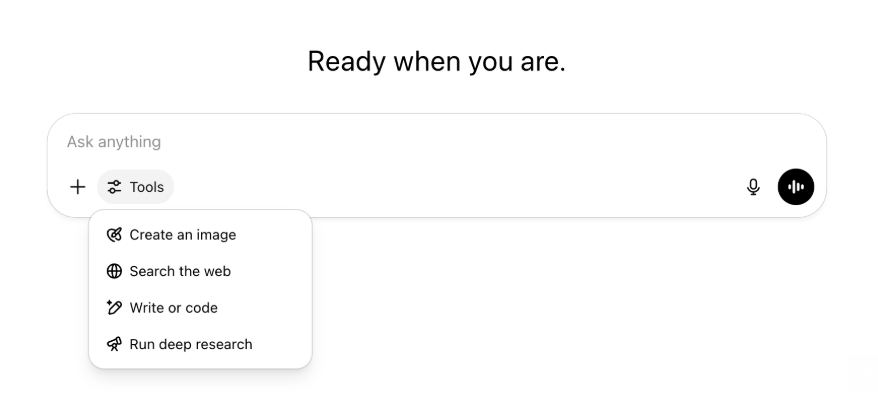
All the same capabilities and tools are still there—just tidier and easier to access in one menu.
May 22, 2025
Releasing GPT-4.1 in ChatGPT
Since its launch in the API in April, GPT-4.1 has become a favorite among developers—by popular demand, we’re making it available directly in ChatGPT.
GPT-4.1 is a specialized model that excels at coding tasks. Compared to GPT-4o, it's even stronger at precise instruction following and web development tasks, and offers an alternative to OpenAI o3 and OpenAI o4-mini for simpler, everyday coding needs.
Starting today, Enterprise and Edu users can access GPT-4.1 via the "more models" dropdown in the model picker. GPT-4.1 has the same rate limits as GPT-4o for paid users.
Introducing GPT-4.1 mini, replacing GPT-4o mini, in ChatGPT
GPT-4.1 mini is a fast, capable, and efficient small model, delivering significant improvements compared to GPT-4o mini—in instruction-following, coding, and overall intelligence. GPT-4.1 mini replaces GPT-4o mini in the model picker under "more models" for paid users, and will serve as the fallback model for free users once they reach their GPT-4o usage limits. Rate limits remain the same.
Evals for GPT-4.1 and GPT-4.1 mini were originally shared in the blog post accompanying their API release. They also went through standard safety evaluations. Detailed results are available in the newly launched Safety Evaluations Hub.
May 15, 2025
Export Deep Research as PDF
You can now export your deep research reports as well-formatted PDFs—complete with tables, images, linked citations, and sources.
To use, click the share icon and select 'Download as PDF.' It works for both new and past reports.
Mobile UI Composer Consolidation (iOS/Android)
We've removed the row of individual tool icons from the mobile composer and replaces it with the new sliders‑style icon to open the Skills menu; tapping that button opens a bottom‑sheet menu where users can choose tools like Create an image or Search the web.
No tools are deprecated—access is simply consolidated to clear space and reduce on‑screen clutter.
May 8, 2025
User Analytics in ChatGPT - GA
The revamped User Analytics dashboard can be accessed in the Manage workspace console in the Analytics tab. It provides more comprehensive data on usage, adoption, and engagement than the original analytics tab.
This improved dashboard gives Admins a high-level view of how ChatGPT is being used across your organization—use it to track adoption and engagement, understand usage patterns for top tools and GPTs, and identify use cases and user trends.
See User Analytics for ChatGPT Enterprise and Edu and Compliance API vs User Analytics in ChatGPT Enterprise/Edu.
May 2, 2025
4o Image Generation in GPTs
GPTs can now leverage ChatGPT’s image-generation capabilities to produce images on demand for users.
GPT creators can enable "4o Image Generation" in the Configure section of the GPT editor, under Capabilities.
May 1, 2025
Deep research
Users that reach their monthly limit (10 tasks/month) with the standard deep research model will now receive 15 additional requests automatically for that month with our lightweight, cost-effective version until the monthly limit resets.
Learn more about deep research.
Tasks in o3 and o4-mini
You can now create scheduled tasks that enable ChatGPT to run automated prompts and proactively reach out to you on a scheduled basis with o3 and o4-mini. The “ChatGPT with Schedules Tasks” option in the model selector has been removed.
Learn more about scheduled tasks in ChatGPT.
April 24, 2025
o3 and o4-mini
With the introduction of o3 and o4-mini / o4-mini-high, they will supersede o1 and o3-mini / o3-mini-high respectively within ChatGPT.
OpenAI o3 is our most powerful reasoning model that pushes the frontier across coding, math, science, visual perception, and more. It sets a new SOTA on benchmarks including Codeforces, SWE-bench (without building a custom model-specific scaffold), and MMMU. It’s ideal for complex queries requiring multi-faceted analysis and whose answers may not be immediately obvious. It performs especially strongly at visual tasks like analyzing images, charts, and graphics. In evaluations by external experts, o3 makes 20 percent fewer major errors than OpenAI o1 on difficult, real-world tasks—especially excelling in areas like programming, business/consulting, and creative ideation. Early testers highlighted its analytical rigor as a thought partner and emphasized its ability to generate and critically evaluate novel hypotheses—particularly within biology, math, and engineering contexts.
OpenAI o4-mini is a smaller model optimized for fast, cost-efficient reasoning—it achieves remarkable performance for its size and cost, particularly in math, coding, and visual tasks. It is the best-performing benchmarked model on AIME 2024 and 2025. In expert evaluations, it also outperforms its predecessor, o3‑mini, on non-STEM tasks as well as domains like data science. Thanks to its efficiency, o4-mini supports significantly higher usage limits than o3, making it a strong high-volume, high-throughput option for questions that benefit from reasoning.
April 10, 2025
ChatGPT images
Image generation in GPT-4o is now available to all users as the default image generator in ChatGPT. Users who prefer to continue with DALL·E can still access it through the DALL·E GPT.
You can generate images with ChatGPT by simply asking the model to create an image with the details you want, or by selecting the Create image option in the composer. Learn more.
March 31, 2025
User Analytics in ChatGPT - public beta
The revamped User Analytics dashboard can be accessed in the Manage workspace console in the Analytics tab. It provides more comprehensive data on usage, adoption, and engagement than the original analytics tab.
This improved dashboard gives Admins a high-level view of how ChatGPT is being used across your organization—use it to track adoption and engagement, understand usage patterns for top tools and GPTs, and identify use cases and user trends.
See User Analytics for ChatGPT Enterprise and Edu (public beta) for details.
March 20, 2025
Shared Projects Update
We’re holding off on launching shared projects with View and Edit access so that we can work on a more collaborative version that will be valuable to users.
March 13, 2025
Coding with Work with Apps on macOS
When working with IDEs, you can ask ChatGPT to edit open files directly—no copy-pasting required. When you ask for an edit, ChatGPT will generate a diff that you can review and apply, and there’s also an option to automatically apply edits. Diffs are easy to revert in the ChatGPT UI, or by using CMD+Z in your editor.
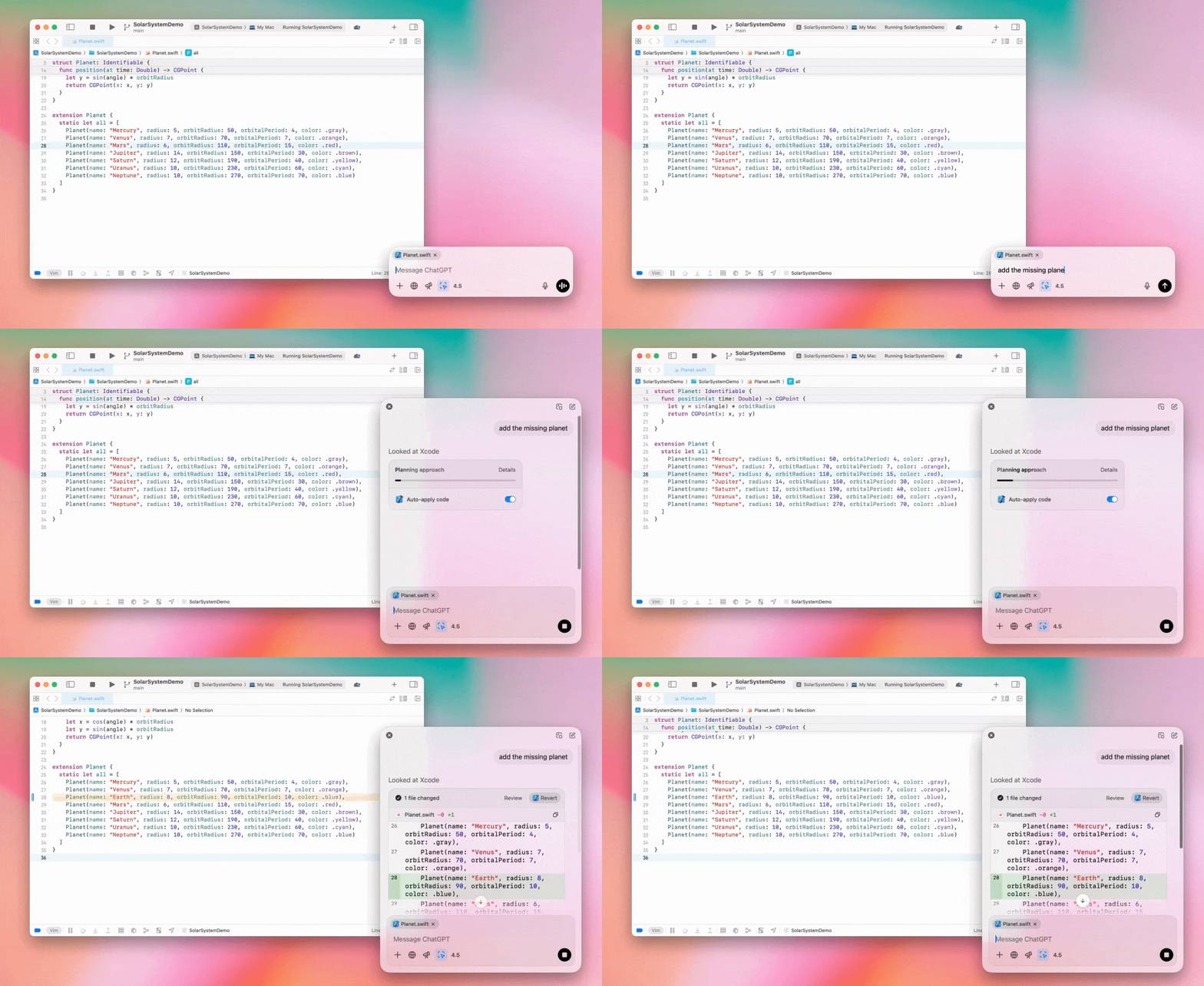
Enterprise admins can flip the "Work with Apps" toggle off in their Admin Settings to disable this functionality for their workspace members.
GPT-4.5 in ChatGPT
As of March 13, 2025, users in Enterprise and Edu plans will now be able to use our GPT-4.5 model in ChatGPT!
See GPT-4.5 in ChatGPT for details.
March 10, 2025
Deep research in Compliance API ChatGPT
As of March 10th, 2025, for Enterprise customers using the Compliance API your options include:
Search for the "deep research global prompt".
Look for the tool name in the response look for
{"tool_name":"deep_research"}.
February 25, 2025
Deep research in ChatGPT
In ChatGPT deep research is now available to users on the Enterprise plan.
Deep Research allows ChatGPT to agentically and asynchronously browse the web to complete your professional or personal work.
Enterprise, and Edu users will have 10 deep research queries per month.
See our Deep research FAQ for details.
February 13, 2025
o1 pro mode and o3-mini in ChatGPT
In ChatGPT o1 pro mode is now available to Enterprise and o3-mini to Enterprise Edu!
o3-mini: OpenAI o3-mini has replaced o1-mini in the model picker. It’s more cost effective and offers higher rate limits at lower latency. It’s a reasoning model, making it a great choice for coding, STEM, and logical problem-solving tasks. o3-mini shows its chain of thought, and can browse the web.
o1 pro mode: Also available in the model picker this week is o1 pro mode. Designed for accuracy and depth, it excels in research, engineering, business, and law—ideal for professionals tackling highly complex challenges. O1 pro mode will take longer to think through a problem. So responses can take some time. Due to its computational intensity, each user is limited to five queries per month. For most tasks, o1, o3-mini, or GPT-4o will remain optimal choices.
Re: File Uploads
Images, docs, and pdfs are supported in the o1, o3-mini, and o3-mini-high models. No spreadsheets (csv/excel).
Only images are supported in o1 pro mode. No docs/pdf and no spreadsheets (csv/excel).
Canvas Sharing
ChatGPT Enterprise and Edu users can now share a Canvas asset such as rendered React/HTML code, document, or code with another user, similar to how you share a conversation. You can do this from the Canvas toolbar when Canvas is open.
For more details about the canvas feature in ChatGPT, check out the following Help Center article!
January 23, 2025
Projects
Projects are now available for all paid plans including Enterprise and Edu.
See Using projects in ChatGPT for details.
January 16, 2025
Visual Retrieval (PDFs) for ChatGPT Enterprise
ChatGPT Enterprise now supports reading and understanding visuals (images, graphs, diagrams, etc.) embedded in PDF files. Users can upload a PDF, and ChatGPT can interpret the text and any visual elements within that file.
For details see Visual Retrieval with PDFs FAQ.
December 12, 2024
o1
Starting today, all ChatGPT Enterprise customers will be able to access o1 through the model selector, replacing o1-preview.
o1 can now be used to reason about image uploads, opening up new applications by analyzing and explaining visual representations with more detail and accuracy. We have also trained the model to be more concise in its thinking, resulting in faster response times than o1-preview.
December 11, 2024
Apple Intelligence with ChatGPT
ChatGPT admins can now enable and disable access to Apple Intelligence from their workspace admin settings, under Connections.
If this setting is toggled off, users cannot select their ChatGPT Enterprise/Edu workspace when logging in with their OpenAI credentials.
December 10, 2024
Canvas
Today we made Canvas available in 4o by default for all users, Free and Paid. Additionally, we launched a number of new capabilities for canvas, including:
Canvas in GPTs: Canvas can now be used with GPTs when enabled in the GPT creator. This toggle will be enabled for newly created GPTs by default.
Python code execution: You can now execute Python code in a canvas. ChatGPT will take a pass on fixing bugs in your code and provide comments on errors. Please note that executing Python can make external network requests, and Enterprise workspace admins can disable Python code execution by toggling the Canvas code execution setting in their Admin settings. This is turned off by default for all Enterprise accounts.
Canvas shortcut: You can now paste content into ChatGPT and instantly open it in canvas via a shortcut in the upper right corner of the composer.
Canvas in Toolbox: Canvas has been added as an option in the toolbox.
Workspace admins can now use the Compliance API to get, list, and delete canvas text documents.
Please note that the Admin Setting to disable canvas has been removed, as this feature is now out of beta. If this was previously disabled, we will continue to honor that setting. Please contact support@openai.com if you would like to update this setting for your Enterprise/Edu workspace
December 3, 2024
Work with Apps on macOS
ChatGPT can now read content from your coding apps, bringing you smarter, more accurate answers tailored to your work by using Work with Apps on macOS. Learn more about Work with Apps on macOS.
Enterprise admins can flip the "Work with Apps" toggle off in their Admin Settings to disable this functionality for their workspace members.
November 22, 2024
Updates to the ChatGPT Web experience
We are rolling out the following updates over the next two weeks to all ChatGPT users.
Sidebar redesign
New floating mode added with soft dismiss behavior
Recent conversations are now limited in the sidebar, with an unlimited infinite scroll flyout for all conversations
Recent GPTs & Pinned GPT's are now displayed below conversations
Settings are now always in the bottom of the sidebar
A small settings icon was added in larger viewports when the sidebar is not open
New transitions were added to create a more immersive feel
Other updates for ChatGPT on Web
The core underpinnings of the site were revamped, offering much better support for a larger variety of devices and sizes
Initiating a new conversation now scrolls it into view at the top of the screen
Initiating a new conversation no longer auto scrolls to the bottom while the message is generating
The sidebar when pinned can now stay open with an active Canvas if enough space is available
A new composer bar layout now fades content underneath it as you scroll with an updated look & feel
The new chat button has been moved to the left of the Model Picker to be easier to access
The system icon in conversations has been removed to make additional horizontal space
Dall-E focused view has an updated layout
GPT Creator has an updated layout
Improved Mobile Web Experience
The experience with the on-screen keyboard on mobile devices has been greatly improved across iOS & Android devices
The new sidebar is always in floating mode and auto closes when switching threads
We no longer focus the composer on mobile web when switching conversations
An issue causing scroll to get stuck in certain situations should be resolved
November 20, 2024
Update to GPT-4o
We’ve updated GPT-4o for ChatGPT users on all paid tiers. This update to GPT-4o includes improved writing capabilities that are now more natural, audience-aware, and tailored to improve relevance and readability. This model is also better at working with uploaded files, providing deeper insights and more thorough responses.
November 19, 2024
Advanced Voice for ChatGPT Web
Starting today, we’re beginning to roll out Advanced Voice Mode on web (already available on mobile and desktop apps). Users can now start a voice chat on chatgpt.com on their desktop and have real-time, natural conversations with ChatGPT while doing tasks like, planning, writing, and brainstorming.
November 14, 2024
Windows App
The improved Windows app is now available through the Microsoft Store for ChatGPT Enterprise and Edu workspaces. ChatGPT users that are familiar with our experience on the web can seamlessly integrate the Windows app into anything they’re doing on their computer.
User access to the ChatGPT Windows app will follow your IT admin’s policies for apps in the Microsoft Store. In the coming weeks, IT admins will also have the option to deploy the app to employee devices via MDM/MAM, rather than allowing direct downloads from the Store.
As with any ChatGPT Enterprise experience, user chat history is secure and will not be used to improve OpenAI's services.
Learn more about the ChatGPT Windows app.