
2026년 7월 30일
Work 및 Codex 제어 기능 강화
Enterprise 및 Edu 워크스페이스에 Work와 Codex를 위한 새로운 관리자 제어 기능이 추가되었습니다. 이제 관리자는 Work Local과 Work Cloud를 별도로 관리하고, 모델 페이지에서 사용자 지정 역할별 재정의를 지원하는 고속 모드 기본값을 설정할 수 있습니다. 또한 탐색이 더 명확해진 새 역할 및 권한 페이지를 이용할 수 있습니다.
기존 Work 및 고속 모드 권한은 그대로 유지되고 브라우저 액세스와 네트워크 액세스는 계속 별도로 관리됩니다. RBAC 업데이트는 관리자 인터페이스에만 적용되며 기존 역할의 동작은 변경되지 않습니다. 이번 업데이트를 통해 실행, 성능, 권한을 워크스페이스 정책에 맞게 유지하면서 Work와 Codex를 더 쉽게 확대할 수 있습니다.
자세한 내용은 ChatGPT Enterprise에서 워크스페이스 설정 관리하기 및 ChatGPT Work와 Codex에서 확인하세요.
2026년 7월 23일
더 자연스러워진 ChatGPT 음성 대화 경험
서로 다른 두 가지 ChatGPT 음성 대화 경험이 Enterprise 및 Edu 워크스페이스에 출시됩니다.
Chat에서의 음성 대화: 자연스러운 실시간 대화를 통해 질문하고 브레인스토밍하며 아이디어를 탐색할 수 있습니다. GPT-Live 기반의 Chat에서의 음성 대화는 대화 중 끼어들기와 후속 질문을 지원하며, 사용 가능한 경우 웹 검색과 같은 기능도 제공합니다. 데스크톱 Chat과 지원되는 웹, iOS 및 Android 환경에서 사용할 수 있습니다.
Work 및 Codex에서의 음성 대화: 우선 데스크톱 앱에서 ChatGPT 음성 대화로 컴퓨터를 제어하고 여러 에이전트, 진행 중인 대화 및 프로젝트의 작업을 조율할 수 있습니다. 작업을 시작하고 진행 상황을 확인하거나, 작업에 개입해 방향을 바꾸고, 작업이 백그라운드에서 계속되는 동안 업데이트를 받을 수 있습니다. macOS와 Windows에서 사용할 수 있으며, 페어링된 iOS 기기를 통한 원격 액세스도 지원합니다. 독립 실행형 Work 및 Codex 음성 대화는 웹이나 모바일에서 사용할 수 없습니다.
첫 2주 동안은 워크스페이스 소유자가 음성 대화와 신규 모델 조기 액세스를 모두 활성화해야 멤버가 음성 대화 설정에서 Live를 선택할 수 있습니다. 이 기간에는 기존 고급 음성 대화가 Live로 자동 전환되지 않습니다.
조기 액세스 기간이 끝나면 음성 대화가 활성화된 워크스페이스에서 Live가 기본 음성 대화 환경으로 설정됩니다. 워크스페이스 소유자는 음성 대화를 비활성화하여 음성 대화 기능을 완전히 끌 수 있습니다.
유연 요금제를 사용하는 워크스페이스에서 Chat 음성 대화에는 분당 5크레딧이 사용됩니다. 크레딧 기반 Enterprise 워크스페이스에서 Work 및 Codex 음성 대화에는 분당 약 6크레딧이 사용됩니다. 레거시 Enterprise 워크스페이스에는 5시간 단위로 음성 대화 1시간, Voice Mini 2시간, Work 및 Codex 음성 대화 약 45분이 포함됩니다. Work 또는 Codex를 통해 위임한 작업은 기존 공유 사용량 풀에서 표준 요율로 차감됩니다.
ChatGPT 음성 대화 및 Business, Enterprise, Edu용 음성 대화 요금에 대해 자세히 알아보세요.
ChatGPT Work 활성화
ChatGPT/Edu Enterprise 워크스페이스에서는 워크스페이스 소유자나 관리자가 끄지 않는 한 멤버에게 Work가 기본적으로 활성화됩니다. Enterprise 키 관리가 활성화된 적격 Enterprise 워크스페이스를 포함하여, 각 멤버의 액세스 권한은 계속해서 워크스페이스 설정과 역할 기반 액세스 제어에 따라 결정됩니다.
ChatGPT Work 및 Codex와 ChatGPT Enterprise에서 워크스페이스 설정 관리하기에서 자세히 알아보세요.
기본 모델 설정
워크스페이스 설정 → 모델에서 워크스페이스 소유자와 관리자는 Work 및 Codex의 시작 모델, 추론 수준, 속도, 새 채팅 동작을 설정할 수 있습니다. 이 설정에 따라 처음 시작할 때의 환경이 결정됩니다. 이 설정으로 사용할 수 없는 모델에 대한 액세스 권한이 부여되지는 않으며, 사용 가능 모델 제어, 역할 기반 액세스 또는 워크스페이스의 필수 요구 사항이 대체되지도 않습니다.
ChatGPT Enterprise에서 워크스페이스 설정 관리하기와 ChatGPT Work 및 Codex에서 자세히 알아보세요.
사용량 한도
사용량 한도를 워크스페이스 설정에서 전역 관리 콘솔로 이전하고 있습니다. 소유자와 관리자는 워크스페이스 기본값을 설정하고, 그룹 및 사용자별 재정의를 만들고, 실제 적용되는 한도를 검토하고, 추가 사용량 요청을 관리할 수 있습니다. 사용량 한도 → 워크스페이스에서 관리자는 매월 UTC 기준으로 달력상 첫날에 초기화되는 기본 월별 기간을 유지하거나, 해당 옵션이 제공되는 경우 청구 주기에 맞춤을 선택할 수 있습니다.
사용량 한도 및 초과분 관리하기와 전역 관리 콘솔에서 자세히 알아보세요.
사용량 추정치 및 그룹 분석
적격 워크스페이스의 경우 분석, 청구, 사용량 한도 편집기, Cost API 및 Codex 분석 API에서 크레딧 옆에 예상 금액이 달러로 표시될 수 있습니다. 추정치는 선택한 워크스페이스의 초과 사용 요율을 기준으로 계산되며 계획 수립용으로만 제공됩니다. 실제 청구 금액은 계속해서 청구 → 인보이스에서 확인할 수 있습니다. 이제 분석 리더보드에도 제품, 사용량 측정 항목 및 모델별 그룹 수준 분석을 제공하는 그룹 탭이 포함됩니다.
전역 관리 콘솔과 워크스페이스 분석에서 자세히 알아보세요.
July 22, 2026
OpenAI Presence and AI phone support updates
OpenAI Presence is now available in limited general availability as a managed platform for organizations building and operating governed AI agents for high-volume workflows. Presence supports voice or chat deployments with controls for testing, permissions, monitoring, and human escalation. Availability depends on workflow fit, implementation readiness, and delivery capacity. Contact your OpenAI account team to discuss access. Learn more about OpenAI Presence.
AI phone support, which uses OpenAI Presence, is no longer experimental. Users in the United States, Canada, and Australia can call without a ChatGPT account for routine product, account, and troubleshooting questions. This automated support channel cannot submit reports or requests, connect users with a live agent, initiate an escalation or account review, or guarantee follow-up. Learn more about AI phone support.
2026년 7월 16일
확장된 관리자 API 및 분석
이제 관리자는 글로벌 관리자 콘솔의 자격 증명 > 관리자 키에서 워크스페이스 범위의 관리자 키를 생성하고 관리할 수 있습니다. 이 키는 그룹 관리, 지출 관리 API, 비용 보고 및 분석을 위해 지원되는 ChatGPT 및 Codex 관리 API와 함께 사용할 수 있습니다. 사용 가능한 권한은 관리자의 워크스페이스 역할에 따라 달라지며, 관리자 키는 모델 추론에 사용할 수 없습니다.
이제 글로벌 관리자 콘솔에는 최대 120일간의 크레딧 및 Codex 분석 기록이 포함됩니다. 지출 관리와 사용량 한도 탭은 계속 ChatGPT에 있으며, 이번 글로벌 관리자 콘솔 출시에는 포함되지 않습니다. 관리자는 워크스페이스 설정 → 사용량 한도에서 사용 가능한 경우 ‘한도 없음’ 옵션을 포함해 사용량 한도를 계속 관리할 수 있습니다. 자세한 내용은 ChatGPT Enterprise 및 Edu에서 사용량 한도와 초과 사용 관리 및 글로벌 관리자 콘솔에서 확인하세요.
ChatGPT 데스크톱 앱 경험 업데이트
Chat과 Work 중 더 쉽게 선택하고, 대화와 프로젝트를 찾고, 여러 기기에서 Work를 이어갈 수 있도록 ChatGPT 데스크톱 앱을 업데이트했습니다. 이 업데이트는 이제 macOS와 Windows의 모든 요금제에서 사용할 수 있습니다.
macOS 및 Windows
더 명확한 데스크톱 레이아웃: 전역 전환기를 통해 ChatGPT와 Codex 중에서 선택할 수 있습니다. ChatGPT에서 간단한 질문과 대화형 도움을 받으려면 Chat을 선택하고, 작업을 처음부터 끝까지 완료하려면 Work를 선택하세요.
통합된 최근 항목: 이제 Chat 및 Work 대화가 최근 항목에 함께 표시되며, 정렬, 필터링, 고정을 할 수 있습니다.
데스크톱 앱의 프로젝트: 이제 기존 ChatGPT 프로젝트가 앱에 표시됩니다. 프로젝트 안에서 Chat 대화를 시작하거나 프로젝트 컨텍스트를 사용해 Work 스레드를 시작할 수 있습니다.
기기 간 Work 이어가기: 이제 클라우드 Work 대화가 웹, 모바일, 데스크톱 간에 동기화되어 한 환경에서 시작하고 다른 환경에서 계속할 수 있습니다. 로컬 대화는 사용자의 컴퓨터에 그대로 유지됩니다.
Codex는 변경되지 않음: 이번 업데이트에서도 Codex는 별도의 보기로 유지되며, 워크플로와 기록은 변경되지 않습니다. 빠른 대화를 위한 Quick Chats는 계속 사용할 수 있습니다.
워크스페이스 제어 변경 없음: 기존 워크스페이스 액세스 권한, 보안 설정, 거버넌스 및 지출 관리는 변경되지 않습니다.
2026년 7월 15일
동기화 지원 앱이 이제 EKM 워크스페이스를 지원합니다
이제 Enterprise Key Management(EKM)가 활성화된 ChatGPT Enterprise 및 ChatGPT Edu 워크스페이스에서 동기화 지원 앱을 사용할 수 있습니다. 이번 업데이트는 모든 동기화 지원 앱에 적용됩니다.
자세한 내용은 동기화 지원 ChatGPT 앱 및 OpenAI Enterprise Key Management(EKM) 개요를 참조하세요.
2026년 7월 9일
ChatGPT Work 소개
ChatGPT Work는 더 길고 복잡한 작업을 수행하는 에이전트입니다. 정보를 조사하고 분석하며, 연결된 앱과 파일을 넘나들어 작업하고, 완성된 문서, 스프레드시트, 프레젠테이션, 보고서, Sites를 만들 수 있습니다. 작업이 진행되는 동안 진행 상황을 확인하고, 질문에 답하고, 방향을 바꾸고, 중요한 작업을 승인할 수 있습니다.
Work는 한 번 실행하거나 일정 또는 트리거에 따라 반복 실행하거나 변경 사항을 모니터링하는 예약 작업을 통해 프로젝트를 계속 진행할 수도 있습니다.
웹과 모바일에서 Work는 Free와 Go를 제외한 유료 요금제에 순차적으로 출시됩니다. Pro, Pro Lite, Enterprise, Edu 사용자가 먼저 이용할 수 있으며, Plus와 Business 사용자는 며칠 내로 이용할 수 있게 됩니다. Work는 지원되는 모든 지역에서 이용할 수 있습니다.
웹과 모바일에서 Enterprise 및 Edu 워크스페이스에는 2주간의 미리보기 기간이 제공됩니다. 미리보기 기간에는 Work가 기본적으로 꺼져 있으며, 관리자는 미리보기 종료 시 자동으로 켜지기 전에 사용하지 않도록 설정할 수 있습니다.
또한 앱 디렉터리를 플러그인 디렉터리로 대체합니다. 기존 앱 연결에는 영향이 없습니다. 플러그인은 특정 워크플로를 위한 스킬, 앱, 앱 템플릿을 패키지로 제공할 수 있으며, Work와 Codex를 포함해 웹 및 데스크톱용 ChatGPT에서 이용할 수 있습니다.
ChatGPT Work와 Codex에 대해 자세히 알아보세요.
플러그인과 새로운 플러그인 디렉터리에 대해 자세히 알아보세요.
이제 스킬 정식 제공
Enterprise 및 Edu 사용자는 사이드바의 플러그인 아래에 있는 플러그인 디렉터리의 스킬 탭에서 스킬을 찾을 수 있습니다.
Chat, Work, Codex를 하나로 통합한 새로운 ChatGPT 데스크톱 앱
새로운 ChatGPT 데스크톱 앱을 macOS와 Windows에서 전 세계적으로 이용할 수 있습니다. 질문과 대화를 위한 Chat, 조사와 완성된 결과물을 위한 Work, 소프트웨어 개발을 위한 Codex를 하나의 앱에 통합했습니다.
데스크톱에서 Work는 사용자의 허가를 받아 로컬 파일과 데스크톱 앱을 사용할 수 있습니다. 내장 브라우저를 통해 ChatGPT가 웹사이트에서 정보를 수집하고 지원되는 웹 기반 도구와 파일을 활용할 수 있습니다. Codex에는 diff 내 인라인 편집, 측면 패널의 pull request 검토, 더 빠른 컴퓨터 사용, 단일 프로젝트에서 여러 리포지토리를 지원하는 기능도 추가됩니다.
이미 Codex 앱을 사용하고 있다면 평소처럼 업데이트하여 새로운 ChatGPT 데스크톱 앱으로 전환하세요. 이전 ChatGPT 데스크톱 앱을 사용 중이라면 앱에 표시되는 안내에 따라 새 버전을 다운로드하세요. 이전 앱은 ChatGPT Classic이라는 이름으로 계속 설치되어 있을 수 있습니다. ChatGPT Classic에는 모델 업데이트, 버그 수정, 보안 패치와 기존 Enterprise 기능에 대한 지원이 계속 제공되며, Work와 Codex 같은 새로운 에이전트 기능은 새 앱에서 이용할 수 있습니다.
새로운 ChatGPT 데스크톱 앱으로 전환하는 방법을 자세히 알아보세요.
ChatGPT Sites 공개 베타 소개
ChatGPT Sites를 사용하면 ChatGPT를 벗어나지 않고 작업물이나 아이디어를 대화형 웹사이트 또는 경량 앱으로 만들 수 있습니다. 대시보드, 프로젝트 추적기, 출시 일정, 프로토타입, 내부 포털, 보고서를 만들고 ChatGPT로 결과를 미리 보고 다듬은 후 공유할 수 있습니다.
Business 및 Enterprise 고객은 이미 Sites를 이용할 수 있습니다. 오늘부터는 Sites를 공개 게시하고 URL을 통해 누구와나 공유할 수 있어, 워크스페이스 외부의 사용자에게도 Sites를 제공할 수 있습니다.
Site를 만들려면 웹의 ChatGPT Work 또는 ChatGPT 데스크톱 앱의 Work나 Codex에서 시작하세요. 만들려는 항목을 설명하고 관련 콘텐츠, 파일, 데이터, 링크 또는 제약 조건을 추가한 다음, 게시하기 전에 비공개 미리보기를 검토하세요.
Enterprise 워크스페이스에서는 공개 게시가 기본적으로 꺼져 있으며 관리자가 활성화해야 합니다. Sites 공개 베타는 Pro, Pro Lite, Edu 사용자에게도 순차적으로 출시되며 Plus 사용자는 며칠 내로 이용할 수 있게 됩니다. Free 또는 Go 요금제에서는 Sites를 이용할 수 없습니다. 출시 시점에는 EEA, 스위스, 영국에서 공개 게시와 확대된 베타 출시를 이용할 수 없습니다.
ChatGPT Sites 생성 및 관리 방법을 자세히 알아보세요.
ChatGPT 그룹 채팅 종료
7월 9일부터 웹, iOS, Android 사용자는 새 그룹 채팅을 만들거나 기존 대화를 그룹 채팅으로 전환하거나 초대 링크를 통해 그룹 채팅에 참여할 수 없습니다.
기존 그룹 채팅은 당분간 계속 이용할 수 있습니다. 기존 그룹 채팅이 읽기 전용으로 전환되어도 사용자는 그곳에서 이미 공유된 메시지, 파일, 이미지에 계속 접근할 수 있습니다. 개별 ChatGPT 대화에는 영향이 없습니다.
Atlas 종료
브라우저 기반 에이전트 기능을 ChatGPT와 Codex에 도입함에 따라 Atlas 지원을 종료합니다. Atlas는 2026년 8월 9일에 작동을 중단할 예정입니다.
최대한 원활하게 전환하실 수 있도록 지원하겠습니다. 그 전에 보관하려는 Atlas 데이터를 옮기세요. 북마크, 열린 탭, 브라우저 방문 기록을 포함한 Atlas 브라우저 데이터는 자동으로 이전되지 않습니다. 쿠키와 비밀번호는 ChatGPT 데스크톱 앱으로, 북마크는 Chrome으로 내보낼 수 있습니다. 8월 9일 전에 열린 탭과 브라우저 방문 기록에서 중요한 페이지나 URL을 반드시 저장하세요.
ChatGPT 대화 기록은 별도로 보관되며, 이용 중인 요금제, 워크스페이스 설정, 계정 접근 권한에 따라 ChatGPT에서 계속 이용할 수 있습니다.
Atlas에서 얻은 교훈을 바탕으로 여러 탭, 다운로드, 개선된 탐색 기능, 가능한 경우 계정 로그인 지원을 포함한 더욱 강력한 브라우저 환경을 ChatGPT에 도입하고 있습니다. 더 심층적인 브라우저 기반 에이전트 작업에는 ChatGPT 데스크톱 앱을 사용해 보세요. Chrome에서 탐색 중 도움이 필요하면 이용 가능한 경우 ChatGPT Chrome 확장 프로그램 또는 사이드바를 사용해 보세요.
Atlas에서 전환하는 방법은 도움말 센터 문서에서 자세히 알아볼 수 있습니다.
2026년 7월 6일 PowerPoint용 ChatGPT 정식 출시
PowerPoint용 ChatGPT가 이제 Enterprise 및 Edu 워크스페이스에서 정식으로 제공됩니다. 사용자는 Microsoft PowerPoint에서 직접 편집 가능한 프레젠테이션을 만들고 수정할 수 있으며, 프레젠테이션 자료의 내러티브와 구조를 분석하고, 승인된 Skills 및 앱을 사용해 승인된 소스를 기반으로 작업할 수 있습니다. 고급 편집과 템플릿 매칭은 여전히 검토가 필요할 수 있습니다.
관리자는 워크스페이스 설정에서 추가 기능을 활성화하거나 Microsoft 365를 통해 배포할 수 있으며, 해당하는 경우 RBAC 기반 액세스도 포함됩니다. 대상 워크스페이스의 경우 PowerPoint용 ChatGPT는 워크스페이스 정책 적용, 범위가 지정된 소스 액세스, 프롬프트와 응답에 대한 Compliance API 적용 범위, EU 추론 레지던시, 엔터프라이즈 키 관리를 지원합니다. PowerPoint용 ChatGPT에 대해 자세히 알아보기.
Excel/Sheets 및 워크스페이스 에이전트 가격
이제 Enterprise 및 Edu 워크스페이스의 ChatGPT for Excel/Sheets 작업에는 토큰 기반 크레딧 가격이 적용됩니다. Enterprise 워크스페이스의 워크스페이스 에이전트 실행에도 토큰 기반 크레딧 가격이 적용됩니다. 크레딧 사용량은 고정된 크레딧 비용이 아니라 입력 토큰, 캐시된 입력 토큰, 출력 토큰을 기준으로 산정됩니다.
PowerPoint용 ChatGPT는 2026년 8월 6일까지 Enterprise 고객에게 무료로 제공됩니다. 그 이후에는 ChatGPT for Excel/Sheets와 동일한 토큰 기반 가격 모델에 따라 요금이 부과됩니다. ChatGPT 요금표에서 자세히 알아보기.
2026년 6월 26일
모델 선택기의 제어 옵션 간소화
웹, iOS, Android에서 ChatGPT Enterprise 및 Edu용으로 업데이트된 모델 선택기를 배포하고 있습니다. 워크스페이스에서 사용할 수 있는 기본 모델은 변경하지 않으면서, 작업에 가장 적합한 속도와 추론 노력의 균형을 더 쉽게 선택할 수 있습니다.
이제 선택기에 다음 옵션이 포함됩니다.
즉시
중간
높음
매우 높음
Pro 표준
Pro 확장
중간은 Thinking Standard를, 높음은 Thinking Extended를, 매우 높음은 Thinking Heavy를 대체합니다. Pro 표준과 Pro 확장은 계속 GPT-5.5 Pro를 사용합니다. Thinking Light는 더 이상 사용할 수 없습니다.
여섯 가지 옵션은 모두 워크스페이스 액세스 설정에 따라 Enterprise 및 Edu 워크스페이스에서 사용할 수 있습니다. 추론 모델 액세스는 중간, 높음, 매우 높음을 제어합니다. Pro 모델 액세스는 Pro 표준과 Pro 확장을 제어합니다. 멤버가 액세스할 수 없는 옵션은 선택기에서 숨겨집니다.
자동 라우터를 Thinking mini로 리디렉션 설정은 변경되지 않으며, 계속 자동 추론에만 적용됩니다. iOS와 Android에서는 선택기가 대화 상단에 표시됩니다. 웹에서는 메시지 입력창에 표시됩니다.
ChatGPT Enterprise 및 Edu용 플러그인 관리자 제어 기능
이제 워크스페이스 관리자와 소유자는 워크스페이스 설정 > 플러그인에서 플러그인을 관리할 수 있습니다. 이 페이지는 플러그인 탐색과 거버넌스를 한 화면에 모아 제공하며, 상태, 설치 정책, 역할, 카테고리, 카탈로그별 검색 및 필터를 포함합니다. 또한 워크스페이스 소유자는 워크스페이스 설정 > 권한 및 역할에서 워크스페이스 전체 또는 선택한 역할에 대해 플러그인을 활성화하거나 비활성화할 수 있습니다.
관리자와 소유자는 워크스페이스 또는 특정 역할에 대해, 멤버가 플러그인을 설치할 수 있게 할지 또는 기본 설치되게 할지 설정할 수 있습니다. 관리자는 플러그인이 사용하는 앱도 확인할 수 있으며, 이 보기에서 플러그인을 관리할 수 있습니다. 자세히 알아보기: Codex의 플러그인
2026년 6월 25일
ChatGPT Enterprise 및 Edu의 메모리 개선
ChatGPT Enterprise 및 Edu에 개선된 메모리를 배포하고 있습니다. 메모리가 활성화되면 ChatGPT는 수동으로 저장된 세부 정보에만 의존하지 않고, 과거 채팅의 관련 맥락을 사용해 업무 변화에 맞춰 메모리를 최신 상태로 유지하고 응답의 관련성을 높일 수 있습니다.
이제 사용자는 다음을 할 수 있습니다.
ChatGPT가 응답을 개인화하는 데 사용할 수 있는 정보를 보여주는 메모리 요약을 검토합니다.
개인화된 응답 아래의 출처를 확인하여 메모리, 과거 채팅, 맞춤 지침의 관련 맥락을 볼 수 있습니다.
메모리를 수정하거나, 참조된 채팅을 삭제하거나, 출처를 관련 없음으로 표시하거나, 메모리를 끄거나, 기존 저장된 메모리로 돌아갈 수 있습니다.
메모리 요약은 관련 맥락을 개략적으로 보여주는 보기이며, ChatGPT가 기억하거나 참조할 수 있는 모든 내용이 포함되지 않을 수 있습니다.
ChatGPT Enterprise의 경우, 개선된 환경은 약 2주간의 얼리 액세스 기간으로 시작됩니다. 얼리 액세스 기간 동안 관리자는 워크스페이스 설정에서 개선된 메모리 사용을 켤 수 있습니다. 얼리 액세스가 끝난 후에는 관리자가 거부하지 않는 한 대상 워크스페이스에서 기본적으로 켜집니다. 관리자와 사용자는 기존 저장된 메모리로 다시 전환할 수 있습니다.
이번 업데이트는 Codex 메모리에 영향을 주지 않습니다. 프로젝트 전용 메모리는 계속 각 프로젝트 안에만 유지되며, 해당 프로젝트 외부의 메모리나 대화를 사용하지 않습니다. 이러한 개선 사항은 추가 비용 없이 제공됩니다.
ChatGPT의 이러한 메모리 개선 뒤에 있는 연구에 대해 자세히 알아보세요.
Codex Remote 정식 출시 및 DigitalOcean 워크스페이스
이제 Codex Remote가 ChatGPT Enterprise 및 Edu 워크스페이스의 사용자에게 정식으로 제공됩니다. 사용자는 ChatGPT 모바일 앱에서 연결된 Mac 또는 Windows 호스트의 작업을 시작하거나 이어서 진행하고, 진행 상황을 검토하며, 휴대폰에서 작업을 승인할 수 있습니다. 이제 원격 제어는 지원되는 각 모바일 기기와 각 호스트 간에 인증된 일대일 QR 페어링을 사용합니다. 6월 8일 이후 사용된 연결은 페어링된 상태로 유지되며, 그보다 오래된 비활성 연결은 다시 페어링해야 합니다. 로그아웃하면 기존 페어링은 제거하지 않고 원격 제어가 꺼집니다.
새로운 DigitalOcean Droplet 워크스페이스 플러그인도 ChatGPT Enterprise 및 Edu 사용자가 이용할 수 있습니다. 이 플러그인을 사용하면 Codex가 DigitalOcean Droplet을 프로비저닝하고, SSH 액세스를 구성하며, 이를 원격 워크스페이스로 Codex 앱에 연결할 수 있습니다. 사용자는 연결하기 전에 ChatGPT 모바일 앱과 Codex 앱을 최신 버전으로 업데이트해야 합니다. ChatGPT 플랜에서 Codex를 사용하는 방법 자세히 알아보기.
2026년 6월 19일
Slack 커넥터 작업 및 OAuth 범위 승인
Enterprise 및 Edu 워크스페이스는 이제 ChatGPT에서 Slack 커넥터 작업을 활성화할 수 있습니다. 커넥터와 관련 작업이 활성화되어 있으면 ChatGPT는 Slack 검색뿐 아니라 채널 참여, 리마인더 생성, 파일 업로드, 사용자의 Slack 프로필 업데이트 같은 지원되는 작업도 수행할 수 있습니다.
관리자는 ChatGPT의 앱에서 Slack을 검토하고, 작업 제어를 사용해 어떤 작업을 사용할 수 있는지 관리할 수 있습니다. 일부 작업에는 추가 Slack OAuth 범위가 필요하거나 Slack 워크스페이스 또는 Enterprise Grid 관리자의 승인이 필요할 수 있습니다. 새 범위가 필요하지 않은 기존 Slack 기능은 추가 범위가 승인되지 않아도 계속 작동합니다. 자세한 내용은 ChatGPT Slack 앱 문서에서 확인하세요.
2026년 6월 18일
사용 한도, 글로벌 관리자 콘솔 결제 및 분석
Enterprise 및 Edu 관리자는 이제 크레딧 사용량을 관리하고 결제 관련 활동을 검토할 수 있는 새로운 도구를 사용할 수 있습니다. 워크스페이스 설정의 사용 한도에서는 관리자와 소유자가 워크스페이스, 그룹, 사용자별 월간 크레딧 한도를 설정하고, 증액 요청을 검토하며, 권한 및 역할에 있는 기존 주간 한도에서 마이그레이션할 수 있습니다.
이제 글로벌 관리자 콘솔에는 대상 워크스페이스를 위한 업데이트된 분석 및 결제 영역도 포함되며, 여기에서 크레딧 분석, Codex 및 ChatGPT 사용량 보기, 요금제 세부 정보, 크레딧 잔액, 그랜트 활동, 청구서, 사용량 알림, 초과 사용 한도 설정을 확인할 수 있습니다. 관리자, 소유자, 분석 열람자는 사용량 데이터를 확인하고 여러 기능과 차원에 걸쳐 데이터를 내보낼 수 있습니다. 예를 들어 Codex와 ChatGPT에서 사용한 크레딧, 사용자 및 에이전트 리더보드, 기능별로 세분화된 Codex 및 ChatGPT 사용량을 확인할 수 있습니다.
자세히 알아보기: ChatGPT Enterprise 및 Edu에서 사용 한도 설정하기, 글로벌 관리자 콘솔.
Codex의 Record & Replay
Record & Replay는 대상 Enterprise 및 Edu 사용자가 워크플로를 한 번 시연하면 재사용 가능한 스킬로 전환할 수 있는 macOS용 Codex 앱의 새로운 기능입니다. 이 기능은 설명보다 직접 보여주는 편이 쉬운 안정적이고 반복 가능한 워크플로를 위해 설계되었으며, 생성된 스킬은 나중에 Computer Use, 브라우저 동작, 설치된 플러그인 등 사용 가능한 도구를 활용해 Codex가 유사한 작업을 수행하도록 안내할 수 있습니다.
Record & Replay를 사용하려면 Computer Use를 사용할 수 있고 활성화되어 있어야 하며, 초기 제공 지역에서는 유럽연합, 영국, 스위스가 제외됩니다. 관리형 Codex 배포에서는 Computer Use를 비활성화하면 Record & Replay와 관련 활성화 흐름도 함께 비활성화됩니다. 자세한 내용은 Record & Replay 가이드에서 확인하세요.
2026년 6월 17일
ChatGPT Edu 워크스페이스의 데이터 내보내기
이제 데이터 레지던시 구성이 없는 ChatGPT Edu 워크스페이스의 멤버는 워크스페이스 관리자가 데이터 내보내기를 활성화하면 워크스페이스 데이터를 내보낼 수 있습니다. 멤버는 설정 > 데이터 제어에서 내보내기를 요청하고, 받은 이메일에서 내보내기 파일을 다운로드한 다음, 포함된 대화 JSON을 개인 ChatGPT 계정의 새 대화에 업로드해 참고 자료로 사용할 수 있습니다.
데이터 내보내기는 기본적으로 꺼져 있으며, 이 설정은 모든 워크스페이스 멤버에게 적용됩니다. 자세히 알아보기.
2026년 6월 11일
Enterprise, Edu 및 Healthcare 워크스페이스용 라이브러리
라이브러리가 Enterprise, Edu 및 Healthcare 워크스페이스에 순차적으로 출시되어, 멤버가 ChatGPT에 업로드하거나 ChatGPT에서 생성한 파일을 찾아 재사용할 수 있는 전용 공간을 제공합니다. 라이브러리에 저장된 파일에는 워크스페이스 보존 정책이 적용됩니다.
워크스페이스 소유자는 ChatGPT가 응답할 때 라이브러리 파일을 자동으로 참조할지 여부를 제어할 수 있습니다. 자동 참조를 끄더라도 라이브러리가 제거되거나 멤버가 직접 파일을 찾아보고, 검색하고, 열거나 첨부하는 것이 막히지는 않습니다. Healthcare 워크스페이스에서는 자동 참조가 기본적으로 꺼져 있습니다.
라이브러리별 Compliance API 엔드포인트도 라이브러리 파일 내보내기 및 삭제에 사용할 수 있습니다. 라이브러리는 새로운 외부 공유 또는 다중 사용자 공동 작업을 도입하지 않습니다.
ChatGPT의 파일 저장소 및 라이브러리에 대해 자세히 알아보기.
글로벌 관리자 콘솔 업데이트
Cloud Console에는 이제 ChatGPT로 로그인에 대한 외부 앱 액세스 제어 기능이 포함됩니다. 관리자는 조직의 외부 애플리케이션 액세스를 켜거나 끄고, 멤버가 애플리케이션을 사용하기 전에 승인을 받도록 요구하며, 개별 애플리케이션을 승인하거나 비활성화할 수 있습니다.
Codex 업데이트
다음을 포함해 몇 가지 Codex 업데이트를 출시했습니다:
Enterprise 플랜용 Windows 컴퓨터 사용. 컴퓨터 사용, 관리형 구성, 구성 참고 문서를 참조하세요.
Chrome 및 Codex 인앱 브라우저에서 브라우저 사용을 위한 개발자 모드(사용 가능한 경우). 개발자 모드를 사용하면 Codex가 성능 프로파일링과 네트워크 트래픽, 콘솔 출력, 런타임 오류, DOM 상태 및 적용된 스타일에 대한 더 심층적인 디버깅을 위해 제어된 Chrome DevTools Protocol(CDP) 액세스를 사용할 수 있습니다. 이 기능은 사용자 수준에서 기본적으로 꺼져 있으며, Codex 앱 설정에서 활성화할 수 있습니다. 관리자와 소유자는 정책 및 구성 창에 액세스하여 Codex 클라우드 설정에서 워크스페이스의 이 기능을 끌 수 있습니다. 자세히 알아보기.
이번 릴리스에는 AGENTS.md 스캐폴드를 생성하기 위한 앱 입력창의 /init, Windows의 컴퓨터 사용에 대한 앱별 액세스 제어 구성 지원, 가능한 경우 워크스페이스 안내와 재설정 시간을 포함하는 더 명확한 사용 한도 오류, 그리고 명령 메뉴의 새로운 읽지 않은 채팅 섹션도 추가됩니다. 자세히 알아보기.
2026년 6월 8일
연결된 앱의 앱 권한
이제 워크스페이스 관리자는 사용 가능한 경우 앱 권한을 사용하여 ChatGPT가 연결된 앱을 사용하기 전에 멤버에게 언제 확인할지 선택할 수 있습니다. 관리자는 워크스페이스 전체 기본값을 설정하고 개별 앱에 대해 다른 권한을 선택할 수 있으며, 옵션에는 항상 확인, 변경 사항이 있을 때, 중요한 작업 등이 있습니다.
중요한 작업이 기본값이며, ChatGPT가 앱에서 자동으로 읽을 수 있도록 하면서 ChatGPT 외부에 의미 있는 영향을 줄 수 있거나, 민감한 정보를 노출하거나, 실행 취소가 어려운 작업 전에는 확인을 요청합니다. 앱 권한은 사용 가능한 경우 이전의 작업 동의 설정을 대체하며, 앱 액세스, RBAC, 작업 제어는 별도의 관리자 제어로 유지됩니다.
자세히 알아보기: ChatGPT의 앱; 앱의 관리자 제어, 보안 및 규정 준수.
2026년 6월 5일
Enterprise 워크스페이스의 플러그인 공유
이제 Codex에서 해당되는 ChatGPT Enterprise 워크스페이스에 플러그인 공유가 기본적으로 제공됩니다. 사용자는 로컬 플러그인을 워크스페이스와 공유하여 팀원이 Codex 플러그인 디렉터리에서 공유 플러그인을 설치하고 사용할 수 있게 할 수 있습니다.
워크스페이스 관리자는 MDM 또는 클라우드 관리 구성을 사용하여 requirements.toml에서 플러그인 공유를 비활성화할 수 있습니다. 자세히 알아보기: 로컬 플러그인을 워크스페이스와 공유.
2026년 6월 2일
Sites로 내부 워크스페이스 앱 빌드 및 배포
ChatGPT Sites가 이제 해당되는 ChatGPT Enterprise 및 Edu 워크스페이스에서 프리뷰로 제공됩니다. 플러그인으로 제공되며, 사용자는 Codex에 호스팅된 사이트 URL, ChatGPT로 로그인 액세스, 데이터/파일 저장소를 갖춘 가벼운 풀스택 JavaScript/TypeScript 웹 앱을 만들고, 반복 개선하고, 배포하도록 요청할 수 있으며 액세스는 워크스페이스 내부로 유지됩니다.
ChatGPT Sites는 Enterprise/Edu 워크스페이스에서 기본적으로 꺼져 있습니다. 관리자는 워크스페이스 설정과 RBAC를 통해 활성화 및 액세스를 관리할 수 있습니다. ChatGPT Sites는 워크스페이스 설정 > 권한 및 역할. 에서 활성화할 수 있습니다. 관리자와 소유자는 워크스페이스 설정 > Sites.
에서 게시된 사이트를 비활성화할 수 있습니다. 빌드, 배포, 저장소, 액세스, 제한 사항에 대한 자세한 내용은 Codex Sites 개발자 가이드를 참조하세요.
Codex의 역할별 플러그인
지원되는 ChatGPT Enterprise 워크스페이스의 Codex에서 역할별 플러그인이 출시되고 있습니다. 첫 번째 세트에는 영업, 데이터 분석, 제품 디자인, 크리에이티브 제작, 투자은행, 상장 주식 투자가 포함됩니다. 이 플러그인들은 역할별 기술, 앱 통합, 시작 프롬프트, 워크플로 안내를 패키지로 제공하여 팀이 영업 준비, 분석 및 대시보드, 프로토타입, 크리에이티브 자산, 금융 리서치에 Codex를 사용할 수 있게 합니다.
이번 출시에는 Databricks, Salesforce, Hex, Clay와 같은 도구를 포함해 Codex에서 사용할 수 있는 통합을 확장하는 66개의 단일 앱 플러그인도 추가됩니다. 사용자는 Codex 플러그인 디렉터리에서 사용 가능한 플러그인을 추가할 수 있으며, Codex가 설정 완료를 도울 수 있습니다. 워크스페이스 관리자는 워크스페이스 설정에서 기본 앱 권한을 제어합니다. 데이터 분석에서 Databricks 또는 Snowflake를 사용하는 것과 같은 일부 워크플로의 경우, 사용자가 플러그인을 사용하기 전에 관리자가 커넥터 설정을 완료해야 할 수 있습니다.
자세히 알아보기: Codex의 플러그인.
활성 계정 세션 제어
사용자가 자신의 계정과 연결된 세션을 검토하고 알 수 없는 세션에서 로그아웃할 수 있도록 돕는 ChatGPT의 새로운 보안 기능인 활성 세션을 출시하고 있습니다.
사용 가능 여부: 이 기능은 SAML 또는 OIDC를 포함해 조직의 SSO 로그인에 연결된 계정에서는 사용할 수 없습니다. 조직이 모든 로그인에 SSO를 요구하지 않거나, 사용자가 현재 세션에 다른 방식으로 로그인한 경우에도 이에 해당할 수 있습니다.
액세스 권한이 있는 사용자는 이제 다음을 수행할 수 있습니다.
설정 > 보안 > 활성 세션에서 자사 OpenAI 세션을 검토하고, 기기, 앱, 대략적인 위치, 로그인 시간, 신뢰할 수 있는 기기 상태, 현재 세션인지 여부와 같은 사용 가능한 세부 정보를 확인할 수 있습니다.
활성 세션에서 개별 세션 또는 모든 세션에서 로그아웃
활성 세션은 가능한 경우 ChatGPT, Codex, API Platform 세션을 포함해 세션 관리를 통해 알려진 세션을 표시합니다. 타사 앱 세션, 연결된 앱, 타사 서비스에만 사용되는 ChatGPT로 로그인 세션 또는 Codex CLI 세션은 관리하지 않습니다.
자세히 알아보기: ChatGPT에서 활성 세션 관리
2026년 5월 29일
Codex 업데이트: Windows용 컴퓨터 사용 및 원격 제어, GitHub Enterprise 앱 템플릿 지원
이제 Codex 앱에서 Windows의 컴퓨터 사용을 지원합니다. Codex 액세스 권한이 있는 사용자는 컴퓨터 사용을 사용하여 Codex가 Windows 애플리케이션을 보고, 클릭하고, 입력하도록 할 수 있습니다. 원격 제어를 통해 사용자는 Windows 컴퓨터가 프로젝트 파일, 셸, 앱 서버, 로컬 컨텍스트의 호스트로 유지되는 동안, iOS 또는 Android의 ChatGPT나 Mac의 Codex에서 Windows 워크플로를 계속 진행하고, 진행 상황을 확인하고, 프롬프트에 응답하며, 자리에서 떨어져 있어도 방향을 조정할 수 있습니다.
Windows 컴퓨터 사용 및 원격 제어는 Enterprise 사용자에게 기본적으로 비활성화되어 있습니다. 활성화하려면 OpenAI 계정 담당자에게 문의하여 얼리 액세스에 등록하세요.
고객이 호스팅하는 GitHub Enterprise Server 리포지토리의 경우, 워크스페이스 관리자는 ChatGPT 앱 템플릿에서 GitHub Enterprise 앱을 설정하고 게시하여 Codex가 Codex Web, Code Review, Security Review용 워크스페이스별 커넥터를 사용할 수 있게 할 수 있습니다.
자세히 알아보기: 컴퓨터 사용, 원격 제어, ChatGPT에서 GitHub Enterprise 앱 템플릿 설정.
2026년 5월 28일
ChatGPT 워크스페이스 에이전트의 새로운 제어 및 기능
Enterprise 및 Edu의 ChatGPT 워크스페이스 에이전트에 새로운 모델, 관리자, 앱 액세스, 응답 기능을 출시하고 있습니다.
이제 워크스페이스 에이전트는 다음을 지원합니다:
GPT-5.5 및 추론 effort 제어: 에이전트를 만들 때 제작자는 GPT-5.5를 선택하고 에이전트가 사용할 추론 effort를 설정할 수 있습니다. 또한 에이전트 전반의 응답 속도도 개선했습니다.
역할 기반 게시 권한: 워크스페이스 관리자는 공유 워크스페이스 디렉터리에 에이전트를 게시할 수 있는 역할을 제어할 수 있습니다.
안내형 에이전트 설정: 이제 ChatGPT가 유용한 에이전트를 더 빠르게 만들 수 있도록 설정 질문을 합니다.
음성 출력: 이제 에이전트가 응답의 일부로 오디오 파일을 만들 수 있습니다.
더 똑똑한 Slack 스레드 답글: Slack에서 사용되는 에이전트는 최초 멘션 이후 스레드의 관련 후속 메시지에도 응답할 수 있습니다. 제작자는 에이전트가 관련 스레드 메시지에 응답할지, 멘션되었을 때만 응답할지 선택할 수 있습니다.
GitHub Enterprise, Snowflake, Databricks용 앱 템플릿
이제 Enterprise 및 Edu 요금제의 워크스페이스 관리자와 소유자는 ChatGPT 앱 템플릿을 사용해 GitHub Enterprise, Snowflake, Databricks용 워크스페이스 전용 앱을 만들 수 있습니다. 앱 템플릿은 관리자가 앱을 멤버에게 게시하기 전에 OAuth 자격 증명, 콜백 URL, 웹훅 세부 정보, 관리형 MCP 서버 URL, 워크스페이스 액세스 제어와 같은 공급자별 구성을 위한 안내형 설정 흐름을 제공합니다.
새 설정 가이드를 사용해 일반적인 앱 템플릿 흐름과 각 템플릿의 공급자별 단계를 이해하세요: ChatGPT 앱 템플릿, GitHub Enterprise 앱 템플릿, Snowflake 앱 템플릿, Databricks 앱 템플릿.
게시 후 관리자는 워크스페이스 설정 > 앱 > 활성화됨에서 생성된 앱을 관리할 수 있으며, 여기에는 역할 액세스, 작업 제어, 작업 확인이 포함됩니다.
May 22, 2026
Workspace agents are now generally available in ChatGPT Business, Enterprise, and Edu.
Workspace agents help teams get more done together across tools. They can own entire workflows on their own, follow team processes, and be shared across your team so people can build once and use together.
We’ve also added new admin controls and visibility:
Agent builders can set safeguards on which actions agents can take for each app enabled in their workspace.
Business, Enterprise, and Edu admins can view workspace agent activity and usage in the
.
We’ve extended the free period for workspace agents until July 6, 2026. Credit-based pricing will begin on that date. (edited)
2026년 5월 21일
Codex 업데이트: goal mode, 브라우저 개선, 원격 잠금 사용, 관리자 분석 및 플러그인 공유 상태
이제 Codex는 Enterprise 및 Edu 사용자에게 더 장기적인 목표를 향해 작업하고 브라우저에서 반복 개선할 수 있는 더 많은 방법을 제공하며, 해당 관리자에게는 업데이트된 사용 분석도 제공합니다:
macOS 앱의 Appshots를 사용하면 사용자가 핫키로 앱 창을 Codex 스레드에 첨부할 수 있으며, 여기에는 스크린샷과 사용 가능한 텍스트가 포함됩니다. Appshots는 현재 ChatGPT Edu 계정에서 사용할 수 있으며, ChatGPT Enterprise 계정 지원은 곧 제공됩니다.
Goal mode는 Codex 앱, IDE 확장, CLI 전반에서 정식 제공되어, 사용자가 결과와 성공 기준을 정의하면 Codex가 그 목표를 향해 계속 작업할 수 있습니다.
앱 내 브라우저 주석은 브라우저 기반 및 프런트엔드 작업에 대해 더 정밀한 스타일 피드백을 지원합니다.
잠금된 컴퓨터 사용을 통해 기존 지역 제약 조건에 따라 Mac이 잠긴 후에도 Codex가 원격에서 안전하게 계속 작업할 수 있습니다. 관리자와 소유자는 Codex cloud의 정책 및 구성 설정에서
remote_computer_use = false로 설정해 이 기능을 끌 수 있습니다. 자세한 내용은 구성 참조를 검토하세요.브라우저 사용 개선에는 고급 주석 모드, 더 빠른 자산 추출, 읽기 전용 JavaScript 컨텍스트, 탭 그룹 사용성 향상, Chrome 확장 탭 혼잡 감소, 신뢰성 향상이 포함됩니다.
이제 글로벌 관리자 콘솔에는 Enterprise 관리자를 위한 Codex 분석이 포함되며, 활성 사용자, 크레딧 및 토큰, 스레드 및 턴, 사용자 리더보드, 플러그인 사용, 승인된 코드 줄 수, 모델 사용량, 콘솔에 맞춘 UI를 제공합니다.
플러그인 공유를 사용하면 팀이 Codex 앱에서 로컬로 빌드한 플러그인을 워크스페이스 멤버와 공유할 수 있습니다. 플러그인 공유는 ChatGPT Enterprise에서 기본적으로 비활성화되어 있으므로, 기능 활성화 방법에 대한 자세한 내용은 OpenAI 계정 담당자에게 문의하세요. ChatGPT Edu 계정에서는 플러그인 공유가 기본적으로 활성화되어 있습니다.
자세히 보기: Goal mode, 잠금된 컴퓨터 사용, 앱 내 브라우저 주석, 플러그인 공유.
이제 워크스페이스 에이전트가 ChatGPT Business, Enterprise, Edu에서 정식 출시되었습니다.
워크스페이스 에이전트는 팀이 도구 전반에서 함께 더 많은 일을 해내도록 돕습니다. 전체 워크플로를 스스로 수행하고, 팀 프로세스를 따르며, 팀 전체에 공유할 수 있어 한 번 만들고 함께 사용할 수 있습니다.
또한 새로운 관리자 제어 및 가시성도 추가했습니다:
에이전트 빌더는 워크스페이스에서 활성화된 각 앱에 대해 에이전트가 수행할 수 있는 작업에 대한 보호 장치를 설정할 수 있습니다.
Business, Enterprise, Edu 관리자는 워크스페이스 에이전트 활동 및 사용 현황을
관리자 콘솔에서 볼 수 있습니다.
워크스페이스 에이전트의 무료 기간을 2026년 7월 6일까지 연장했습니다. 크레딧 기반 요금은 그날부터 시작됩니다.
2026년 5월 18일
Apps Directory 및 앱 생성 흐름에서 베타 레이블 제거
웹 및 데스크톱의 ChatGPT에서 Apps Directory와 새 앱 생성 흐름에서 베타 레이블을 제거했습니다.
이는 레이블 변경만 해당합니다. Apps Directory 경험, 앱 생성 워크플로, 개발자 모드 기능 또는 개발자 모드에 대한 기존 고위험 안내는 변경되지 않습니다.
2026년 5월 15일
ChatGPT의 관리자 관리형 동기화가 포함된 Microsoft Teams 앱
관리자 관리형 동기화가 포함된 Microsoft Teams 앱이 이제 해당하는 ChatGPT Enterprise 및 Edu 워크스페이스에서 제공됩니다. 소유자와 관리자는 워크스페이스에 대해 Microsoft Teams를 한 번 연결해, ChatGPT가 멤버가 이미 액세스 권한을 가진 지원되는 Teams 메시지와 대화 메타데이터를 참조할 수 있도록 할 수 있습니다.
소유자와 관리자는 워크스페이스 설정 → 앱에서 동기화를 활성화하고, 범위 선택기와 선택적 Microsoft Purview 민감도 레이블 필터로 포함할 Teams 콘텐츠를 선택한 뒤, 팀에 배포를 통해 배포할 수 있습니다. 동기화된 환경은 읽기 전용이며, 설정 후 완전히 채워지기까지 시간이 걸릴 수 있고, 일반적인 셀프서비스 Microsoft Teams 앱과는 별도로 유지됩니다.
2026년 5월 14일
자동화를 위한 Codex 원격 액세스 및 액세스 토큰
이제 Codex는 ChatGPT 모바일 앱의 원격 액세스를 지원하여, 사용자가 더 장기적인 작업과 연결된 상태를 유지하고, 질문에 답하고, 실행 방향을 바꾸고, 작업을 승인하고, 출력을 검토하고, Codex가 기본 Mac 호스트 또는 연결된 원격 환경에서 계속 작동하는 동안 연결된 호스트 간에 전환할 수 있게 합니다. 모바일 환경은 프로젝트 맥락, 승인, 스크린샷, 터미널 출력, diff, 테스트 결과를 포함해 해당 환경의 실시간 상태를 표시합니다. Enterprise 워크스페이스는 브라우저 로그인 없이도 ChatGPT 워크스페이스 ID와 엔터프라이즈 제어가 필요한 신뢰할 수 있는 비대화형 로컬 워크플로를 위해 Codex 액세스 토큰도 사용할 수 있습니다.
사용하려면 ChatGPT 모바일 앱과 macOS의 Codex 앱을 모두 업데이트하세요. 모바일 설정에는 워크스페이스에서 활성화된 Remote Control 액세스가 필요할 수 있으며, SSO, 다단계 인증 또는 패스키 단계가 포함될 수 있습니다.
또한 ChatGPT Enterprise 워크스페이스에는 액세스 토큰이 제공되며, 관리자는 워크스페이스 수준의 제공 여부를 관리할 수 있고, 허용된 역할의 멤버는 자체 토큰을 생성할 수 있으며, 거버넌스 환경에는 제공되는 곳에서 액세스 토큰 활동이 반영됩니다.
원격 제어는 기본적으로 꺼져 있으며, 관리자/소유자는 워크스페이스 설정에서 활성화할 수 있습니다.
자세한 내용은 원격 연결, 액세스 토큰, 관리자 설정, 거버넌스를 참조하세요.
2026년 5월 7일
이제 ChatGPT Workspace Agents가 EKM이 적용된 Enterprise 워크스페이스를 지원합니다
이제 Enterprise Key Management(EKM)가 적용된 해당 ChatGPT Enterprise 워크스페이스에서 ChatGPT 워크스페이스 에이전트를 사용할 수 있습니다.
워크스페이스 에이전트를 사용하면 조직이 ChatGPT와 Slack을 포함한 연결된 앱 전반에서 반복 가능한 작업과 비즈니스 워크플로를 위한 에이전트를 빌드하고 사용할 수 있습니다. 에이전트는 템플릿이나 처음부터 생성할 수 있고, 게시 전에 미리보기할 수 있으며, 워크스페이스 내에서 공유하고 예약 실행할 수 있습니다.
해당 EKM 워크스페이스는 이제 워크스페이스 에이전트를 생성 및 사용하고, 지원 도구와 앱을 연결하고, 스킬, 파일, 맞춤 MCP 서버를 추가하고, 반복 실행을 예약하고, 연결된 Slack 채널에서 에이전트를 사용하고, 버전 기록과 분석을 볼 수 있습니다.
워크스페이스 에이전트는 기본적으로 계속 꺼져 있습니다. 관리자는 관리자 제어를 통해 해당 워크스페이스에 대해 에이전트 빌드, 게시, Slack 사용을 활성화할 수 있습니다.
2026년 5월 6일
iOS 및 iPadOS용 Intune용 ChatGPT
Apple App Store에 Intune용 ChatGPT를 추가했습니다. Intune용 ChatGPT는 Microsoft Intune 및 Microsoft Entra를 통해 모바일 액세스 관리를 수행하는 ChatGPT Enterprise 조직을 위한 별도의 iOS 앱입니다. 이 앱을 사용하면 IT 팀이 iOS 및 iPadOS의 ChatGPT 모바일 경험에 Microsoft 앱 보호 정책과 조건부 액세스 정책을 적용할 수 있습니다.
Intune용 ChatGPT는 Enterprise 계정에서만 사용할 수 있으며, 사용 전에 OpenAI를 통한 조직 온보딩이 필요합니다. Enterprise 소유자와 관리자는 온보딩을 시작하기 위해 OpenAI 계정 디렉터에게 문의한 뒤, 배포 전에 필요한 Microsoft Entra 및 Intune 설정을 구성해야 합니다.
온보딩이 완료되면 사용자는 Apple App Store에서 앱을 다운로드하고 엔터프라이즈 Microsoft 인증으로 로그인할 수 있습니다. Intune용 ChatGPT 설정에서 자세히 알아보세요.
ChatGPT에서 더 쉬워진 모델 선택
메시지를 보내기 전에 적절한 모델을 더 쉽게 선택할 수 있도록 하고 있습니다. 이제 모델 선택이 컴포저에 표시되므로, 프롬프트를 작성하는 같은 위치에서 모델을 찾고 전환할 수 있습니다.
또한 thinking effort 제어를 모델 선택기로 이동합니다. Thinking 또는 Pro 모델을 선택하면 모델 선택기에서 직접 thinking effort 수준을 선택할 수 있습니다.
글로벌 관리자 콘솔의 분석 및 에이전트
이제 글로벌 관리자 콘솔에 새로운 Analytics 및 Agents 영역이 포함됩니다. Analytics는 관리자가 도입 및 사용 현황을 통합적으로 볼 수 있는 화면을 제공하며, 활성 사용자 및 메시지 활동의 추세 보기와 GPT, 프로젝트, 스킬, 사용자, 도구 상호작용, 커넥터 상호작용, 워크스페이스 상태에 대한 세부 보기를 포함합니다.
Agents는 관리자에게 조직 전체의 워크스페이스 에이전트를 통합적으로 보여줍니다. 관리자는 에이전트를 열어 에이전트 ID, 최근 활동, 연결된 앱, 메모리 파일, 일정, 시간 경과에 따른 고유 사용자 및 실행 수 같은 에이전트 분석 세부 정보를 검토하거나, Builder로 이동해 이를 편집할 수 있습니다. 워크스페이스 소유자는 글로벌 관리자 콘솔에서 이러한 보기에 액세스할 수 있습니다. 자세히 알아보기.
2026년 5월 5일
Excel 및 Google Sheets용 ChatGPT
이제 Excel 및 Google Sheets용 ChatGPT가 Enterprise, Edu, K-12 워크스페이스에 전 세계적으로 제공됩니다. 이를 통해 Excel과 Google Sheets에 스프레드시트 네이티브 ChatGPT 사이드바가 추가되어 여러 탭의 스프레드시트를 작성, 업데이트, 설명, 검토할 수 있습니다. 제공되는 곳에서는 스킬과 앱을 지원하므로, 스프레드시트 작업을 승인된 파일, 시스템, 데이터 소스에 기반해 수행할 수 있습니다.
Enterprise, Edu, K-12 고객은 2026년 6월 2일까지 무료 프리뷰를 사용할 수 있으며, 이후 사용에는 크레딧 및 사용 약관이 적용됩니다. 이 환경은 RBAC, 제공되는 경우 데이터 및 추론 레지던시, Enterprise Key Management, Compliance API 적용 범위 등 워크스페이스 제어를 지원합니다. 관리자는 워크스페이스 설정에서 Excel 및 Sheets용 ChatGPT를 활성화할 수 있습니다. 자세히 알아보기.
2026년 4월 30일
관리자 관리형 SharePoint 동기화 업데이트
관리자 관리형 "팀에 배포" 동기화 옵션을 위해 ChatGPT SharePoint 앱의 범위 요청을 위임된 범위에서 Microsoft 애플리케이션 범위로 마이그레이션하고 있습니다. 이 마이그레이션은 설정을 완료한 관리자에게 보이는 파일에만 의존하지 않고, ChatGPT가 선택된 SharePoint 콘텐츠를 동기화하고 레거시 SharePoint 사이트 그룹 멤버십을 포함한 SharePoint 권한을 평가하는 데 도움을 줍니다. 또한 관리자와 소유자는 앱 설정에서 Microsoft Purview 민감도 레이블을 구성할 수 있습니다.
이 새 기능 세트가 활성화되려면 Microsoft Entra 관리자가 새 범위를 승인해야 합니다. 관리자와 소유자는 워크스페이스 설정 > 앱으로 이동해 보기 상단의 "더 나은 동기화를 위해 SharePoint 다시 연결" 프롬프트를 찾거나, SharePoint 앱을 검색해 '재인증 필요' 버튼을 클릭함으로써 새 기능 세트를 얻기 위해 편리하게 SharePoint 앱을 다시 인증할 수 있습니다. 이렇게 하면 인덱스 재동기화를 유발하는 연결 해제 및 재연결이 필요하지 않습니다.
자세한 내용은 ChatGPT의 SharePoint 앱과 관리자 관리형 동기화 옵션에 대한 FAQ를 참조하세요.
2026년 4월 22일
Enterprise 및 Business용 ChatGPT Workspace Agents
ChatGPT 워크스페이스 에이전트는 앞으로 몇 주에 걸쳐 ChatGPT Business 및 Enterprise 워크스페이스에 점진적으로 출시됩니다.
워크스페이스 에이전트를 사용하면 조직이 연결된 모든 앱을 활용해 반복 가능한 작업용 에이전트를 빌드하고 비즈니스 워크플로를 자동화할 수 있으며, ChatGPT 및/또는 Slack에서 실행할 수 있습니다. 워크스페이스 에이전트는 생성할 수 있고, 게시 전에 미리보기할 수 있으며, 워크스페이스 내에서 공유하고 예약 실행할 수 있습니다.
해당 워크스페이스는 이제 다음을 할 수 있습니다:
템플릿으로 에이전트를 만들거나 처음부터 빌드합니다.
Google Drive, Google Calendar, Slack, SharePoint 같은 도구 및 앱에 에이전트를 연결합니다.
스킬, 파일, 맞춤 MCP 서버를 추가합니다.
비공개, 링크 또는 워크스페이스 디렉터리로 에이전트를 공유합니다.
ChatGPT에서 반복 실행을 예약합니다.
연결된 Slack 채널에서 에이전트를 사용합니다.
에이전트의 버전 기록 및 분석을 봅니다.
워크스페이스 관리자는 관리자 제어를 통해 에이전트 빌드, 게시, Slack 사용에 대한 액세스도 관리할 수 있습니다. ChatGPT 워크스페이스 에이전트는 출시 시 기본적으로 꺼져 있으며, 관리자가 해당 워크스페이스에 대해 활성화할 수 있습니다.
참고: ChatGPT 워크스페이스 에이전트는 출시 시 EKM이 적용된 ChatGPT Enterprise 워크스페이스에서는 제공되지 않습니다.
일본의 동기화 포함 앱 데이터 레지던시
이제 모든 동기화 포함 앱이 ChatGPT Enterprise/Edu 워크스페이스를 위해 일본 내 데이터 레지던시를 지원합니다. 이전에는 일본에서 동기화 포함 앱의 데이터 레지던시가 Google Drive와 GitHub로 제한되어 있었습니다. 이번 출시는 일본 데이터 레지던시 지원을 모든 동기화 커넥터로 확장합니다. 데이터 레지던시에 대해 자세히 알아보세요.
2026년 4월 9일
ChatGPT의 GPT-5.3 Instant mini
오늘 ChatGPT에 GPT-5.3 Instant Mini 를 출시합니다. 이는 사용자가 GPT-5.3 Instant의 요청 한도에 도달했을 때 대체 모델로 사용되던 GPT-5 Instant Mini를 대체합니다. 대체 모델로 제공되므로 모델 선택기에는 표시되지 않습니다.
GPT-5 Instant Mini와 비교해 GPT-5.3 Instant Mini는 대화에서 더 자연스럽고, 채팅 전반에 걸쳐 글쓰기와 맥락 인식 능력이 더 뛰어납니다. 여러 사용 사례에서 GPT-5 Instant Mini를 능가합니다.
공유 흐름에서 SCIM 그룹 검색 가능성 제어
이제 워크스페이스 소유자는 프로젝트 및 GPT 같은 공유 흐름에서 SCIM 관리 그룹이 검색 가능한지 여부를 제어할 수 있습니다. 새 설정 워크스페이스 사용자에게 검색 가능이 Identity & provisioning > Directory Sync (SCIM) 아래에 추가되었으며, 기존 동작을 유지하기 위해 기본적으로 활성화되어 있습니다.
이 설정이 비활성화되면:
SCIM 관리 그룹이 공유 흐름에 더 이상 표시되지 않습니다.
프로젝트 또는 GPT가 이미 하나 이상의 SCIM 관리 그룹과 공유된 경우, 다음에 프로젝트나 GPT가 업데이트될 때 해당 그룹은 공유 목록에서 제거됩니다.
이 설정은 의도치 않은 과도한 공유를 줄이는 데 도움이 되며, 그룹 기반 공유가 중앙 관리형 액세스 정책과 일치하도록 보장합니다.
자세한 내용은 SCIM 통합 FAQ를 참조하세요.
2026년 4월 8일
Outlook 공유 사서함 및 공유 캘린더 작업
이제 ChatGPT용 Outlook Email 및 Calendar 앱이 팀을 위한 더 많은 위임형 Outlook 워크플로를 지원합니다. 적절한 Microsoft 권한이 있으면 사용자는 ChatGPT에 공유 사서함 메시지 나열 및 읽기, 공유 사서함 폴더 탐색, 공유 메일 읽음/읽지 않음 표시, 공유 메시지 이동, 공유 사서함 이름으로 또는 이를 대신해 일반 텍스트 이메일 보내기를 요청할 수 있습니다. ChatGPT는 공유 Outlook 캘린더의 이벤트에 대해 생성, 업데이트, 응답, 취소, 삭제, 소용량 파일 첨부도 수행할 수 있습니다.
워크스페이스 소유자와 관리자는 새로 추가된 작업을 활성화하기 전에 Microsoft Entra 권한, RBAC 액세스, Outlook 앱의 작업 제어를 검토해야 합니다. 이전에 Outlook을 연결한 사용자는 워크스페이스가 새 작업을 활성화한 후 다시 연결해야 할 수 있으며, Microsoft Entra 승인이 필요할 수도 있습니다. 자세히 알아보기.
2026년 4월 2일
ChatGPT Enterprise의 새로운 Codex 좌석
ChatGPT Enterprise를 위한 새로운 좌석 유형인 Codex 좌석을 유연 요금제 기반으로 도입합니다. Codex 좌석은 Codex에만 액세스를 제공하며 ChatGPT 워크스페이스 액세스는 포함하지 않고, 사용자당 월 고정 비용도 없습니다. Codex 사용에는 워크스페이스 크레딧이 필요하며, 표준 ChatGPT 좌석은 포함된 요청 한도를 초과하는 사용량에 대해 기본 액세스와 선택적 유연 요금제를 포함한 ChatGPT 및 Codex 액세스를 계속 제공합니다.
Codex 좌석과 좌석 유형 동작에 대한 자세한 내용은 여기를 참조하세요. 멤버 관리, SCIM 프로비저닝, 멤버의 좌석 유형 변경 방법은 ChatGPT Enterprise의 멤버, 좌석 유형, 역할 및 액세스 관리를 참조하세요.
또한 Codex 요금표도 업데이트했습니다. 새 ChatGPT Enterprise 워크스페이스는 토큰 기반 요금을 사용하며, 기존 Enterprise 및 신규/기존 ChatGPT Edu, ChatGPT for Teachers, ChatGPT for Healthcare 워크스페이스는 마이그레이션 전까지 레거시 메시지 기반 요금을 계속 사용합니다. 새 요금이나 마이그레이션 시점에 대한 질문이 있으면 OpenAI 담당자에게 문의하세요.
2026년 3월 27일
업데이트된 Box, Notion, Linear 및 Dropbox 앱
ChatGPT Enterprise 및 Edu에서 업데이트된 Box, Notion, Linear, Dropbox 앱을 출시하고 있습니다. 이번 업데이트는 새로운 앱 작업을 추가하며, 지원되는 경우 새로운 쓰기 기능도 포함하고, 최신 앱 경험을 ChatGPT에 제공합니다.
새 앱은 기본적으로 비활성화되어 있으며, 워크스페이스 관리자/소유자는 워크스페이스 설정 > 앱 에서 앱과 해당 앱의 작업을 검토한 뒤 워크스페이스 요구에 맞는 항목을 활성화할 수 있습니다. 새 작업(예: 쓰기 작업)에는 업데이트된 범위가 포함될 수 있습니다. 관리자/소유자는 자세한 내용을 위해 Box, Notion, Linear, Dropbox 앱 페이지를 확인하고 필요한 범위를 승인해야 합니다. 새 사용자는 범위 승인이 충족되거나, 승인된 범위에 맞춰 작업이 활성화/비활성화될 때까지 이 앱들을 연결하지 못할 수 있습니다.
이전에 이 앱을 연결했던 멤버는 업데이트된 환경을 사용하기 위해 관리자 검토 후 앱을 다시 연결해야 할 수 있습니다.
어디서나 프로젝트에 소스 추가
이제 프로젝트에서는 앱, 대화, 빠른 텍스트 입력의 소스를 추가해 살아 있는 지식 기반을 더 쉽게 구축할 수 있습니다. Slack 채널 또는 Google Drive 파일이나 폴더의 링크를 붙여넣어 프로젝트 소스로 바로 추가하고, 유용한 ChatGPT 응답을 프로젝트에 저장해 강력한 출력을 재사용 가능한 지식으로 만들고, 메모, 브리프, 참고 자료를 프로젝트에 직접 붙여넣을 수 있습니다.
Enterprise 및 Edu 워크스페이스에서 앱 액세스는 워크스페이스 제어를 따릅니다. 관리자와 소유자는 워크스페이스 설정 > 앱에서 앱 제공 여부를 관리하고, RBAC를 사용해 특정 역할에 앱 액세스를 할당할 수 있습니다. ChatGPT의 프로젝트에 대해 자세히 알아보세요.
2026년 3월 26일
Codex의 플러그인
이제 Codex에는 사용자가 앱과 스킬로 구성된 패키지형 워크플로를 발견, 설치, 사용해 Codex에서 직접 활용할 수 있는 엄선된 플러그인 디렉터리가 포함됩니다. 플러그인은 재사용 가능한 Codex 워크플로를 위한 설치형 번들로, 프로젝트나 팀 간에 같은 설정을 더 쉽게 공유할 수 있게 해줍니다. 플러그인은 스킬, 선택적 앱 통합, MCP 서버 구성을 한곳에 패키징할 수 있습니다. 자세히 알아보기.
플러그인 액세스는 워크스페이스 앱 제어를 따릅니다. Enterprise 및 Edu 관리자는 워크스페이스 설정 → 앱에서 활성화된 앱을 관리하고, RBAC를 사용해 특정 역할에 앱 액세스를 할당할 수 있습니다.
2026년 3월 25일
Google Drive 커넥터 통합
ChatGPT의 Google 파일 커넥터가 이제 Google Drive로 통합되어 Google Drive의 Google Docs, Sheets, Slides와 상호작용하는 단일 앱 환경을 제공합니다.
새 Google Drive 작업은 Enterprise/Edu 워크스페이스에서 기본적으로 꺼져 있습니다. 관리자/소유자는 워크스페이스 설정 > 앱에서 작업을 검토하고 관리할 수 있습니다. Google Drive 항목을 찾아 작업 관리를 클릭하세요.
Google Drive, Docs, Sheets, Slides 앱의 기존 사용자는 영향을 받지 않으며, 이전에 연결된 앱은 계속 작동합니다. 관리자/소유자가 새 작업을 활성화한 후 기존 사용자는 Google Drive 앱을 다시 연결해 ChatGPT에서 새 작업을 사용할 수 있습니다. 새 사용자는 별도 앱을 연결할 필요 없이 Google Drive 앱만 연결해 Docs, Sheets, Slides 작업을 사용할 수 있습니다.
Google Workspace 관리자는 앱 작업에 해당하는 Google 범위를 다시 승인해야 할 수 있습니다. 그렇지 않으면 사용자가 연결을 시도할 때 오류가 발생할 수 있습니다. 자세히 읽어보세요.
2026년 3월 20일
워크스페이스 분석의 영향 설문 업데이트
ChatGPT Edu
영향 설문이 이제 Enterprise뿐 아니라 ChatGPT Edu에서도 제공되며, Edu 전용 질문 세트가 포함됩니다.
내보내기
이제 영향 설문 결과를 내보낼 수 있습니다.
관리자가 만든 설문
이제 워크스페이스 소유자는 영향 탭에서 관리자 생성 설문을 시작할 수 있습니다. 이 설문을 통해 워크스페이스 소유자는 정기 일정에 따라 진행되는 OpenAI 생성 설문과 달리, 필요할 때 워크스페이스용 영향 설문을 실행할 수 있습니다.
현재는 맞춤 질문 및 답변 세트는 지원되지 않습니다.
설문 시작일 변경
OpenAI 생성 영향 설문은 이제 이전에 안내된 2026년 3월 26일이 아니라 2026년 3월 31일 이후에 시작됩니다.
영향 설문에 대해 자세히 알아보려면 다음을 참조하세요: 워크스페이스 분석에서 영향 설문 관리하기.
2026년 3월 19일
레거시 심층 리서치 모드 사용 중단 안내
레거시 심층 리서치 모드는 2026년 3월 26일 목요일에 제거됩니다. 이 변경은 레거시 모드에만 영향을 미치며, 현재 심층 리서치 경험은 변경되지 않습니다.
과거 대화와 결과는 계속 액세스할 수 있습니다.
심층 리서치에 대해 자세히 알아보려면 다음을 참조하세요: ChatGPT의 심층 리서치.
2026년 3월 18일
ChatGPT의 GPT-5.4 mini
ChatGPT에 GPT-5.4 mini를 출시하고 있습니다. GPT-5.4 mini는 Free 및 Go 사용자에게 + 메뉴의 “Thinking” 기능을 통해 제공됩니다. 그 외 모든 사용자에게 GPT-5.4 mini는 GPT-5.4 Thinking의 요청 한도 도달 시 대체 모델로 제공됩니다.
Plus, Pro 및 기타 유료 사용자의 경우, GPT-5.4 mini는 요청 한도 도달 시 GPT-5.4 Thinking의 대체 모델로 사용되어 높은 사용량 동안에도 추론 기능에 대한 액세스를 계속할 수 있도록 돕습니다. Enterprise 고객은 원할 경우 Auto 라우팅의 기본값을 GPT-5.4 mini로 유지하는 옵션을 계속 사용할 수 있습니다.
GPT-5.4 mini는 모델 선택기에서 선택 가능한 모델로 표시되지 않습니다. 자세한 내용은 블로그 게시물을 참조하세요.
2026년 3월 17일
ChatGPT의 모델 선택기 업데이트
적절한 추론 수준을 더 쉽게 선택할 수 있도록 모델 선택기를 단순화했습니다.
Plus, Pro, Business, Enterprise, Edu 계정 사용자는 요금제에 따라 다음을 포함한 모델 옵션 세트를 보게 됩니다:
Instant – 일상적인 질문에 빠른 응답
Thinking – 더 복잡한 작업을 위한 더 깊은 추론
Pro – 가장 고급 추론 모델
Auto 기능은 모델 선택기 메뉴에서 구성 을 클릭하고 "thinking으로 자동 전환"을 선택해 사용할 수 있습니다. 마지막 채팅이 Auto로 설정되어 있었다면 이 설정은 자동으로 켜집니다.
더 고급 설정 구성
더 많은 제어가 필요하면 구성을 클릭해 다음을 할 수 있습니다:
Instant와 Thinking 간 자동 전환 켜기/끄기
레거시 모델 액세스
Thinking 또는 Pro가 선택되었을 때 thinking effort 설정
또한 재시도 메뉴도 단순화해, 응답 아래 점 세 개를 클릭해 Thinking 또는 Pro 모델로 응답을 더 쉽게 다시 생성할 수 있게 했습니다.
2026년 3월 13일
ChatGPT의 Google 및 Microsoft 앱용 쓰기 작업
ChatGPT의 Google 및 Microsoft 앱에서 범위와 작업을 업데이트해 쓰기 작업 지원을 포함했습니다. 이제 Microsoft Outlook 이메일 앱으로 이메일 초안을 작성하고, Google 문서 및 스프레드시트로 문서나 스프레드시트를 만들고, 각 캘린더 앱으로 회의를 설정할 수 있습니다.
쓰기 작업은 워크스페이스 관리자가 설정 > 앱 > 작업 관리에서 앱별로 활성화하기 전까지 기본적으로 비활성화됩니다. Microsoft 앱의 경우 일부 고객은 새 사용자가 성공적으로 연결하기 전에 업데이트된 범위에 대해 Microsoft Entra 관리자 승인이 추가로 필요할 수 있습니다. 자세한 내용은 도움말 센터의 ChatGPT의 앱, ChatGPT용 Microsoft Outlook 앱, ChatGPT용 Microsoft Calendar 앱, ChatGPT용 Microsoft Teams 앱을 참조하세요.
2026년 3월 12일
워크스페이스 분석
워크스페이스 분석이라는 새로워진 분석 환경이 이제 ChatGPT Enterprise 및 Edu에서 제공됩니다. 사용자 분석을 대체하는 워크스페이스 분석은 워크스페이스 수준 분석을 도입해 관리자가 조직 전반에서 팀이 ChatGPT를 어떻게 사용하는지, 도입과 참여는 어떤지 이해할 수 있도록 돕습니다.
주요 하이라이트:
새로워진 분석 환경: 팀이 ChatGPT를 어떻게 사용하고 어떤 결과를 얻는지에 대한 인사이트를 보여주는 새 탭을 포함해 시각 요소와 탐색이 업데이트되었습니다.
벤치마크 비교: 도입 및 참여 지표를 업계 중간값과 비교할 수 있습니다.
영향: 사용자에게 전송된 설문을 통해 생산성, 시간 절약, 업무 품질, 업무 만족도 같은 자기 보고 결과를 이해할 수 있습니다.
참고: 영향 탭은 출시 시 Enterprise 워크스페이스에서만 활성화되며(Edu 제외) 사용할 수 있습니다.
작업 인사이트: 작업 카테고리와 대화 주제를 포함해 ChatGPT 내 작업 패턴의 집계된 경향을 볼 수 있습니다.
또한 새로운 사용자 유형인 analytics viewer를 통해 지정된 워크스페이스 멤버가 워크스페이스 소유자 및 관리자와 함께 워크스페이스 분석을 볼 수 있습니다.
참고: 작업 인사이트와 사용자 배포형 영향 설문은 기본적으로 활성화됩니다. 워크스페이스 관리자와 소유자는 이 기능 중 하나 또는 둘 다 옵트아웃할 수 있습니다. 워크스페이스는 최초 출시 후 약 2주 동안 사용자에게 설문이 전송되기 전에 옵트아웃할 수 있는 시간이 주어집니다.
워크스페이스 분석 기능에 대한 자세한 정보와 개요는 다음을 참조하세요: ChatGPT Enterprise 및 Edu용 워크스페이스 분석.
이 인사이트를 실제 운영에 적용하는 방법(플레이북, 활성화 방식, 챔피언 프로그램)에 대한 가이드는 Academy 가이드를 참조하세요: ChatGPT Enterprise 워크스페이스 분석 가이드.
2026년 3월 11일
Microsoft 앱의 업데이트된 범위
추가 작업을 지원하기 위해 Outlook Calendar, Outlook Email, Microsoft SharePoint, Microsoft Teams 앱에서 요청하는 범위를 업데이트했습니다. 새 사용자가 연결하기 전에 Microsoft Entra 관리자가 업데이트된 앱 범위를 검토하고 승인해야 하며, 그렇지 않으면 사용자가 연결 문제를 겪을 수 있습니다.
새 범위가 이 앱의 새 작업(쓰기를 포함한 모든 작업)을 자동으로 제공하거나 활성화하지는 않는다는 점에 유의하세요. 워크스페이스 관리자와 소유자는 워크스페이스 설정 > 앱에서 앱 항목을 찾은 다음 작업 관리를 클릭해 사용 가능한 앱 작업을 검토해야 합니다.
새 작업은 제공되더라도 기본적으로 비활성화되며, 관리자/소유자가 워크스페이스에 적합한지 검토한 뒤 활성화할 수 있습니다.
GPT-5.1 모델 종료
2026년 3월 11일부로 GPT-5.1 모델은 더 이상 ChatGPT에서 제공되지 않습니다.
이는 GPT-5.1 Instant, GPT-5.1 Thinking, GPT-5.1 Pro에 적용됩니다. 기존에 GPT-5.1을 사용한 대화는 해당하는 현재 모델인 GPT-5.3 Instant, GPT-5.4 Thinking 또는 GPT-5.4 Pro로 자동으로 이어집니다.
2026년 3월 6일
ChatGPT Enterprise 및 Edu용 스킬 베타
검증된 워크플로를 ChatGPT가 자동으로 적용할 수 있는 재사용 가능한 지침으로 바꾸는 팀용 새 방식인 스킬을 소개합니다. 스킬은 워크플로를 언제 사용할지, 따라야 할 단계, 결과 형식을 정의하므로 팀은 모든 프롬프트에서 같은 지침을 반복하지 않아도 일관된 결과를 얻을 수 있습니다.
스킬은 워크스페이스 전체에서 공유할 수 있으며, 관련 있을 때 대화에서 자동으로 적용됩니다. Enterprise 및 Edu에서는 관리자가 역할 기반 제어를 사용해 누가 스킬을 만들고, 공유하고, 설치할 수 있는지 관리할 수 있습니다. 스킬은 현재 베타이며 Enterprise 및 Edu 워크스페이스에서는 기본적으로 꺼져 있습니다. 관리자는 언제든지 이를 활성화할 수 있습니다.
2026년 3월 4일
Windows의 Codex 앱
이제 Codex가 포함된 ChatGPT Enterprise 및 Edu 워크스페이스에서 Windows용 Codex 앱을 사용할 수 있습니다. 멤버는 Windows 데스크톱 환경에서 여러 Codex 에이전트를 병렬로 실행할 수 있으며, 격리된 워크트리와 검토 가능한 diff는 CLI 및 IDE의 Codex와 상호운용성을 유지합니다.
관리자는 이 앱을 위해 별도의 앱 전용 권한을 설정할 필요가 없습니다. Codex Local 권한은 계속 로컬 사용을 제어하고, Codex Cloud 권한은 앱 및 기타 클라우드 기반 Codex 환경에서 위임된 클라우드 작업을 제어합니다. 자세히 보기: ChatGPT 요금제에서 Codex 사용하기.
2026년 3월 3일
GPT-5.3 Instant 업데이트
GPT‑5.3 Instant는 더 정확한 답변, 웹 검색 시 더 풍부하고 맥락에 맞는 결과를 제공하며, 대화 흐름을 방해할 수 있는 불필요한 막다른 전개, 단서 조항, 지나치게 단정적인 표현을 줄여줍니다. GPT-5.3 Instant는 ChatGPT Enterprise 및 Edu 워크스페이스에서 기본적으로 꺼져 있으며, 관리자는 워크스페이스 설정의 “모델” 섹션에서 Early Model Access 토글로 활성화할 수 있습니다.
이번 업데이트는 사람들이 매일 체감하는 ChatGPT 경험의 요소인 어조, 관련성, 대화 흐름에 초점을 맞춥니다. 이런 문제는 미묘해서 항상 벤치마크에 드러나지는 않지만, ChatGPT가 도움이 되는지 답답한지에 큰 영향을 줍니다. GPT‑5.3 Instant는 이러한 영역의 사용자 피드백을 직접 반영합니다.
2026년 2월 27일
ChatGPT 웹 및 Android 업데이트: 이미지 프롬프트 편집, 더 빠른 공유, 더 매끄러운 대화
웹
이미지가 포함된 메시지 편집. 이제 이미지 첨부가 포함된 메시지도 편집할 수 있어, 프롬프트를 조정하거나 결과를 다시 생성하기 위해 처음부터 다시 시작할 필요가 없습니다.
새 탭에서 검색 결과 열기. 이제 검색 패널에서 Cmd+클릭하면 결과가 새 탭에서 열려, 현재 위치를 잃지 않고 더 쉽게 탐색할 수 있습니다.
더 빨라진 공유. 이제 더 빠르게 로드되는 공유 메뉴로 채팅 공유가 더 쉽고 빨라졌습니다.
Code Blocks에서 시각 자료 내보내기. 이제 Code Blocks에서 만든 순서도, 다이어그램, 데이터 시각화를 이미지로 내보내 손쉽게 재사용할 수 있습니다.
Android
최신 메시지로 자동 스크롤. 기존 대화가 이제 자동으로 맨 아래까지 스크롤되어 바로 이어서 대화할 수 있습니다.
더 빨라진 사이드바 작업. 채팅 이름 변경 같은 사이드바 상호작용이 이제 더 빠르고 반응성이 좋아졌습니다.
향상된 받아쓰기 시각 효과. 이제 받아쓰기는 더 선명하고 간결한 인터페이스를 제공하며, 텍스트를 계속 보이게 하고 말하는 동안 업데이트합니다.
파일 첨부 시 키보드 자동 열기. 이제 파일을 첨부한 뒤 키보드가 자동으로 열려 메시지를 끊김 없이 이어갈 수 있습니다.
버그 수정
GPT-5.2 Thinking에서 증가했던 메시지 스트리밍 오류를 수정했습니다
대화를 열 때 Voice Mode 버튼에 발생하던 깜빡임 문제를 수정했습니다
이제 모바일 웹에서 스크롤 중 사이드바 작업이 더 이상 고정되지 않습니다
2026년 2월 23일
프로젝트: 채팅 및 소스 탭
이제 프로젝트를 새로운 탭형 레이아웃으로 업데이트해 채팅과 함께 소스에 쉽게 액세스할 수 있습니다:
이제 프로젝트에는 채팅과 소스, 두 개의 탭이 있습니다.
프로젝트 파일은 프로젝트 설정에서 소스 탭으로 이동했습니다.
이제 소스의 파일을 최신순, 오래된순 또는 가나다순으로 정렬할 수 있습니다.
2026년 2월 20일
동기화가 포함된 Google Drive 및 GitHub 앱의 데이터 레지던시
이제 동기화가 포함된 Google Drive 및 GitHub 앱은 ChatGPT Enterprise/Edu의 모든 지원 데이터 레지던시 지역에서 해당 지역 내 데이터 레지던시를 지원합니다. 이전에는 이러한 앱의 데이터 레지던시가 미국에서만 지원되었습니다. 이번 출시는 Google Drive 사용자 인증 동기화와 워크스페이스 인증 동기화를 모두 포함합니다. 데이터 레지던시에 대해 자세히 알아보세요.
2026년 2월 19일
레거시 GPT-5 모델 종료
이전에 발표한 대로, 앞서 안내한 바와 같이 GPT-5(Instant 및 Thinking)도 종료합니다. 현재 시점에 API 변경은 없습니다. 자세한 내용은 블로그 게시물과 도움말 센터를 참조하세요.
ChatGPT의 대화형 Code Blocks
ChatGPT의 Code Blocks를 더 상호작용적으로 개선했습니다.
이제 ChatGPT 안에서 코드 작성, 편집, 미리보기를 모두 한
곳에서 할 수 있습니다:
인라인으로 텍스트 작성 및 편집
채팅에서 다이어그램과 미니 앱을 직접 미리보기
분할 화면 보기로 코드 검토
2026년 2월 10일
심층 리서치 업데이트
더 정확하고 신뢰할 수 있는 보고서를 더 강한 제어와 함께 생성할 수 있도록 ChatGPT의 심층 리서치 개선 사항을 도입합니다. 이제 특정 웹사이트와 더 많은 연결된 앱 모음을 신뢰할 수 있는 소스로 지정해 리서치를 집중할 수 있습니다.
새롭게 디자인된 사이드바 진입점과 전체 화면 보고서 보기를 통해 한곳에서 리서치를 더 쉽게 시작하고, 검토하고, 관리할 수 있습니다. 리서치가 시작되기 전에 계획을 생성 및 편집하고, 실행 중간에도 방향을 조정하면서 진행 상황을 추적할 수 있습니다.
Enterprise 및 Edu 워크스페이스의 경우, 이번 업데이트는 현재 역할 기반 액세스 제어(RBAC) 또는 기본 심층 리서치 구성을 변경하지 않습니다.
자세한 내용은 도움말 센터 문서 ChatGPT의 심층 리서치를 참조하세요.
2026년 2월 2일
Codex 앱 소개
오늘 저희는 MacOS용 Codex 앱을 출시합니다. 이 앱은 여러 코딩 에이전트를 병렬로 관리하는 지휘 센터입니다. 이 앱을 사용하면 장기 작업과 백그라운드 작업을 실행하고, 격리된 워크트리의 깔끔한 diff를 검토하고, 에이전트의 진행 상황과 의사결정을 확인하고, 재사용 가능한 스킬과 자동화를 실행할 수 있습니다.
Codex 앱은 Codex local 및 Codex cloud와 동일한 관리자 제어를 따릅니다. 멤버가 Codex 앱을 사용하려면 Codex local이 활성화되어 있어야 합니다. 관리자/소유자는 워크스페이스 설정 -> 권한 및 역할에서 RBAC를 통해 Codex 액세스를 제어할 수 있으며, 컴플라이언스 API를 사용해 Codex 사용을 관리하고 기록할 수 있습니다.
한시적으로 유연 요금제가 없는 Enterprise/Edu 사용자는 2배의 Codex 요청 한도를 받습니다. 유연 요금제를 사용하는 Enterprise/Edu 사용자는 특별 프로모션 대상이며, 자세한 내용은 영업팀에 문의하세요.
2026년 1월 30일
맞춤 작업이 있는 GPT를 위한 더 많은 모델
이제 맞춤 작업이 있는 GPT는 모델 선택기에서 GPT-5.2 Instant 및 GPT-5.2 Thinking을 포함한 더 많은 모델을 사용할 수 있습니다. o-series 및 Pro 모델은 맞춤 작업에서 지원되지 않습니다. 모델 제공 여부는 관리자가 워크스페이스에 대해 무엇을 활성화했는지에 따라 달라집니다.
이전에는 맞춤 작업이 있는 GPT가 GPT-4o, GPT-4.1, GPT-5 Instant만 사용할 수 있었습니다.
2025년 12월 18일
ChatGPT의 앱 디렉터리 소개
이제 새로운 앱 디렉터리에서 승인된 앱을 탐색하고 추가할 수 있습니다. 앱을 사용하면 대화 안에서 바로 도구와 데이터를 활용할 수 있습니다. 대화형 인채팅 경험부터 ChatGPT가 서드파티 서비스의 정보를 검색하고 참조할 수 있게 해주는 안전한 연결까지 포함됩니다.
이번 업데이트의 일환으로 커넥터가 이제 디렉터리에 앱으로 표시되어 모든 도구를 한곳에서 더 쉽게 관리할 수 있습니다. 도움말 센터 전반의 표기도 이 새로운 용어를 반영하도록 업데이트되었습니다.
ChatGPT Enterprise 및 Edu에서는 앱이 기본적으로 비활성화되어 있습니다. 관리자와 소유자는 역할 기반 액세스 제어를 사용해 어떤 앱을 사용자에게 제공할지 제어하고, 워크스페이스 설정에서 각 앱이 수행할 수 있는 작업을 설정할 수 있습니다.
앱은 로그인한 모든 ChatGPT 사용자가 사용할 수 있으며, 제공 여부와 기능은 요금제와 지역에 따라 달라집니다. 일부 앱이나 기능은 특정 지역(EEA, 영국, 스위스 포함)에서 제공되지 않거나 특정 요금제가 필요할 수 있습니다.
또한 개발자는 앱 디렉터리에 앱 검토 및 게시를 제출할 수 있으며, 승인된 앱은 더 넓은 ChatGPT 사용자층이 이용할 수 있게 됩니다.
December 15, 2025
Apps & connectors admin UI refresh
We’ve refreshed the Apps & connectors section in Workspace settings for admins and owners with a clearer layout: tabs for Enabled, Available, and Draft; a streamlined list view; search and filters; and bulk actions like selecting multiple apps to manage roles or disable. Enabling actions, including sync where supported, now live directly in each connector’s listing.
Available to ChatGPT Enterprise/edu admins in Workspace settings. Note that Apps and connectors are disabled by default for Enterprise/Edu plans - enable connectors from the Available tab, setup sync, RBAC, and configure MCP actions (depending on app/connector).
Read more about apps and connectors.
December 11, 2025
GPT-5.2 in Early Access for Enterprise
This week, we’re rolling out GPT-5.2, the most capable model series yet for professional knowledge work with improved work artifact creation like spreadsheets, tool use and longer context retrieval. As with GPT-5.1, we’re continuing to improve our main models for everyone on a regular basis to make them more useful and enjoyable to use.
We’re releasing GPT-5.2 to Enterprise and Edu workspaces in Early Access, meaning you can turn it on now for your workspace in admin settings, where you can also manage access to legacy models. We’ll be transitioning custom GPTs to GPT-5.2 on January 12, 2026, and we recommend GPT creators switch as early as possible. Learn more about custom GPTs.
The credits for GPT-5.2 will remain the same as GPT-5. See the current ChatGPT rate card for pricing information.
The ChatGPT Compliance API is now part of the OpenAI Compliance Logs Platform
The OpenAI Compliance Logs Platform is a new, unified way for enterprises to export observability and compliance data via immutable, time-windowed JSONL log files. The Compliance Logs Platform is also now available with Audit, Auth, and Codex logs.
It helps deliver improved reliability, minutes-level latency, and a single ingestion pattern across multiple log categories, including the brand-new ChatGPT Audit & Authentication Logs and Codex Usage Logs. These logs make it possible to audit changes made to workspaces, track authentication activities, and understand Codex usage. Learn more.
December 3, 2025
Adding the Atlassian Rovo MCP connector
We’re adding Atlassian Rovo to our list of MCP connectors, which brings in your Jira, Compass, and Confluence information to bring relevant project context into your chats. This connector enables you to take supported write actions in Jira right from ChatGPT — such as creating issues and triggering workflows—based on what you request and on patterns identified in your project data. All actions are initiated, approved and completed directly in chat.
Admins can review actions and other basic information about the connectors in Workspace settings → Apps, and set user permissions using RBAC. Users can add the Atlassian Rovo from Settings → Apps & Connectors.
The Atlassian Rovo connector is available to Enterprise, Edu, Business, Pro and Plus customers with connectors enabled for their workspace.
November 25, 2025
Model updates for Enterprise and Edu
GPT-5.1 Instant is now live in the model picker for ChatGPT Enterprise and Edu workspaces, and GPT-5.1 Auto and GPT-5.1 Thinking are no longer available as Early Access options.
GPT-5.1 Pro is now available in Early Access for Enterprise and Edu. Admins and owners can enable access in your workspace's settings. GPT-5.1 Pro is intended for more complex tasks where more reasoning is helpful.
New custom GPTs created in Enterprise and Edu will begin using GPT-5.1 as the default model. Existing custom GPTs are unchanged, and creators can still select a different model (depending on what’s enabled for the workspace and role).
November 24, 2025
New MCP connectors available today
We’re rolling out a new set of MCP access connectors built by partners and reviewed by OpenAI, including Amplitude, Fireflies, Vercel, Monday.com, Stripe, Hex, Egnyte, Alpaca, BioRender, Semrush, and Jam.dev. This is available to Enterprise, Edu, Business, Pro and Plus customers with connectors enabled for their workspace. These connectors expand the set of tools customers can bring into ChatGPT and will be followed by additional connectors on a rolling basis.
The connectors released today are access connectors, which fetch content when a user asks a question, built using MCP. Admins continue to govern access to connectors using RBAC. Connectors remain default off for Enterprise plans, and default on for Business plans.
Admins can review Actions and other basic information about these connectors in Workspace settings → Apps.
November 19, 2025
Custom connectors in company knowledge
Starting today, company knowledge will support custom MCP connectors with search/fetch functionality. Custom connectors fitting this criteria that are enabled for your organization will appear in the company knowledge experience for allowed users, giving your team a more complete, accurate, and company-specific context when using the feature.
Admins/owners can continue to manage access to custom connectors through RBAC in Workspace settings.
Learn more about company knowledge and custom MCP connectors.
November 12, 2025
GPT-5.1 in ChatGPT
We’re updating GPT-5 to GPT-5.1 Instant and GPT-5.1 Thinking, making answers both smarter and more conversational. GPT-5.1 Instant now uses light adaptive reasoning for tougher questions while staying fast, and GPT-5.1 Thinking adapts its thinking time more precisely for complex tasks with clearer, less jargony responses.
GPT-5.1 Auto continues to route each query to the best model, and GPT-5 models remain available for three months under the Legacy models dropdown so you can compare and transition at your own pace.
Please note that access to GPT-5.1 is by default disabled for ChatGPT Enterprise workspaces. Admins and owners can enable access in their workspace settings.
November 13, 2025
Apps & Apps SDK now available to Enterprise/Edu plans
ChatGPT Enterprise/Edu customers will now have access to ChatGPT apps. Apps include interactive interfaces – like presentations, maps, and playlists – that respond to natural language and adapt to your conversation. You can start with a bulleted outline and ask Canva to turn it into a professional presentation, or turn a rough sketch into a FigJam diagram—all without leaving ChatGPT.
Our pilot partners—like Figma, Canva, Booking.com, Coursera, Expedia, Spotify, and Zillow—will be available to Enterprise/Edu customers in markets where their services are offered, starting in English, with more apps coming.
You can also build your own apps with the Apps SDK, then test and deploy it for your team using developer mode. Get started in the docs. Learn more: Apps in ChatGPT and the Apps SDK and Build with the Apps SDK
Synced Connector Updates
ChatGPT Enterprise/Edu workspaces can now use ChatGPT connectors for Azure Boards, Basecamp, and Zoho CRM These connectors deliver faster, higher-quality answers–especially for knowledge-heavy prompts like strategy summaries, policy lookups, and internal research.
For Enterprise/Edu workspaces, connectors are disabled by default— admins and owners can enable specific connectors at any time from their Workspace connectors settings, and configure connector access through RBAC. Individual users can connect enabled connectors they want to use from Settings > Apps & Connectors. Once enabled, ChatGPT will automatically reference the indexed content when relevant. Learn more about how to use connectors here.
November 6, 2025
Custom connector action controls
Admins and Owners can now enable or disable individual actions for custom connectors (e.g., to allow read but not write) and manually refresh actions to pick up developer updates. This brings finer control over what connectors can do in ChatGPT and a simple review path when new connector capabilities are added. Find these controls in Workspace Settings → Connectors → Manage actions or during publish.
Available to ChatGPT Enterprise and Edu workspaces using custom connectors. Toggles apply at the workspace level; new actions are disabled by default until approved and modified actions keep their prior state. To use Refresh, an admin/owner must connect to the connector as a user.
Learn more about these controls in our Help Center article.
October 27, 2025
Synced Connector Updates
Enterprise and Edu workspaces can now use ChatGPT connectors for Aha!, Asana, ClickUp, GitLab Issues, Help Scout, Teamwork.com, and Zoho Desk. Synced connectors deliver faster, higher-quality answers – especially for knowledge-heavy prompts like strategy summaries, policy lookups, and internal research.
Admins and Owners can enable connectors from their Workspace connectors settings, and can configure user access using RBAC. Connectors remain off by default until an Admin or Owner turns them on. Individual users can connect enabled connectors they want to use from Settings > Apps & Connectors. Once enabled, ChatGPT will automatically reference the indexed content when relevant. Learn more about how to use connectors here.
October 23, 2025
Company knowledge in ChatGPT
Company knowledge is a new way to bring together context from all your connected tools for answers that know your business, with citations and links back to sources from your apps (for example: Slack, SharePoint, Google Drive, GitHub, Notion, HubSpot, Zendesk, Azure DevOps, Asana, and more).
Company knowledge respects your existing company permissions, so ChatGPT only has access to what each user is already authorized to view. It follows the role-based permissions admins have set for each connector. OpenAI never trains on your data by default. Learn more about OpenAI's enterprise-grade security, compliance, and data privacy programs.
Admins enable connectors for the workspace and can manage access with RBAC. At least one connector must be enabled for a user to see company knowledge.
To use it, start a chat, select company knowledge under the message composer, and ask your question to see cited results from approved connectors. Learn more in our Help Center article.
October 17, 2025
Build, upload, and publish MCP connectors in ChatGPT [Beta]
We’re rolling out full Model Context Protocol (MCP) support with developer mode so your organization can build, test, and publish MCP-powered connectors with read/write capabilities that let ChatGPT take action in your tools. Kick off workflows, create project management tasks, update your CRM, or combine connectors for more complex orchestrations.
Admins can review and publish connectors to the workspace, and use RBAC to control who can develop, test, and use each connector. Build your own MCP connector, or upload trusted third party connectors.
Learn more in our Help Center article.
October 16, 2025
Updated Workspace settings
We’ve updated Workspace settings to make administration clearer and faster. A new General tab now centralizes workspace customization (name, logo, appearance, and workspace-wide instructions) and adds an AI policy modal you can configure to remind users of your organization’s AI policies on a recurring basis.
We’ve also streamlined navigation by combining Identity & provisioning with IP allowlists into a new Identity & access tab, and by renaming Settings & permissions to Permissions & roles.
See What workspace settings can I control for my workspace for details.
Enterprise Key Management (EKM)
Enterprise Key Management (EKM) is now available for Enterprise and Edu customers. This capability allows organizations to encrypt all customer content using their own external Key Management System (KMS), giving organizations greater control over data security and compliance.
EKM supports integrations with Google Cloud Platform (GCP), Amazon Web Services (AWS), and Microsoft Azure.
Read our OpenAI Enterprise Key Management (EKM) Overview to get started.
Note that EKM will be initially available for ChatGPT Enterprise and Edu workspaces, and will be available for the OpenAI API in the coming weeks.
October 13, 2025
Introducing the ChatGPT app & connector for Slack
We’re rolling out two new ways to bring Slack and ChatGPT together: a connector that brings your Slack context into ChatGPT, and a ChatGPT app for Slack – an integration that enables you to chat with ChatGPT from inside Slack.
With the ChatGPT app for Slack, you can chat one-on-one with ChatGPT in a dedicated Slack sidebar – a space to ask questions, summarize long threads into action items, draft replies, and search messages and files you already have access to. Chats you start in Slack also appear in your ChatGPT sidebar, so it’s easy to pick up later from web or mobile. Semantic search is supported for Slack customers with AI enabled on Business+ or Enterprise+ plans; all other plans use keyword search.
With the ChatGPT connector for Slack, you can securely bring in context from your Slack channels and DMs, making responses more helpful Available in chat, Deep Research, and Agent Mode. Admins can enable the connector from their Workspace connectors settings, and can configure user access by RBAC. Users can enable the connector from Settings > Apps & Connectors.
Both app and connector are available to Plus, Pro, Business and Enterprise/Edu customers. Additionally, the ChatGPT app for Slack requires a paid Slack account; availability and workspace installation may depend on your Slack workspace settings.
Installing the app requires the connector to be enabled for your account.
Visit the ChatGPT app for Slack page to get started with installation.
We additionally added the Intercom synced connector, which allows you access and interact with your Intercom data—including conversations, tickets, and help center content.
October 9, 2025
Connector Updates
Enterprise and Edu workspaces can now use an admin-managed sync connector for SharePoint. Admins authenticate once and deploy at workspace scale—choosing to sync all sites or specific folders via a file picker—while ChatGPT enforces existing SharePoint permissions. Users are matched by email and only see files they already have access to, with no per-user setup required. Connections can be enabled, updated, or removed at any time. Read more in our SharePoint Connector Help Center article.
We’re also adding Notion and Linear as synced connectors, so teams can securely bring Notion pages and Linear issues/discussions into Chat for fast answers and summaries.
All three connectors are managed in ChatGPT workspace Admin connectors settings in the Synced connectors section (RBAC supported). Once enabled, ChatGPT will automatically reference the indexed content when relevant.
October 6, 2025
Updates to Codex
We’re rolling out new Codex capabilities to help teams work and build better: Codex now works in Slack, and supports programmatic control through the Codex SDK. We’ve also added new admin controls and analytics so workspace admins can manage Codex Cloud environments, set safe defaults for CLI/IDE usage, and monitor usage with improved dashboards. Additionally, Codex rates have been updated.
For more information, review our Help Center article on Codex, and the Codex developer documentation.
October 3, 2025
GPT-5 Auto routing control for reasoning
Enterprises on flexible pricing can now adjust how GPT-5 Auto handles reasoning requests. When enabled, these requests will route to GPT-5 Thinking Mini instead of GPT-5 Thinking.
If your workspace or custom roles have GPT-5 Thinking enabled, members can still manually select it from the model picker at any time.
Learn more about how to enable this setting in ChatGPT Enterprise and Edu - Models & Limits.
September 25, 2025
Introducing project sharing
Today, we’re announcing an update to projects in ChatGPT. Now you can share projects with teammates in your workspace, adding files and instructions together to guide ChatGPT’s responses toward a shared goal. Members can chat with the project’s context to stay on the same page as new information gets added and create work that stays consistent in tone.
Shared projects are ideal for ongoing work like client management, content creation, reporting, and research.
Invite members in your workspace by individual email, group email, or shared link. Add/remove project members, set project access permissions, create new chats, add/remove files, and allow members to bring existing chats into the project. Memory is project-only, ensuring sensitive data stays safely within the project.
For more information, see our help center article on project sharing.
Note: Shared projects include a 4-week early access period until October 23, 2025. They’re off by default during this time. You can enable access for specific roles anytime with role-based access controls (RBAC), or keep the feature off for your entire workspace in Settings. If you take no action, the feature turns on for everyone when early access ends, following any RBAC settings you’ve set. Learn more here.
September 15, 2025
Updates to Codex
We’re adding GPT-5-codex, a GPT-5 variant optimized for agentic coding in Codex. It’s available everywhere you use Codex: default for cloud tasks and code review, and selectable for local workflows via the Codex CLI and IDE extension. Use GPT-5-codex for coding-focused work in Codex, or Codex-like environments; use GPT-5 for general, non-coding tasks. Please review the announcement blog for more information.
Note: GPT-5-Codex is not currently supported in ChatGPT or the API.
To learn more about Codex, visit the developers site as well as our general help article: Using Codex with your ChatGPT plan.
September 4, 2025
Website blocking for ChatGPT agent
Enterprise and Edu workspace owners can now request to block specific websites or entire domains (including all subdomains) from ChatGPT agent browsing and actions.
If you would like a blocklist set up for your workspace, contact your OpenAI Account Director or Customer Success Manager.
If you do not have an account team, please contact OpenAI Support.
Learn more about website blocking in ChatGPT agent.
September 3, 2025
Sharepoint sync connector
Enterprise and Edu workspaces can now use the Sharepoint synced connector, which enables workspace members to securely ask questions and get answers directly from their OneDrive and SharePoint files. Connections can be created, deleted, or modified at any time. Once enabled, ChatGPT will automatically reference your SharePoint content when relevant.
ChatGPT Enterprise workspace Admins must enable access to the Sharepoint connector and the Sharepoint sync connector in their workspace’s Admin connectors settings. Once this is enabled, each user can connect their individual account by signing in to SharePoint through an OAuth flow. Admins can further configure access settings with RBAC.
Learn more about setting up the Sharepoint synced connector for your workspace.
IP allowlisting
Enterprise and Edu workspaces can now enable IP allowlisting to control which IP addresses can access ChatGPT and the Compliance API. When enabled, only users from the IPs you specify will be allowed access. Any request from an unlisted IP will be blocked, even if the user has valid credentials.
This feature applies to all ChatGPT endpoints, including authenticated file downloads and Compliance API keys. For Compliance API traffic, IP Allowlisting is always enforced and cannot be turned off.
Note: IP Allowlisting is specific to ChatGPT. It does not apply to the API Platform (platform.openai.com)
Workspace owners and admins can manage allowlists in a new tab in Workspace Settings entitled IP allowlist.
Learn how to set up and manage IP allowlisting in our article: IP allowlisting for ChatGPT
August 28, 2025
GitHub connector access for Enterprise and Edu
Enterprise and Edu workspaces globally can now use the GitHub synced connector and chat connector in ChatGPT, in addition to the GitHub deep research connector.
The synced connector pre‑indexes your organization’s GitHub repositories, enabling faster and higher‑quality contextual responses about code, commits, and pull requests—making it the recommended option for improved quality.
For detailed setup steps, including how to exclude certain repositories, see Connecting GitHub to ChatGPT. Access to connectors can be managed through ChatGPT’s RBAC controls for connectors.
Learn more about connectors.
RBAC for connectors
Role-based access controls (RBAC) now extend to connectors. Enterprise and Edu workspaces can assign connector access directly to custom roles, giving admins greater flexibility when managing permissions across teams.
For a walkthrough on how to configure RBAC for connectors, please refer to our article here: Admin Controls, Security, and Compliance in Connectors
Learn more about RBAC.
Gmail, Google Calendar, and Google Contacts connectors in ChatGPT
Gmail, Google Calendar, and Google Contacts are now available to connect and use in chat. Once you enable them, ChatGPT will automatically reference them when relevant, making it faster and easier to bring information from these tools into your conversations without having to manually select them each time.
If you already have Gmail or Google Calendar enabled for deep research, you can now also use them in chat. To use them in deep research, you will still need to enable each connector separately and select it every time you start a new deep research request.
Learn more about connectors.
August 27, 2025
Updates to Codex
Starting today, Codex works with you everywhere you build—in your terminal or IDE, on the web, in GitHub, and even from the ChatGPT iOS app. Your ChatGPT account connects it all, so you can work seamlessly between your local environment and Codex’s cloud without losing state.
We’re excited to introduce the latest Codex updates:
IDE Extension: The new extension brings codex into VS Code, Cursor, and other VS Code forks, so that you can seamlessly preview local changes and edit code
Sign in with ChatGPT: Available in both the IDE and CLI, eliminating API key setup and providing access directly through your existing ChatGPT plan
Seamless Local ↔ Cloud Handoff: Developers can pair with Codex locally and then delegate tasks to the cloud to execute asynchronously without losing state
Upgraded Codex CLI: Refreshed UI, new commands, and bug fixes
Code reviews in GitHub: Set up Codex to automatically review new PRs in a repo, or mention @codex in PRs to get reviews and suggested fixes
Additionally, all product information and updates for Codex moving forward will be announced on our new site: developers.openai.com/codex. The Codex Enterprise Admin Guide is also now available on this site: developers.openai.com/codex/chatgpt-enterprise
We invite you to explore the site for more details on these new features, as well as guides on how to get started.
To learn more about Codex, visit the new developers site as well as our general help article Using Codex with your ChatGPT plan.
August 22, 2025
Project-only memory
An improvement to projects is now available. When creating a project, users have the option to enable project-only memory.
With project-only memory enabled, ChatGPT can use other conversations in that project for additional context, and won’t use your saved memories from outside the project to shape responses. Additionally, it won’t carry anything from the project into future chats outside of the project.
This creates a focused, self-contained space, which is useful for long-running or sensitive work where you want ChatGPT to stay anchored to that project’s tone, context, and history.
Note:
Personal Memory must be enabled to utilize this feature.
Settings -> Personalization -> Memory
Workspace Memory must be enabled to utilize this feature.
Workspace owners can enable this by Workspace Settings -> Memory
This feature will initially only be available on the ChatGPT website and Windows app. Support for mobile (iOS and Android) and macOS app will follow in the coming weeks.
Learn more about memory in projects.
August 14, 2025
Study Mode
Study mode is now available to ChatGPT Enterprise users. Study mode works with any model available in ChatGPT on iOS, Android, web, and desktop.
Study mode is a new learning experience in ChatGPT designed to help you build a deeper understanding of any topic. When you turn it on, ChatGPT will ask interactive questions to understand your goals and skill level, then work with you to reach the answer together.
With Study mode enabled, ChatGPT can:
Guide understanding with Socratic-style questions.
Break concepts into easy to follow sections starting simple and adding complexity as you progress.
Personalize responses based on your past chats if memory is on, using examples and tips tailored to you.
Check your understanding with open-ended prompts and feedback.
Work with your materials by referencing images or PDFs you upload.
You can enable study mode at any time by selecting Tools in the prompt window and choosing Study and learn from the drop‑down menu or go to chatgpt.com/studymode.
Study mode is powered by custom system instructions and can have some inconsistent behavior and mistakes across conversations. We plan on training this behavior directly into our main models once we’ve learned what works best through iteration and user feedback.
August 12, 2025
GPT-5
GPT-5 in ChatGPT is our next flagship model and the new default for all logged-in users. It simplifies ChatGPT to a single auto-switching system that brings together the best of our previous models into a smart, fast model.
ChatGPT Enterprise and Edu workspaces have flexibility in how legacy models are made available. Workspace admins can enable additional legacy models (GPT-4.1, GPT-4.5, OpenAI o3, o3-pro, and o4-mini) for the entire workspace in their admin settings. These models consume credits, so availability is controlled at the admin level.
Learn more about ChatGPT Enterprise limits.
August 11, 2025
Additional connectors
Now connect even more tools in ChatGPT for useful, relevant responses in chat.
Microsoft Teams, Outlook email and calendar connectors are now available to search by chat in addition to deep research.
To enable, visit Settings → Connectors→ Connect on the application. Note that connectors are still in beta and defaulted off for Enterprise & Edu plans. Admins can enable them for their workspace in Settings.
Learn more about connectors.
August 8, 2025
ChatGPT agent
ChatGPT agent is now available for Enterprise and Edu plans. This was previously made available to Plus, Pro, and Team users on July 17, 2025.
ChatGPT agent allows ChatGPT to complete complex online tasks on your behalf. It seamlessly switches between reasoning and action—conducting in-depth research across public websites, uploaded files, and connected third-party sources (like email and document repositories), and performing actions such as filling out forms and editing spreadsheets—all while keeping you in control.
Learn more in the ChatGPT agent FAQ.
August 6, 2025
Study Mode
Study mode is now available to ChatGPT Edu users. Study mode works with any model available in ChatGPT on iOS, Android, web, and desktop.
Study mode is a new learning experience in ChatGPT designed to help you build a deeper understanding of any topic. When you turn it on, ChatGPT will ask interactive questions to understand your goals and skill level, then work with you to reach the answer together.
With Study mode enabled, ChatGPT can:
Guide understanding with Socratic-style questions.
Break concepts into easy to follow sections starting simple and adding complexity as you progress.
Personalize responses based on your past chats if memory is on, using examples and tips tailored to you.
Check your understanding with open-ended prompts and feedback.
Work with your materials by referencing images or PDFs you upload.
You can enable study mode at any time by selecting Tools in the prompt window and choosing Study and learn from the drop‑down menu or go to chatgpt.com/studymode.
Study mode is powered by custom system instructions and can have some inconsistent behavior and mistakes across conversations. We plan on training this behavior directly into our main models once we’ve learned what works best through iteration and user feedback.
July 24, 2025
Canva and Notion connectors
Enterprise and Edu users can now connect to Canva and Notion for both chat search and deep research.
Learn more about connectors, as well as about controls, security, and compliance for admins.
Chat search for HubSpot and custom connectors (MCP)
Enterprise and Edu users can now utilize chat search with HubSpot and custom connectors (MCP) in addition to deep research.
Learn more about connectors, as well as how to create a custom connector using MCP.
July 17, 2025
New role-based access controls ('RBAC') in Admin Settings
Starting today, new role-based access controls will begin rolling out to Enterprise/Edu workspaces.
Workspace Owners will gain RBAC functionality within chatgpt.com/admin/settings where they can:
Set a default role for members who do not have one or more Custom Roles assigned
Create custom roles with granular permissions that override the workspace default role
Assign one or multiple Custom Roles to Groups
View and manage Custom Roles in a centralized tab
All of our supported countries should have access to this feature.
For all details see our RBAC help article.
June 24, 2025
Priority Processing in the API
We’re launching Priority processing for Enterprise API users. Priority processing offers the same premium latency and uptime SLAs as Scale Tier, but with flexible pay-as-you-go pricing and no provisioning requirements. It’s designed for latency-sensitive, user-facing workloads where consistently fast response times are important.
At launch, Priority processing is available for the following models:
GPT-4o, GPT-4o mini
GPT-4.1, GPT-4.1 mini, GPT-4.1 nano
o3
o4-mini
Enterprise customers can select Priority processing on a per-request basis using the service_tier="priority" parameter. Usage is billed separately from Scale Tier commitments. Ramp rate limits apply to protect performance during rapid traffic increases.
Learn more about Priority processing and read our FAQ.
Project file limit increased
Projects for Enterprise and Edu users now support up to 40 uploaded files, increased from the previous limit of 20.
June 18, 2025
Record mode in ChatGPT macOS desktop app
Capture meetings, brainstorms, or voice notes.
ChatGPT will transcribe, summarize, and turn them into helpful outputs like follow-ups, plans, or even code.
Available on the macOS desktop app only
Record mode will be disabled by default for all Enterprise and Edu workspaces, and must be enabled by a workspace owner under Workspace Settings -> Record.
Learn more about ChatGPT Record.
Note that record mode rolled out Team users on June 4. Today, it is also enabled for Enterprise and Edu plans.
OpenAI o3-pro replaces o1-pro in model picker
OpenAI o3-pro will replace o1-pro in the model picker for ChatGPT Enterprise and Edu users. o3-pro is our latest pro model, delivering stronger performance across complex science, programming, business, and education queries.
Supports browsing, Python, file analysis, and image reasoning
Does not support image generation, canvas, or temporary chats. Continue to use GPT-4o, o3, or o4-mini for those features
Learn more about o3-pro.
Adding More Capabilities to Projects
We’re adding several updates to projects in ChatGPT to help you do more focused work.
Deep research and voice mode support
Sharing chats from projects
Starting a new project directly from a chat
Upload files and access model selector on mobile
Learn more about projects in ChatGPT.
Note these improvements rolled out to Plus, Pro, and Team users on June 12. Today, they are also enabled for Enterprise and Edu plans.
Custom GPTs support all models
Custom GPTs without actions will support all available models in ChatGPT. GPT creators can define a recommended model for their GPT, and users will have the option to switch models while using it.
GPTs with custom actions will continue to support GPT-4o and GPT-4.1 only.
Learn more about GPTs.
June 16, 2025
Expanded Model Support for Custom GPTs
Enterprise and Edu users can now choose from the full set of ChatGPT models (GPT-4o, o3, o4-mini and more) when building Custom GPTs—making it easier to fine-tune performance for different tasks, industries, and workflows. Creators can also set a recommended model to guide users.
Key details:
GPTs without Custom Actions can use the model picker to select from all models available to the user.
GPTs with Custom Actions currently support GPT-4o and 4.1
Available on web
June 4, 2025
Connectors in ChatGPT (Beta)
Customers can now enable connectors to bring internal tools and content into ChatGPT.
Supported connectors: Google Drive, SharePoint, Dropbox, and Box
Real-time access with in-line citations
Admins control connector access in Admin Settings (off by default)
Learn more about Connectors in ChatGPT.
Connectors in deep research (Beta)
Use connectors in Deep Research to generate long-form, cited responses that include your company’s internal tools.
Supported connectors: Google Drive, SharePoint, Dropbox, Box, Outlook, Gmail, Google Calendar, Linear, GitHub, HubSpot, and Teams
Combines internal + web sources for synthesis
Learn more about Connectors in ChatGPT.
Google Drive synced connector
The synced connector indexes your organization’s Drive content in advance, enabling fast and high quality contextual responses.
Semantic search across Docs, Slides, Sheets, and more in ChatGPT
Supports o4-mini, o3, and GPT-4o
Admin scoping by user
Learn more about the Google Drive synced connector.
Custom connectors via Model Context Protocol (Beta)
Admins can now build and deploy custom connectors to proprietary systems using Model Context Protocol (MCP).
Requires a remote MCP server
Available only in deep research
Admin-published connectors appear in the connector list for all users
Learn more about building custom connectors with MCP.
New flexible pricing for ChatGPT Enterprise plans
Flexible pricing for Enterprise plans introduces credit-based access to advanced ChatGPT models and features. Enterprise workspaces purchase a shared credit pool at the contract level. All users in a workspace draw from this pool when using advanced features. There are no individual rate limits. All users retain unlimited access to core ChatGPT models and features.
May 29, 2025
Web Composer UI Changes
We’re streamlining the composer. Instead of separate buttons for “Search”, “Deep research”, and more, you’ll now see a single Tools dropdown in the lower-left corner.
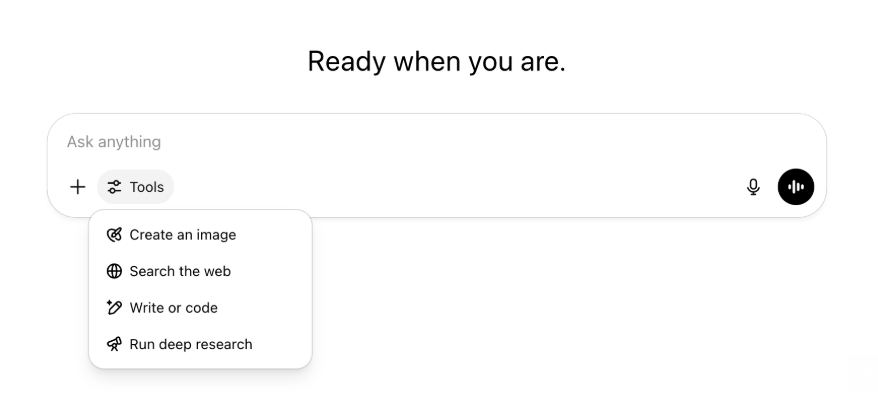
All the same capabilities and tools are still there—just tidier and easier to access in one menu.
May 22, 2025
Releasing GPT-4.1 in ChatGPT
Since its launch in the API in April, GPT-4.1 has become a favorite among developers—by popular demand, we’re making it available directly in ChatGPT.
GPT-4.1 is a specialized model that excels at coding tasks. Compared to GPT-4o, it's even stronger at precise instruction following and web development tasks, and offers an alternative to OpenAI o3 and OpenAI o4-mini for simpler, everyday coding needs.
Starting today, Enterprise and Edu users can access GPT-4.1 via the "more models" dropdown in the model picker. GPT-4.1 has the same rate limits as GPT-4o for paid users.
Introducing GPT-4.1 mini, replacing GPT-4o mini, in ChatGPT
GPT-4.1 mini is a fast, capable, and efficient small model, delivering significant improvements compared to GPT-4o mini—in instruction-following, coding, and overall intelligence. GPT-4.1 mini replaces GPT-4o mini in the model picker under "more models" for paid users, and will serve as the fallback model for free users once they reach their GPT-4o usage limits. Rate limits remain the same.
Evals for GPT-4.1 and GPT-4.1 mini were originally shared in the blog post accompanying their API release. They also went through standard safety evaluations. Detailed results are available in the newly launched Safety Evaluations Hub.
May 15, 2025
Export Deep Research as PDF
You can now export your deep research reports as well-formatted PDFs—complete with tables, images, linked citations, and sources.
To use, click the share icon and select 'Download as PDF.' It works for both new and past reports.
Mobile UI Composer Consolidation (iOS/Android)
We've removed the row of individual tool icons from the mobile composer and replaces it with the new sliders‑style icon to open the Skills menu; tapping that button opens a bottom‑sheet menu where users can choose tools like Create an image or Search the web.
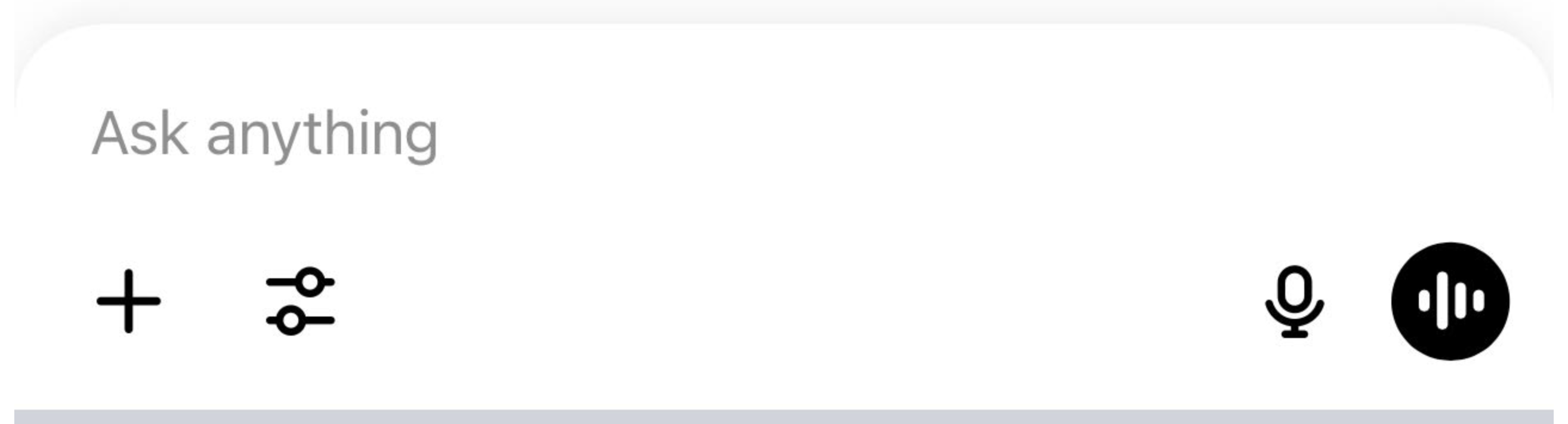
No tools are deprecated—access is simply consolidated to clear space and reduce on‑screen clutter.
May 8, 2025
User Analytics in ChatGPT - GA
The revamped User Analytics dashboard can be accessed in the Manage workspace console in the Analytics tab. It provides more comprehensive data on usage, adoption, and engagement than the original analytics tab.
This improved dashboard gives Admins a high-level view of how ChatGPT is being used across your organization—use it to track adoption and engagement, understand usage patterns for top tools and GPTs, and identify use cases and user trends.
See User Analytics for ChatGPT Enterprise and Edu and Compliance API vs User Analytics in ChatGPT Enterprise/Edu.
May 2, 2025
4o Image Generation in GPTs
GPTs can now leverage ChatGPT’s image-generation capabilities to produce images on demand for users.
GPT creators can enable "4o Image Generation" in the Configure section of the GPT editor, under Capabilities.
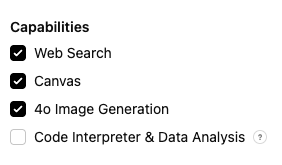
May 1, 2025
Deep research
Users that reach their monthly limit (10 tasks/month) with the standard deep research model will now receive 15 additional requests automatically for that month with our lightweight, cost-effective version until the monthly limit resets.
Learn more about deep research.
Tasks in o3 and o4-mini
You can now create scheduled tasks that enable ChatGPT to run automated prompts and proactively reach out to you on a scheduled basis with o3 and o4-mini. The “ChatGPT with Schedules Tasks” option in the model selector has been removed.
Learn more about scheduled tasks in ChatGPT.
April 24, 2025
o3 and o4-mini
With the introduction of o3 and o4-mini / o4-mini-high, they will supersede o1 and o3-mini / o3-mini-high respectively within ChatGPT.
OpenAI o3 is our most powerful reasoning model that pushes the frontier across coding, math, science, visual perception, and more. It sets a new SOTA on benchmarks including Codeforces, SWE-bench (without building a custom model-specific scaffold), and MMMU. It’s ideal for complex queries requiring multi-faceted analysis and whose answers may not be immediately obvious. It performs especially strongly at visual tasks like analyzing images, charts, and graphics. In evaluations by external experts, o3 makes 20 percent fewer major errors than OpenAI o1 on difficult, real-world tasks—especially excelling in areas like programming, business/consulting, and creative ideation. Early testers highlighted its analytical rigor as a thought partner and emphasized its ability to generate and critically evaluate novel hypotheses—particularly within biology, math, and engineering contexts.
OpenAI o4-mini is a smaller model optimized for fast, cost-efficient reasoning—it achieves remarkable performance for its size and cost, particularly in math, coding, and visual tasks. It is the best-performing benchmarked model on AIME 2024 and 2025. In expert evaluations, it also outperforms its predecessor, o3‑mini, on non-STEM tasks as well as domains like data science. Thanks to its efficiency, o4-mini supports significantly higher usage limits than o3, making it a strong high-volume, high-throughput option for questions that benefit from reasoning.
April 10, 2025
ChatGPT images
Image generation in GPT-4o is now available to all users as the default image generator in ChatGPT. Users who prefer to continue with DALL·E can still access it through the DALL·E GPT.
You can generate images with ChatGPT by simply asking the model to create an image with the details you want, or by selecting the Create image option in the composer. Learn more.
March 31, 2025
User Analytics in ChatGPT - public beta
The revamped User Analytics dashboard can be accessed in the Manage workspace console in the Analytics tab. It provides more comprehensive data on usage, adoption, and engagement than the original analytics tab.
This improved dashboard gives Admins a high-level view of how ChatGPT is being used across your organization—use it to track adoption and engagement, understand usage patterns for top tools and GPTs, and identify use cases and user trends.
See User Analytics for ChatGPT Enterprise and Edu (public beta) for details.
March 20, 2025
Shared Projects Update
We’re holding off on launching shared projects with View and Edit access so that we can work on a more collaborative version that will be valuable to users.
March 13, 2025
Coding with Work with Apps on macOS
When working with IDEs, you can ask ChatGPT to edit open files directly—no copy-pasting required. When you ask for an edit, ChatGPT will generate a diff that you can review and apply, and there’s also an option to automatically apply edits. Diffs are easy to revert in the ChatGPT UI, or by using CMD+Z in your editor.
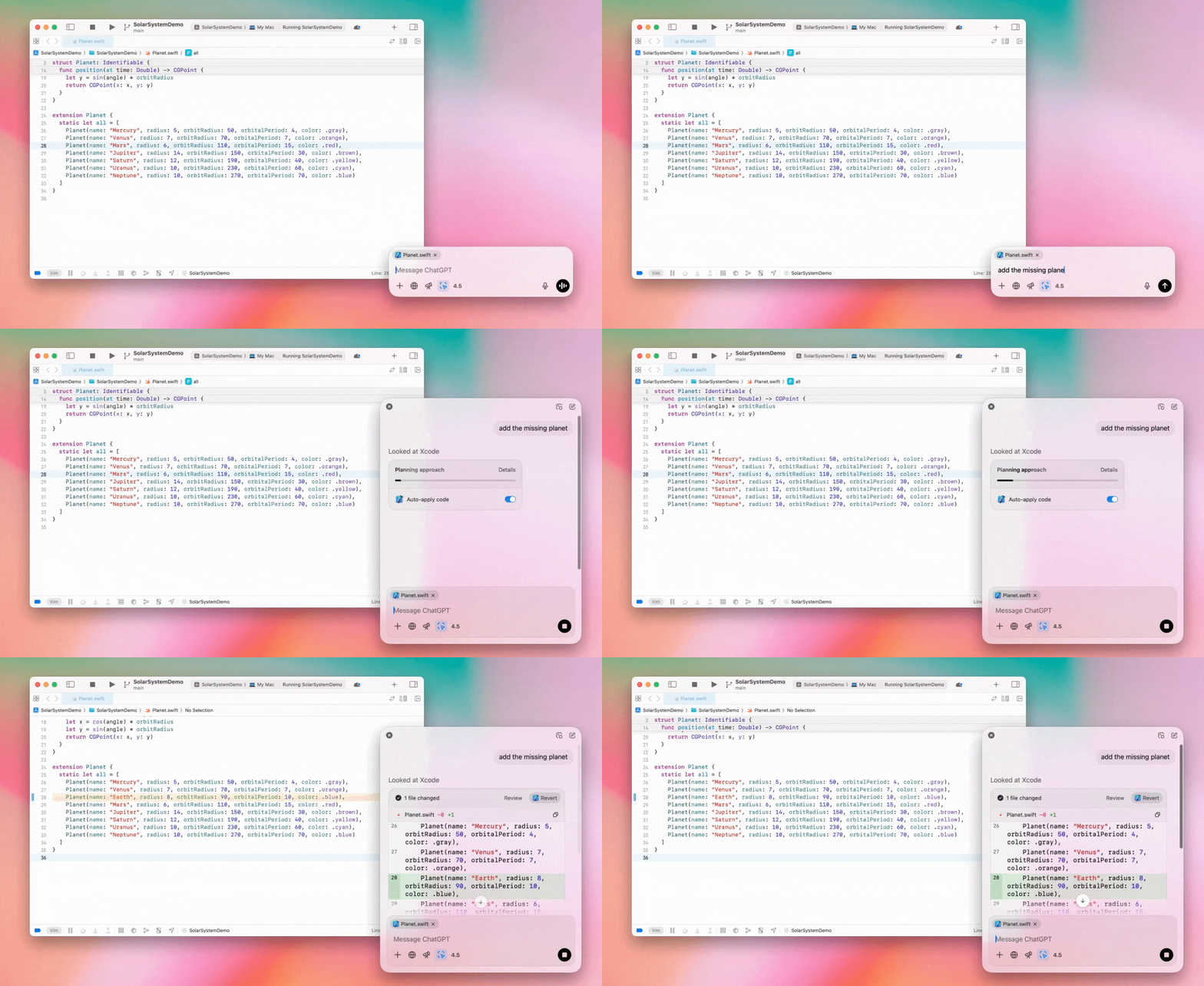
Enterprise admins can flip the "Work with Apps" toggle off in their Admin Settings to disable this functionality for their workspace members.
GPT-4.5 in ChatGPT
As of March 13, 2025, users in Enterprise and Edu plans will now be able to use our GPT-4.5 model in ChatGPT!
See GPT-4.5 in ChatGPT for details.
March 10, 2025
Deep research in Compliance API ChatGPT
As of March 10th, 2025, for Enterprise customers using the Compliance API your options include:
Search for the "deep research global prompt".
Look for the tool name in the response look for
{"tool_name":"deep_research"}.
February 25, 2025
Deep research in ChatGPT
In ChatGPT deep research is now available to users on the Enterprise plan.
Deep Research allows ChatGPT to agentically and asynchronously browse the web to complete your professional or personal work.
Enterprise, and Edu users will have 10 deep research queries per month.
See our Deep research FAQ for details.
February 13, 2025
o1 pro mode and o3-mini in ChatGPT
In ChatGPT o1 pro mode is now available to Enterprise and o3-mini to Enterprise Edu!
o3-mini: OpenAI o3-mini has replaced o1-mini in the model picker. It’s more cost effective and offers higher rate limits at lower latency. It’s a reasoning model, making it a great choice for coding, STEM, and logical problem-solving tasks. o3-mini shows its chain of thought, and can browse the web.
o1 pro mode: Also available in the model picker this week is o1 pro mode. Designed for accuracy and depth, it excels in research, engineering, business, and law—ideal for professionals tackling highly complex challenges. O1 pro mode will take longer to think through a problem. So responses can take some time. Due to its computational intensity, each user is limited to five queries per month. For most tasks, o1, o3-mini, or GPT-4o will remain optimal choices.
Re: File Uploads
Images, docs, and pdfs are supported in the o1, o3-mini, and o3-mini-high models. No spreadsheets (csv/excel).
Only images are supported in o1 pro mode. No docs/pdf and no spreadsheets (csv/excel).
Canvas Sharing
ChatGPT Enterprise and Edu users can now share a Canvas asset such as rendered React/HTML code, document, or code with another user, similar to how you share a conversation. You can do this from the Canvas toolbar when Canvas is open.
For more details about the canvas feature in ChatGPT, check out the following Help Center article!
January 23, 2025
Projects
Projects are now available for all paid plans including Enterprise and Edu.
See Using projects in ChatGPT for details.
January 16, 2025
Visual Retrieval (PDFs) for ChatGPT Enterprise
ChatGPT Enterprise now supports reading and understanding visuals (images, graphs, diagrams, etc.) embedded in PDF files. Users can upload a PDF, and ChatGPT can interpret the text and any visual elements within that file.
For details see Visual Retrieval with PDFs FAQ.
December 12, 2024
o1
Starting today, all ChatGPT Enterprise customers will be able to access o1 through the model selector, replacing o1-preview.
o1 can now be used to reason about image uploads, opening up new applications by analyzing and explaining visual representations with more detail and accuracy. We have also trained the model to be more concise in its thinking, resulting in faster response times than o1-preview.
December 11, 2024
Apple Intelligence with ChatGPT
ChatGPT admins can now enable and disable access to Apple Intelligence from their workspace admin settings, under Connections.
If this setting is toggled off, users cannot select their ChatGPT Enterprise/Edu workspace when logging in with their OpenAI credentials.
December 10, 2024
Canvas
Today we made Canvas available in 4o by default for all users, Free and Paid. Additionally, we launched a number of new capabilities for canvas, including:
Canvas in GPTs: Canvas can now be used with GPTs when enabled in the GPT creator. This toggle will be enabled for newly created GPTs by default.
Python code execution: You can now execute Python code in a canvas. ChatGPT will take a pass on fixing bugs in your code and provide comments on errors. Please note that executing Python can make external network requests, and Enterprise workspace admins can disable Python code execution by toggling the Canvas code execution setting in their Admin settings. This is turned off by default for all Enterprise accounts.
Canvas shortcut: You can now paste content into ChatGPT and instantly open it in canvas via a shortcut in the upper right corner of the composer.
Canvas in Toolbox: Canvas has been added as an option in the toolbox.
Workspace admins can now use the Compliance API to get, list, and delete canvas text documents.
Please note that the Admin Setting to disable canvas has been removed, as this feature is now out of beta. If this was previously disabled, we will continue to honor that setting. Please contact support@openai.com if you would like to update this setting for your Enterprise/Edu workspace
December 3, 2024
Work with Apps on macOS
ChatGPT can now read content from your coding apps, bringing you smarter, more accurate answers tailored to your work by using Work with Apps on macOS. Learn more about Work with Apps on macOS.
Enterprise admins can flip the "Work with Apps" toggle off in their Admin Settings to disable this functionality for their workspace members.
November 22, 2024
Updates to the ChatGPT Web experience
We are rolling out the following updates over the next two weeks to all ChatGPT users.
Sidebar redesign
New floating mode added with soft dismiss behavior
Recent conversations are now limited in the sidebar, with an unlimited infinite scroll flyout for all conversations
Recent GPTs & Pinned GPT's are now displayed below conversations
Settings are now always in the bottom of the sidebar
A small settings icon was added in larger viewports when the sidebar is not open
New transitions were added to create a more immersive feel
Other updates for ChatGPT on Web
The core underpinnings of the site were revamped, offering much better support for a larger variety of devices and sizes
Initiating a new conversation now scrolls it into view at the top of the screen
Initiating a new conversation no longer auto scrolls to the bottom while the message is generating
The sidebar when pinned can now stay open with an active Canvas if enough space is available
A new composer bar layout now fades content underneath it as you scroll with an updated look & feel
The new chat button has been moved to the left of the Model Picker to be easier to access
The system icon in conversations has been removed to make additional horizontal space
Dall-E focused view has an updated layout
GPT Creator has an updated layout
Improved Mobile Web Experience
The experience with the on-screen keyboard on mobile devices has been greatly improved across iOS & Android devices
The new sidebar is always in floating mode and auto closes when switching threads
We no longer focus the composer on mobile web when switching conversations
An issue causing scroll to get stuck in certain situations should be resolved
November 20, 2024
Update to GPT-4o
We’ve updated GPT-4o for ChatGPT users on all paid tiers. This update to GPT-4o includes improved writing capabilities that are now more natural, audience-aware, and tailored to improve relevance and readability. This model is also better at working with uploaded files, providing deeper insights and more thorough responses.
November 19, 2024
Advanced Voice for ChatGPT Web
Starting today, we’re beginning to roll out Advanced Voice Mode on web (already available on mobile and desktop apps). Users can now start a voice chat on chatgpt.com on their desktop and have real-time, natural conversations with ChatGPT while doing tasks like, planning, writing, and brainstorming.
November 14, 2024
Windows App
The improved Windows app is now available through the Microsoft Store for ChatGPT Enterprise and Edu workspaces. ChatGPT users that are familiar with our experience on the web can seamlessly integrate the Windows app into anything they’re doing on their computer.
User access to the ChatGPT Windows app will follow your IT admin’s policies for apps in the Microsoft Store. In the coming weeks, IT admins will also have the option to deploy the app to employee devices via MDM/MAM, rather than allowing direct downloads from the Store.
As with any ChatGPT Enterprise experience, user chat history is secure and will not be used to improve OpenAI's services.
Learn more about the ChatGPT Windows app.