
As of February 13, 2026, models GPT-4o, GPT-4.1, GPT-4.1 mini, OpenAI o4-mini, and GPT-5 (Instant and Thinking) have been retired from ChatGPT and are no longer available. API access remains unchanged.
For more information, please refer to our article: Retiring GPT-4o and other ChatGPT models
With GPT-5.5, all Enterprise and Edu workspaces are automatically using our newest models for a faster, more capable ChatGPT experience. If your workflows rely on a previous model, you can turn on legacy model access for a limited transition period. This lets you continue using select older models while you adapt to GPT-5, update custom GPTs, or wrap up ongoing projects before moving fully to the new defaults.
Legacy models available:
GPT-4o
OpenAI o3
OpenAI o3 Pro
GPT-4.1
GPT-4.5
These models will appear in the model picker only if legacy model access is turned on for your workspace or account.
Please note that legacy models are still subject to credits and limits.
Enabling access to your workspace
ChatGPT workspace admins can enable access to legacy models in the workspace admin settings.
To enable:
Click on your profile icon on the bottom-right of the screen.
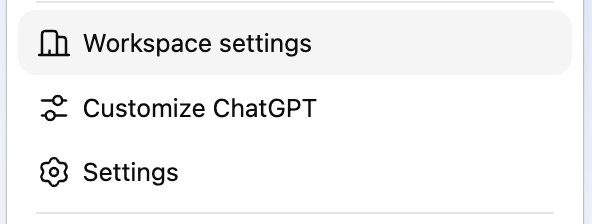
Select Workspace settings in the pop-up menu.
Under Models, toggle on Enable legacy models to enable access to legacy models in your workspace.
Once legacy models have been enabled, they will appear in the model selector for users in your workspace.